111
Use the main dial or ï ð keys or key to toggle between ON and OFF (the default is off).
to accept the data and return to a standard display. Alternatively
to abort entry or ò to move to the next item on the config menu (OPENING MESSAGE).
14-9 CONFIG Opening message
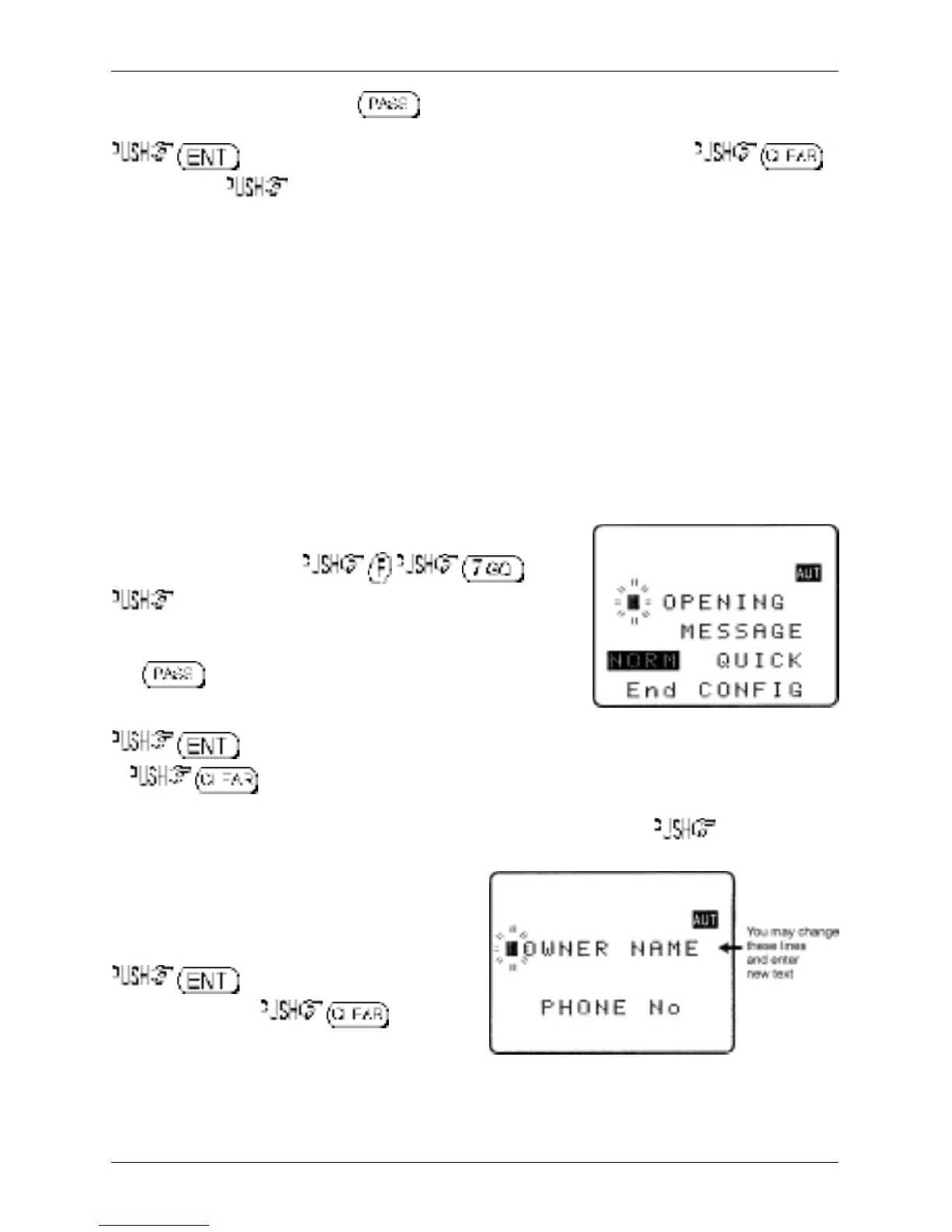
It is possible to display a welcome message while the AR8200 is powering up and collating its ‘boot-up’
information. There are three options for opening message:
NORM
Normal message is displayed at switch-on: WELCOME TO THE NEW WORLD OF AR8200.
QUICK
Blank screen at switch-on.
USER
Four lines of 12 characters may be entered for display at switch-on. Initially they are configured
for you to enter OWNERS name and PHONE NUMBER but all lines may be over-written.
The “OPENING MESSAGE” is setup in the CONFIG menu.
To access the config menu .
ò ten times to move the cursor to the
“OPENING MESSAGE” selection point. Use the main dial or
ï ð keys to toggle between NORM / QUICK / USER.
The key may used as a short cut to NORM (which is
the default).
to accept the data and return to a standard display
or to abort entry.
Alternatively if you have selected
USER
and wish to change the text comment ò to access the
text input menu for the opening menu.
You may change all four lines of text in the usual
manner. Please refer to
section 12-1
of this
manual for further information regarding text input.
to accept the data and return to
a standard display or to abort
entry. When the AR8200 is switched off and back
on again, the new opening message will be
displayed.
Section 14-8, 14-9



 To Next Page