33
The display doesn’t correct immediately upon frequency entry to allow you to enter the ‘STEP-ADJUST’ menu to
change the step size and step-adjust in order to help track unusual band plans.
&Note: AUTO-STEP, STEP-ADJUST and AUTO-MODE are linked to the pre-programmed
bandplan data. When one of the parameters is changed from the default “AUTO” the bandplan will be
ignored.
To re-instate AUTO step size, the receive MODE must be returned to “AUTO” using the “MODE SET” menu or
by using the key sequence
3-9 STEP-adjust
The AR8200 provides a powerful feature to enable accurate
following of unusual band plans. When active, the “ADJ” legend is
displayed top-centre of the LCD.
Step-adjust is used when the receiving frequency is not divisible
by the step size in use (It is possible that step-adjust has been
programmed into the auto-mode bandplan data for some world
market areas). Therefore step-adjust is useful for certain band
plans such as cellular which in some areas starts as 917.0125 MHz then increments in 25 kHz steps.
Another example is the CB allocation in certain areas which starts at 27.60125 MHz then increments in
10 kHz steps. Often just a HALF STEP is required but more exotic band plans can be tracked.
Step-adjust may be factory pre-programmed into the bandplan data (you may over-ride this). It is also
possible to store the step-adjust data into memory channels and search banks.
3-9-1 Automatic calculation of step adjust
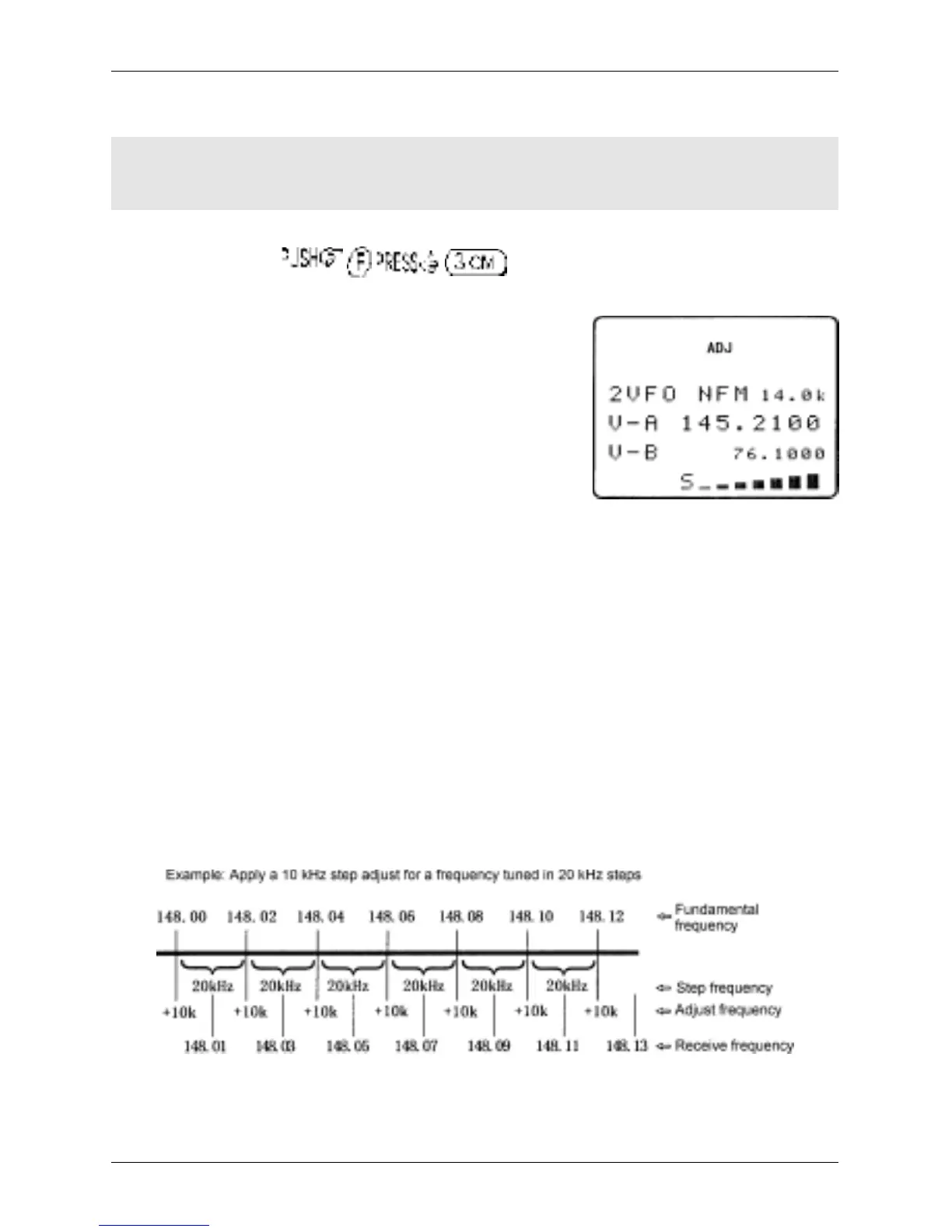
The AR8200 can calculate the required step-adjust, simplifying its use.
Example 1:
Assume that you wish to tune from 148.010 MHz in 20 kHz steps (i.e. 148.010, 148.030,
148,050, 148.070, 148.090 etc). When manually tuning, the AR8200 would normally correct the
frequency display to read 148.020 then step upward in 20 kHz steps. Tuning back downward will skip
148.010 MHz (the starting point) as the original frequency was not divisible by step size… it was
offset by +10 kHz. Usually the frequency must be divisible by the tuning step size. However, the
STEP-ADJUST facility is used to address this situation.
With the above example of 148.010 MHz with 20 kHz steps in mind, while in VFO mode, key in the start
frequency of 148.010 MHz
Section 3-8, 3-9, 3-9-1



 To Next Page