20
Apogee Ensemble Thunderbolt | User’s Guide
Route Mac System Sound to Dierent Outputs
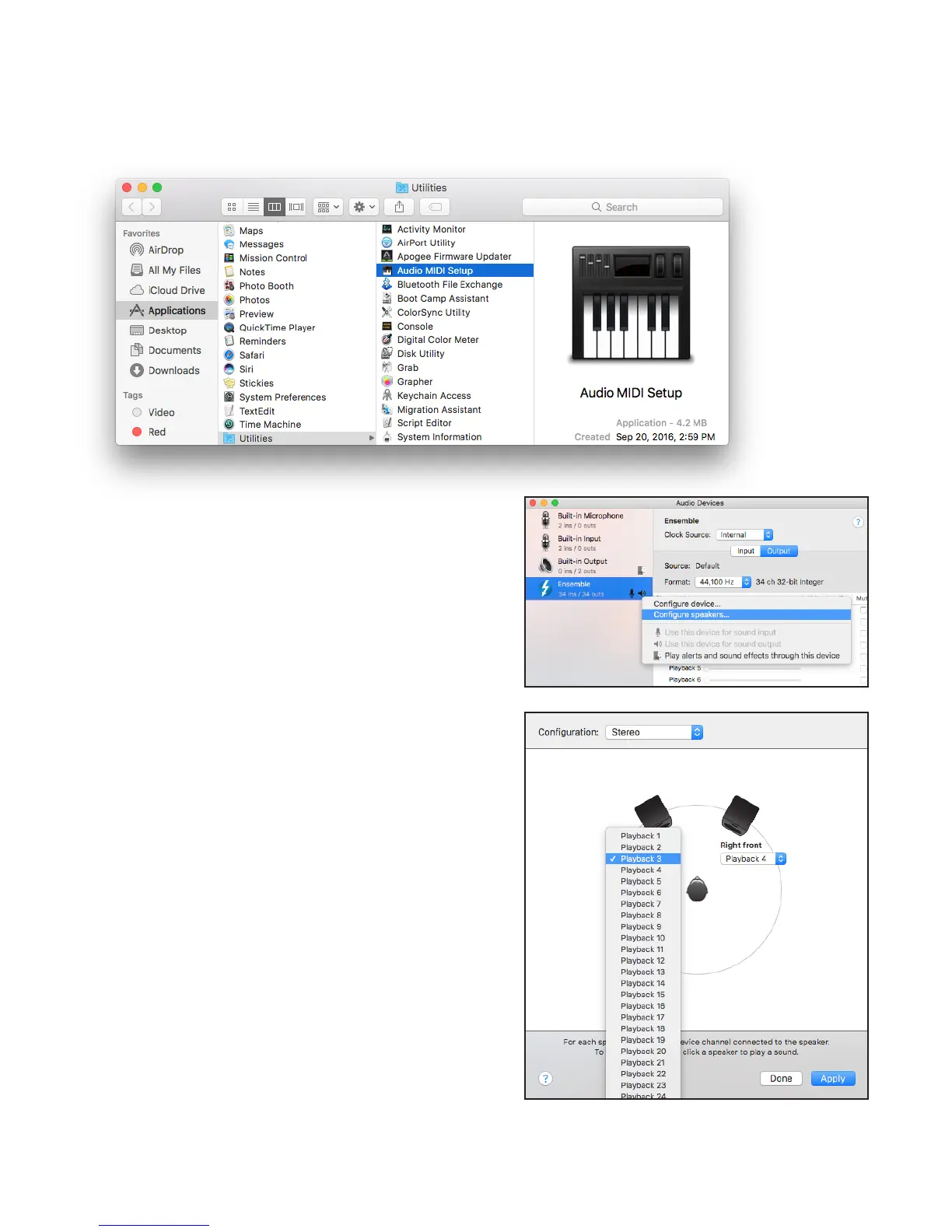
1� Open the Audio/MIDI Setup Utility, found in the Applications > Utilities folder of your Mac�
2� In the Audio Devices window, [Control+click] on Apogee
Ensemble�
3� In the Menu that appears, select “Congure Speakers”.
4� If playing a stereo audio le, select the Stereo
Conguration.
5� Select the desired Ensemble output channel for
each speaker assignment�
• For example, if you want iTunes to play out
of Ensemble channels 3 & 4, set Left Front to
“Playback 3” and Right Front to “Playback 4”.
6� Select the Apply button�



 To Next Page