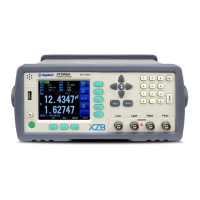
Procedure to set the trigger:
Press [Meas] key to enter <MEAS DISPLAY>Page
Use cursor keys to select [TRIGGER] field
Automatic Internal trigger
Manual trigger by pressing [Trig] key
BUS trigger by RS232 SCPI command
4.1.2 Resistance [RANGE]
AT528/528L has three range modes:
Auto range, Manual range and Nominal range
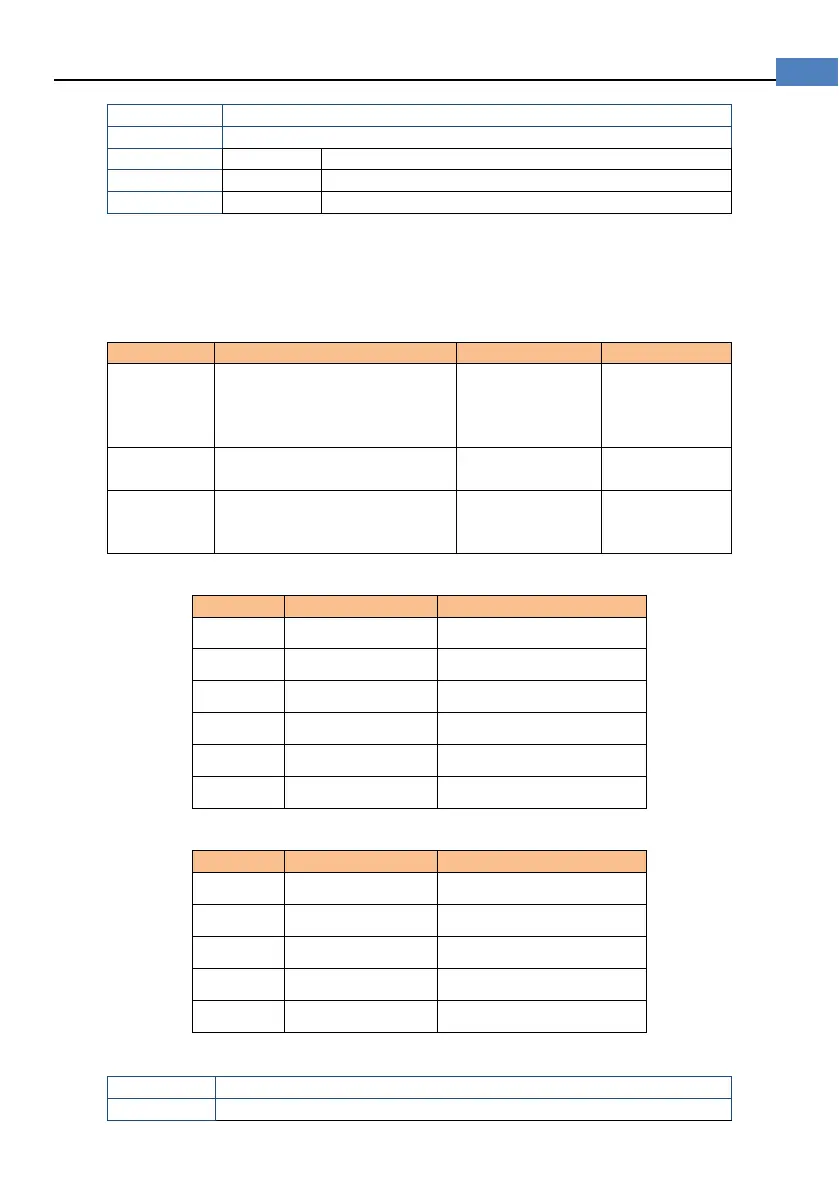
Table 4-2 Resistance Ranges
AUTO
select the best range according
to impedance
Range is automatically set.
Very convenient
Test speed is
slower than
manual
HOLD
The instrument will always
use the user-specified range
Highest speed
NOMINAL
select the best range according
Best mode for
sorting.
in sorting
Table 4-3 Resistance Measurement Range of AT528
5
2kΩ 200Ω ~2.2kΩ
4
200Ω 20Ω~220Ω
3
20Ω 2Ω~22Ω
2
2Ω 200mΩ ~2.2Ω
1
200mΩ
20mΩ ~220mΩ
0
20mΩ
0mΩ ~22mΩ
Table 4-4 Resistance Measurement Range of AT528L
4
200Ω 20Ω~220Ω
3
20Ω 2Ω~22Ω
2
2Ω 200mΩ ~2.2Ω
1
200mΩ
20mΩ ~220mΩ
0
20mΩ
0mΩ ~22mΩ
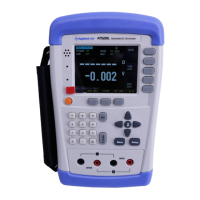
Procedure of setting the range:
Press [Meas] key to enter measurement page
Use the cursor key to select [Range]


 To Next Page