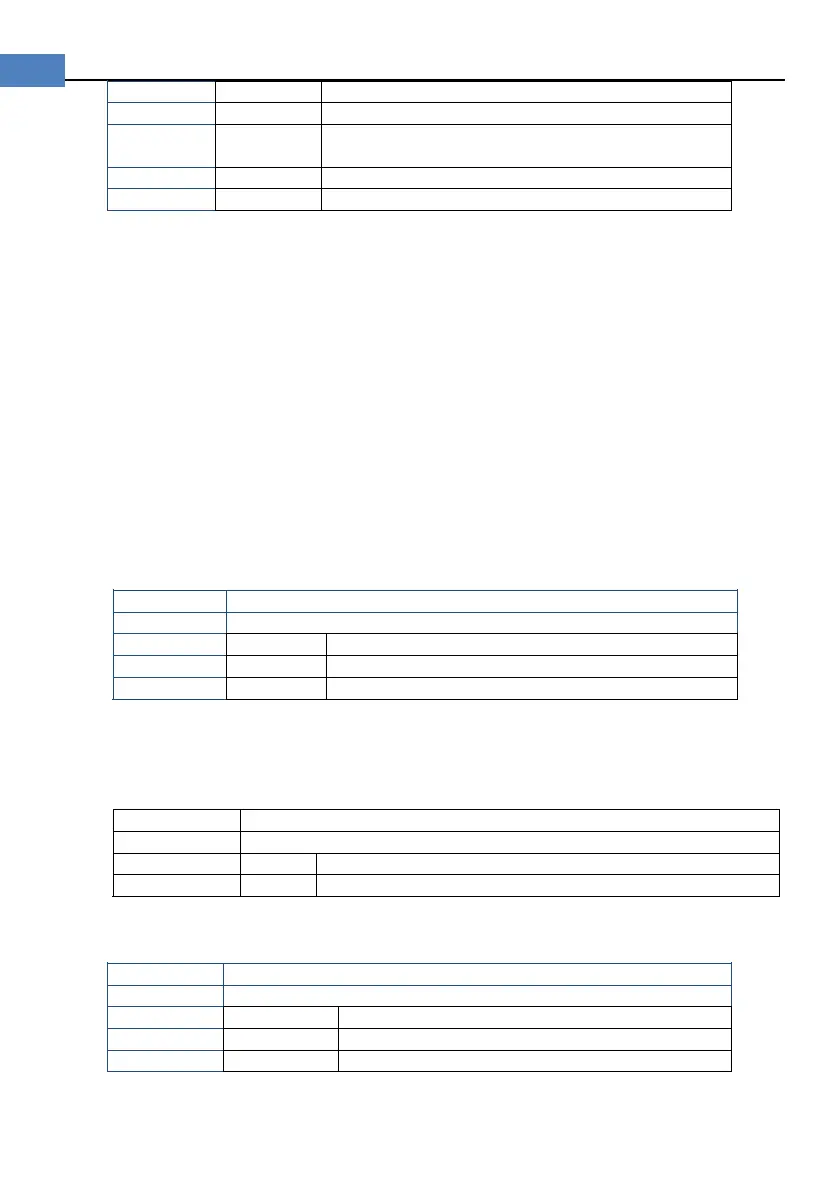
Select the range according to resistance nominal
value [ResNom].
The DC voltage measurement range cannot be selected. Instrument always uses automatic
range mode.
4.1.3 Test [SPEED] (AT528 only)
SLOW, MED and FAST can be selected for AT528
SLOW mode will result in more stable and accurate measurement result.
(Only Slow speed mode for AT528L).
The following speed is measured in range-hold mode:
SLOW: 2 times/sec
MED: 10 times/sec
FAST: 20 times/sec
The following speed is measured in range-auto mode:
SLOW: 1.8 times/sec
MED: 6.8 times/sec
FAST: 16 times/sec
Procedure to set test speed:
Press [Meas] key to enter measurement page;
Use the cursor key to select [SPEED] field
4.1.4 Comparator [COMP]
Set the comparator parameter in <SETUP> page, this page is about how to turn on/off
comparator.
Procedure to turn COMP on/off:
Press [Setup] key to enter setup page;
Use the cursor key to select [COMP];
4.1.5 [BEEP] Feature
Procedure to set the beep:
Press [Meas] key to enter measurement page;
Use the cursor key to select [BEEP]


 To Next Page