22
Checking the total distance covered (ODO)
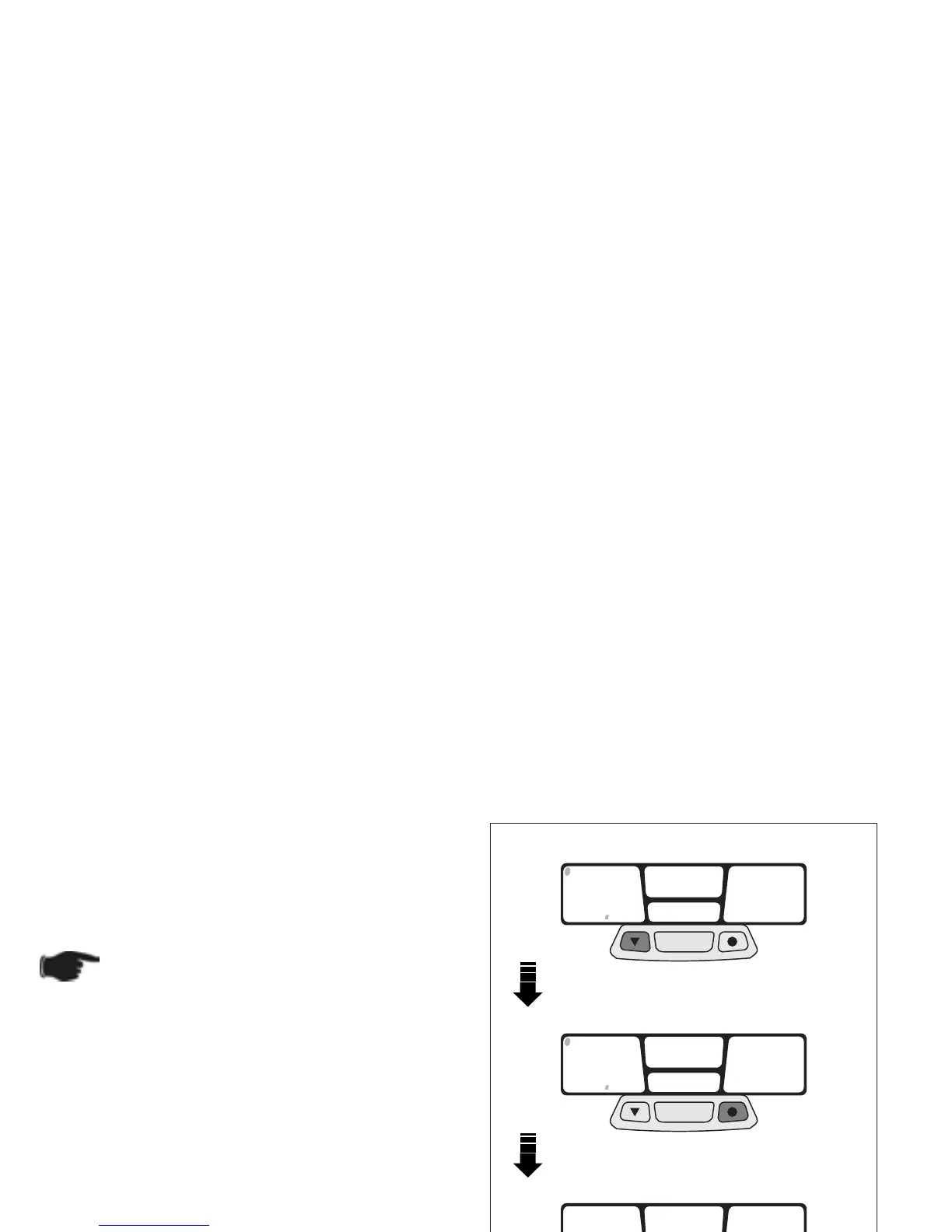
◆ Press left push button to modify the value.
◆ Press right push button to shift to next value.
◆ Keep centre ≈MODE∆ push button pressed for
about 1.5 seconds to confirm. Then start total race
time setting (ART).
As soon as the MODE push button is
pressed, the ART wording will appear on
the centre display.
Fig. 25
MODE
MODE
00
00
1
300
ODO
MODE
00
00
1
300
ODO
ART
00:00
00



 To Next Page