33
CHANGING THE BATTERY
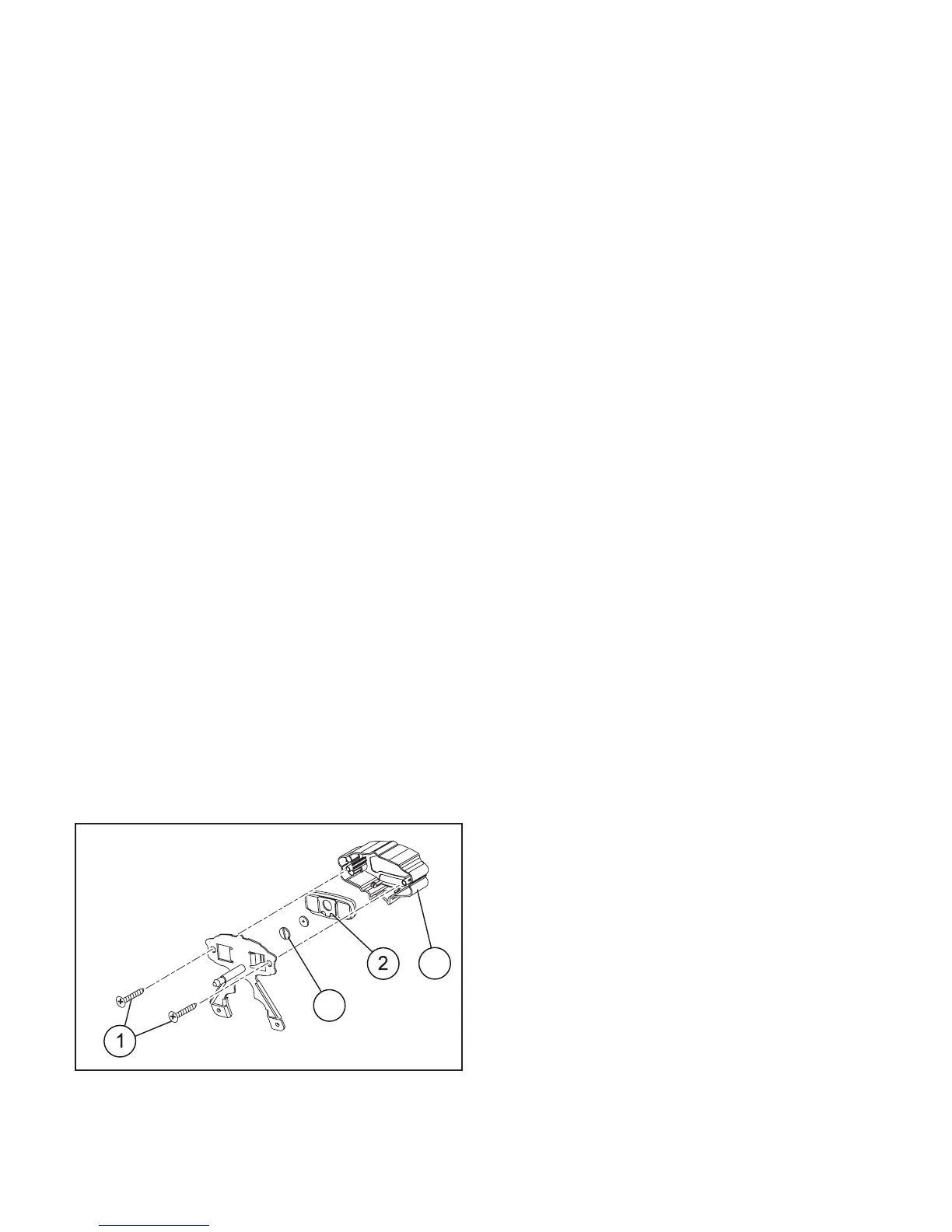
◆ Remove headlight fairing.
◆ Loosen the 2 cross-head screws between instru-
ment holder and metal plate.
◆ Disconnect the 2-way connector from speedome-
ter transmission unit.
◆ To remove the digital instrument from its holder,
slightly press on LCD side.
◆ Disconnect the ≈sliding shoe∆ from the digital in-
strument body.
◆ Loosen the battery cover cap behind the digital in-
strument.
◆ Change the "CR2032" battery.
Fig. 36
3
4





 To Next Page