28
DISABLING THE SCHEDULED MAINTENANCE
SERVICES
Whenever the scheduled maintenance or lubrication
service intervals are not respected, the relating value
will start flashing on the left display.
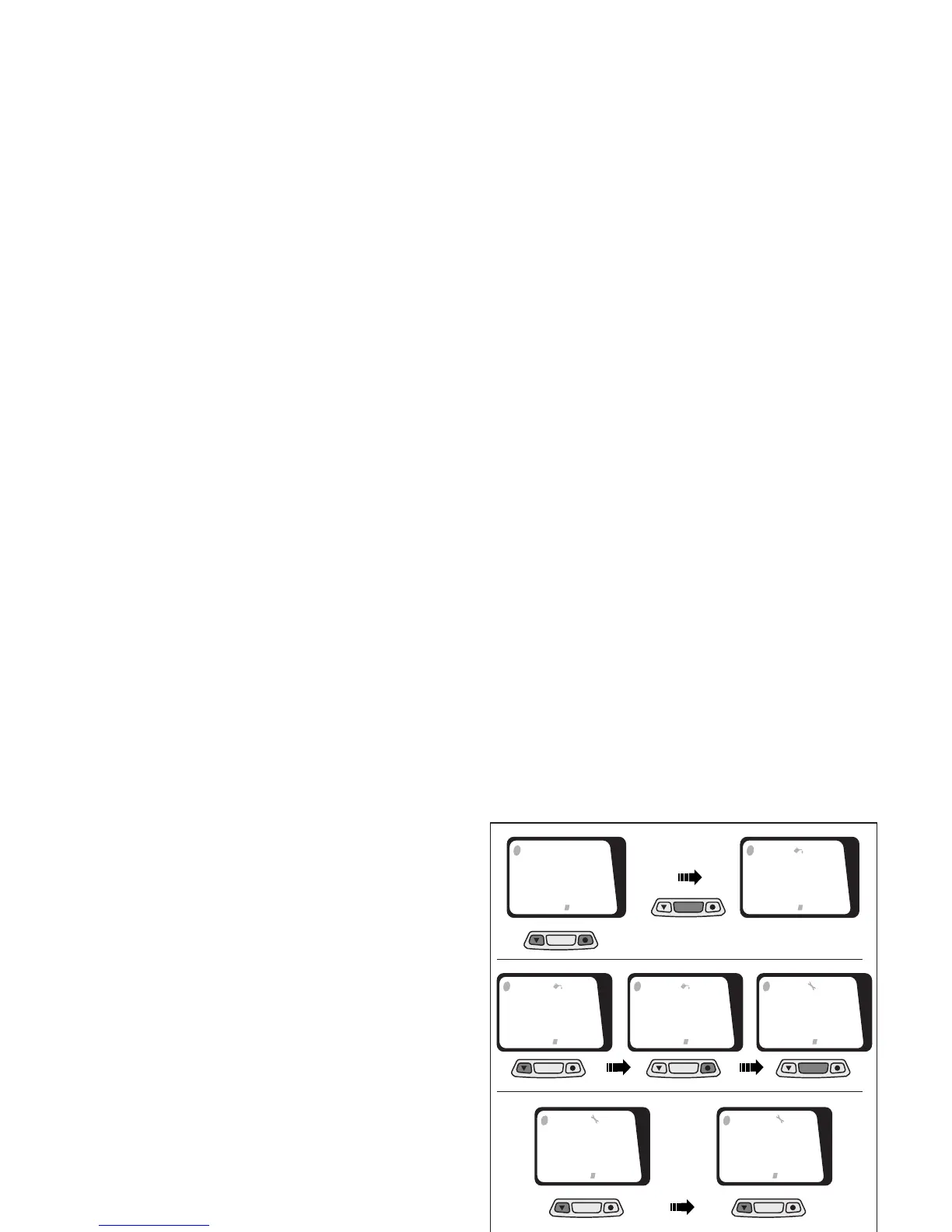
To switch this value off, keep the right and left push
button simultaneously pressed for about 2 seconds.
◆ Keep centre push button ≈MODE∆ pressed for
about 1.5 seconds to go to the wheel diameter
screen.
◆ Keep centre push button ≈MODE∆ pressed again
for about 1.5 seconds to go to the time setting
screen and to start setting the preventative lubri-
cation check.
◆ Press left push button to modify the value.
◆ Press right push button to confirm this value and
to shift to next value.
◆ Keep centre ≈MODE∆ push button pressed for
about 1.5 seconds to confirm preventative lubrica-
tion values and to shift to next operation. Press
left push button to modify the value.
◆ Press right push button to confirm this value and
to shift to next value.
◆ Keep right push button pressed again until, after
about 2 seconds, the starting screen (A) will ap-
pear again..
Fig. 31
MODE
MODE
MODE
MODE
MODE MODE
MODE
1
55
21
1
00
00
1
1
00
00
2
1
00
00
2
1
00
00
3
1
00
00
4
MODE
1
00
00
4
1
DST SPD
KM/H
11:49:08
7
96
53
30
RT
30:42
1













 To Next Page