APsystems YC500-A Installation/User Manual 12
APsystems YC500A/I Installation/User Manual
Installation Procedures
WARNING:
Insure that all AC and DC wiring is correct. Check that
none of the AC and DC wires are pinched or damaged. Be sure that
all junction boxes are properly closed.
NOTE:
About A and B Sides corresponding the location of modules,
EMA registration show acquiesce in this installation. if there are
different connection methods, please email the detail installation
drawings to us to register, or the A, B Sides corresponding component
location will not correspond to the EMA position.
Step 6 - Completing the APsystems Installation Map
Fill in the APsystems Registration Cards, which provide system information
and the installation map. Feel free to provide your own layout if a larger or
more intricate installation map is required. The layout map provided is
designed to accomodate labels in vertical or horizontal orientation to meet
all the field PV connections.
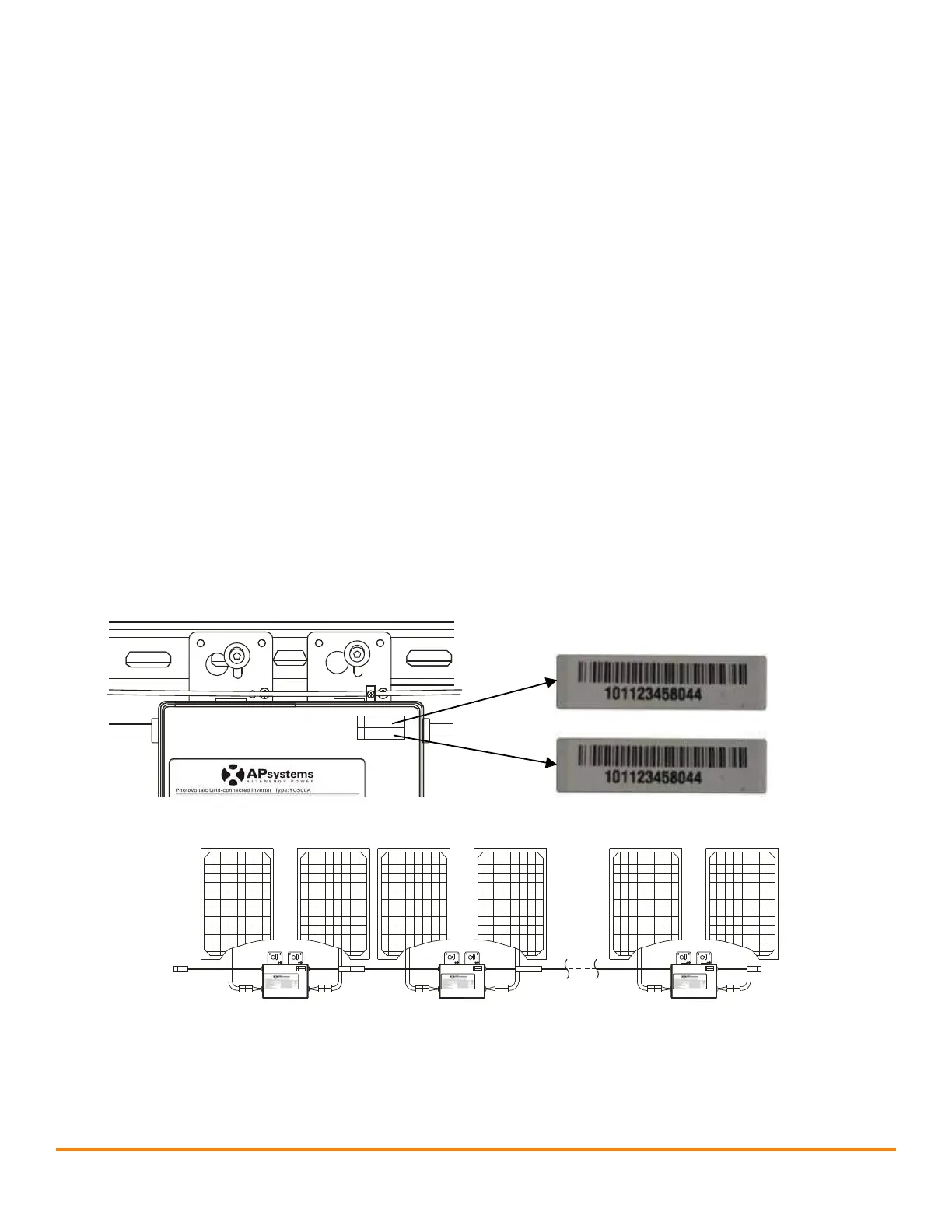
a. Each APsystems Microinverter has removable serial number labels.
Peel labels off, affix one to the respective location on the APsystems
installation map, and fill in A,B in the label below(as Figure12)
according to the layout on the roof(as Figure 11). Then affix another
label to the PV module frame which is easy to see. The warranty cards
can obtain from the appendix of this manual or APsystems website
www.APsystems.com
b. Fill the warranty cards and email to APsystems at
emasupport@altenergy-power.com
c. APsystems will create the EMA account and email you the account
information. Then you can use the EMA website to view detailed
performance of your PV system. You can learn more information on
energy monitoring and analysis system from APsystems website
www.APsystems.com
Figure 11
Microinverter
serial numbers
A
B
A
B
A
B
101123458044
101123458045
101123458054
……
Step 6 - Completing the APsystems installation map
Fill in the APsystems registration cards, which provide system
information and the installation map. Feel free to provide your own
layout if a larger or more intricate installation map is required. The
layout map provided is designed to accommodate labels in vertical or
horizontal orientation to meet all eld PV congurations.
1. Each APsystems microinverter has a removable serial number
label. Peel each label off, and afx it to the respective location
on the APsystems installation map.
2. Fill out the warranty cards. The warranty card and installation
map are needed to register the site in the EMA.
3. Complete the EMA Installer Account Registration form found
on the APsystems website. APsystems will create the EMA
account and email you the account information. Then you can
use the EMA website to view detailed performance data for the
PV system.
Figure 10



 To Next Page