ARCHOS 32 USER GUIDE
http://www.archos.com/manuals/A32_EN_v1.1.htm[06.02.2013 12:28:03]
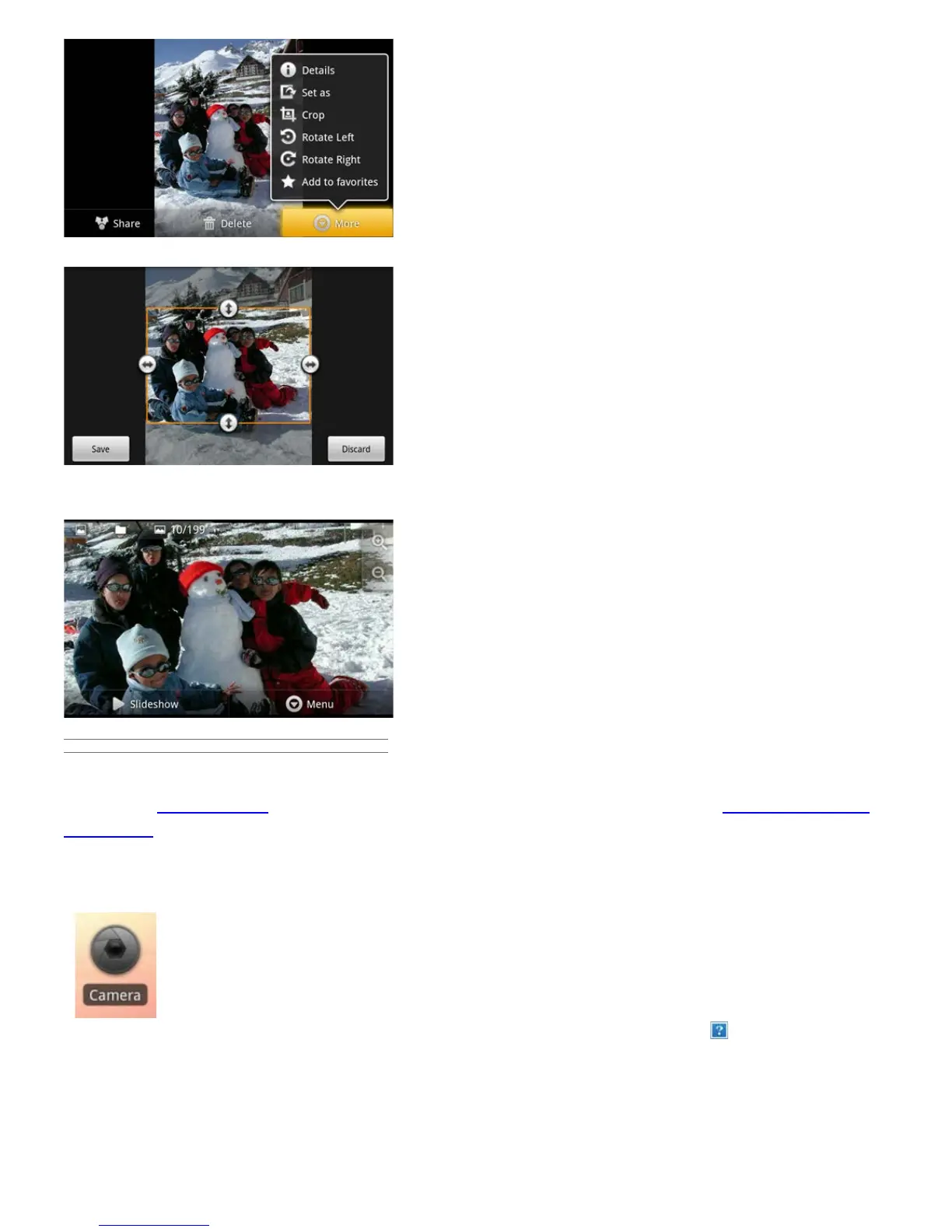
Push and pull the arrows until it outlines the desired area.
Tap on Save and the results will be added as a new photo to the photo album. You can delete the original image
without fear of deleting the newly created one.
11.4. PUTTING PHOTOS ONTO YOUR ARCHOS
To copy photos from your camera to your ARCHOS you can connect your ARCHOS to the camera directly with
the optional USB Host cable or by first transferring the photos to your computer and then transferring them to
the ARCHOS.
12. CAMERA
The ARCHOS 32 has a built in camera that allows you to take still photos or video recordings.
When taking still images, be careful to hold the device
completely still in order to take photos that are crisp
and clear. To the right is the screen for taking still
pictures (and which is the same for taking videos).
1. Settings tab. Tap on this (or tap on the menu icon then
Settings) to access the various camera settings (color effect, burst
mode, picture quality, etc.).
2. White Balance button. Select the option fitting the surrounding environment.
3. Take a photo or start/stop a video sequence depending if you are in photo or video


 To Next Page