GPs
10
USER MANUAL - version 4
3�3� The MaIn navIGaTIOn sCReen
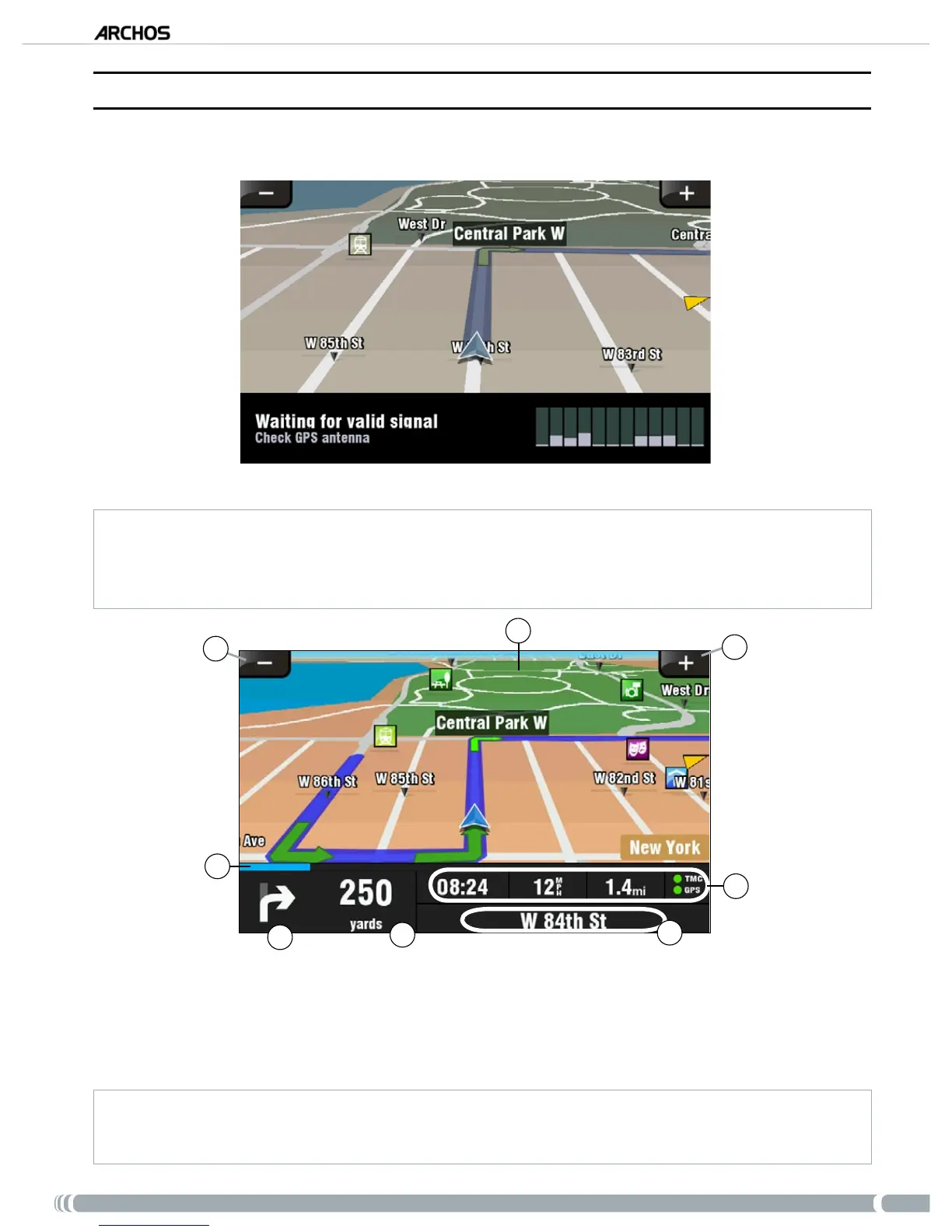
When you launch the GPS application, it will search for a valid GPS signal and you will rst see the
following screen. The strength of the signal appears in the bottom right corner.
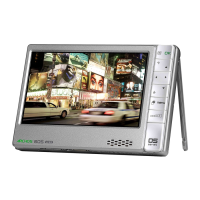
As soon as the GPS nds a valid signal (it can take up to several minutes), the following screen will appear.
If your GPS remains on the rst screen, check that you have correctly installed the GPS in your car.
See section 2.2.
Setting up the GPS in your car.
GPS signal reception is highly dependent upon optimal in-car holder placement, vehicle features such as heat reective
windshields, and the surrounding environment such as mountains and high buildings.
5
6
7
4
2
1
3
8
Zoom out
Direction of your destination*
Zoom in
Your route’s progression bar*
1.
2.
3.
4.
Next turning point* (tap to hear instruction again)
Distance to next turning point*
(tap to hear instruction again)
Current position
Arrival time** / Current speed / Distance left** / TMC*** &
GPS indicators
5.
6.
7.
8.
* This information only appears if you have computed a route.
** This information can be congured in the settings.
*** TMC = Trafc Message Channel,
see chapter 6: Other Functions
.
•
•



 To Next Page