GPs
11
USER MANUAL - version 4
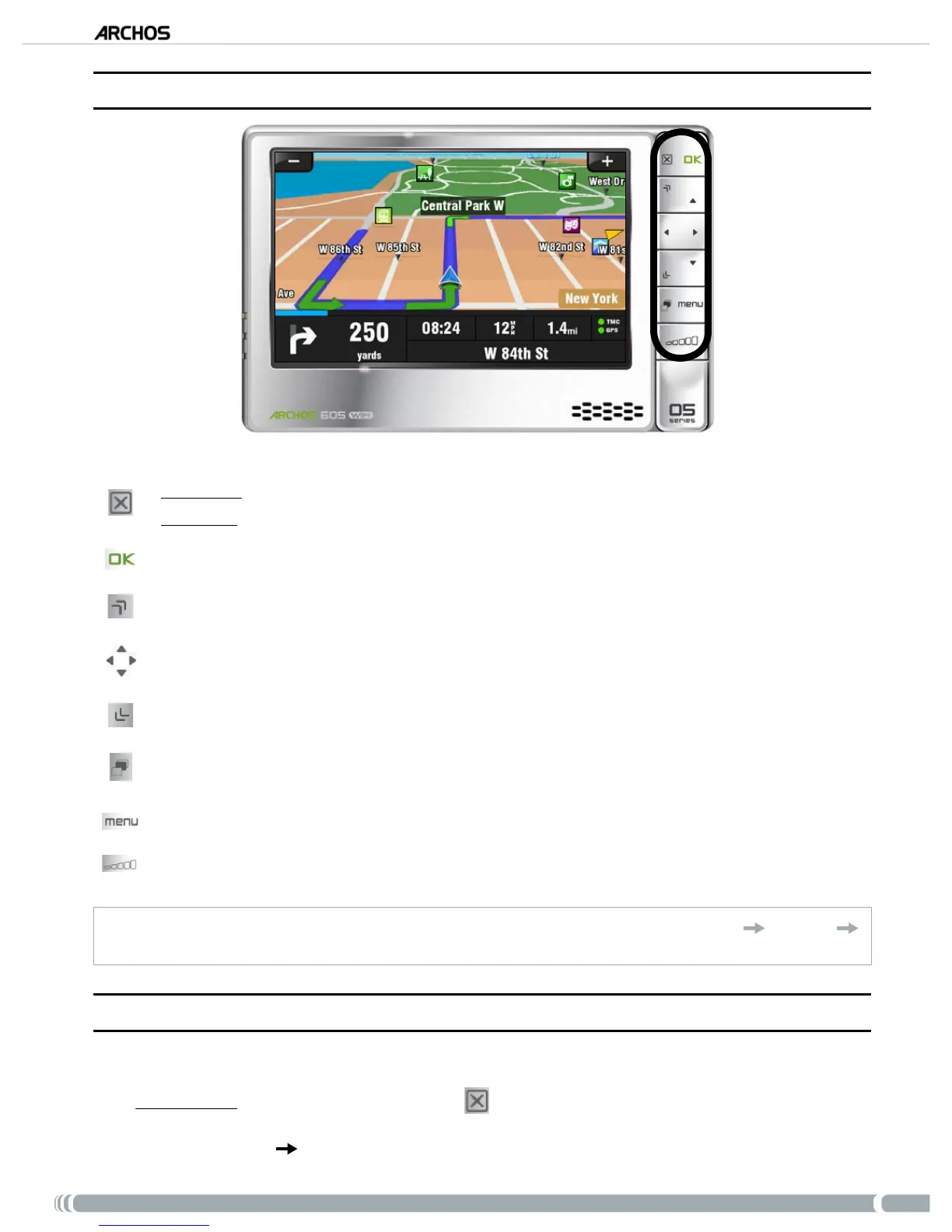
3�4� UsInG The bUTTOns
ARCHOS 605
Short press: go back
Long press
: exit the GPS application (a conrmation screen will appear)
Enter / Validate
Zoom in
Move from an item to another (menus) / Browse the map
Zoom out
Switch between 2D and 3D view modes
Enter main menu
increase/decrease volume*
* Note: this volume control is independent of the volume controls that you can set in
‘
Main menu
’ ‘
Settings’
‘
Volume settings’
.
3�5� leavInG The “GPs” aPPlICaTIOn
There are two ways to exit the “GPS” application and go back to the ARCHOS home screen:
ARCHOS 605: press and hold the Exit button
on your ARCHOS player until a conrmation screen
appears. Tap on ‘Exit’ to conrm.
Go to ‘
Main menu’ ‘Exit’. A conrmation message will appear. Tap on ‘Exit’ to conrm.
•
•



 To Next Page