GPs
17
USER MANUAL - version 4
4�6� hOW dO I ChanGe The vIeW MOdes?
2D/3D VIEW MODES
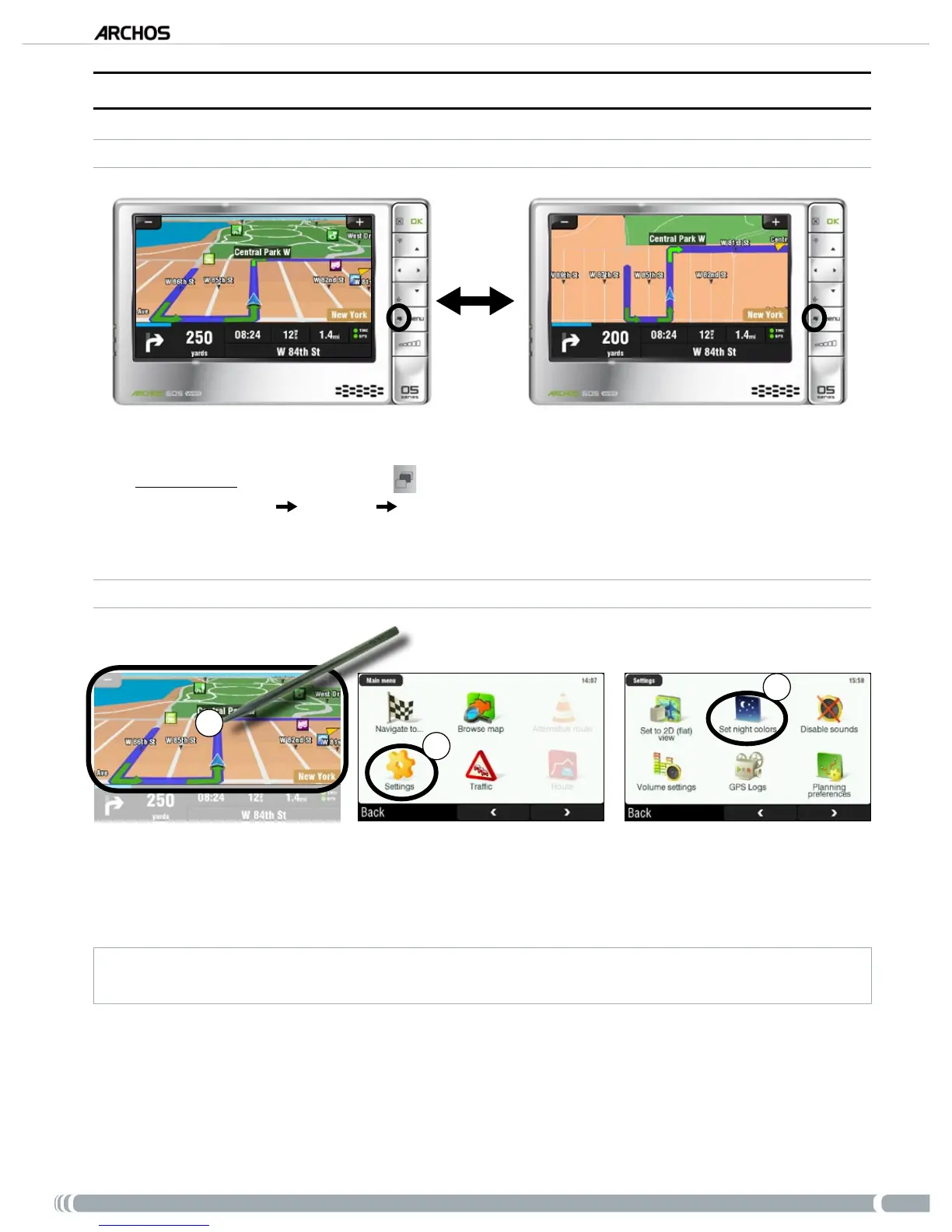
There are two ways to switch between 2D and 3D view modes:
ARCHOS 605: press the Tab button
on your ARCHOS player.
Go to ‘
Main menu’ ‘Settings’ ‘Set to 2D (at) view’ / ‘Set 3D view’.
DAY / NIGHT COLOR MODES
1
2
3
From the navigation screen, tap anywhere on the map area to access the main menu.
Tap on ‘
Settings’.
Then tap on ‘
Set night colors / Set automatic colors / Set daylight colors’.
Note: when set to ‘Automatic colors’, the device switches automatically between day/night color modes, depending
on the time of the day.
•
•
1.
2.
3.



 To Next Page