GPs
14
USER MANUAL - version 4
4�3� hOW dO I MeMORIze MY hOMe addRess?
1
2
3
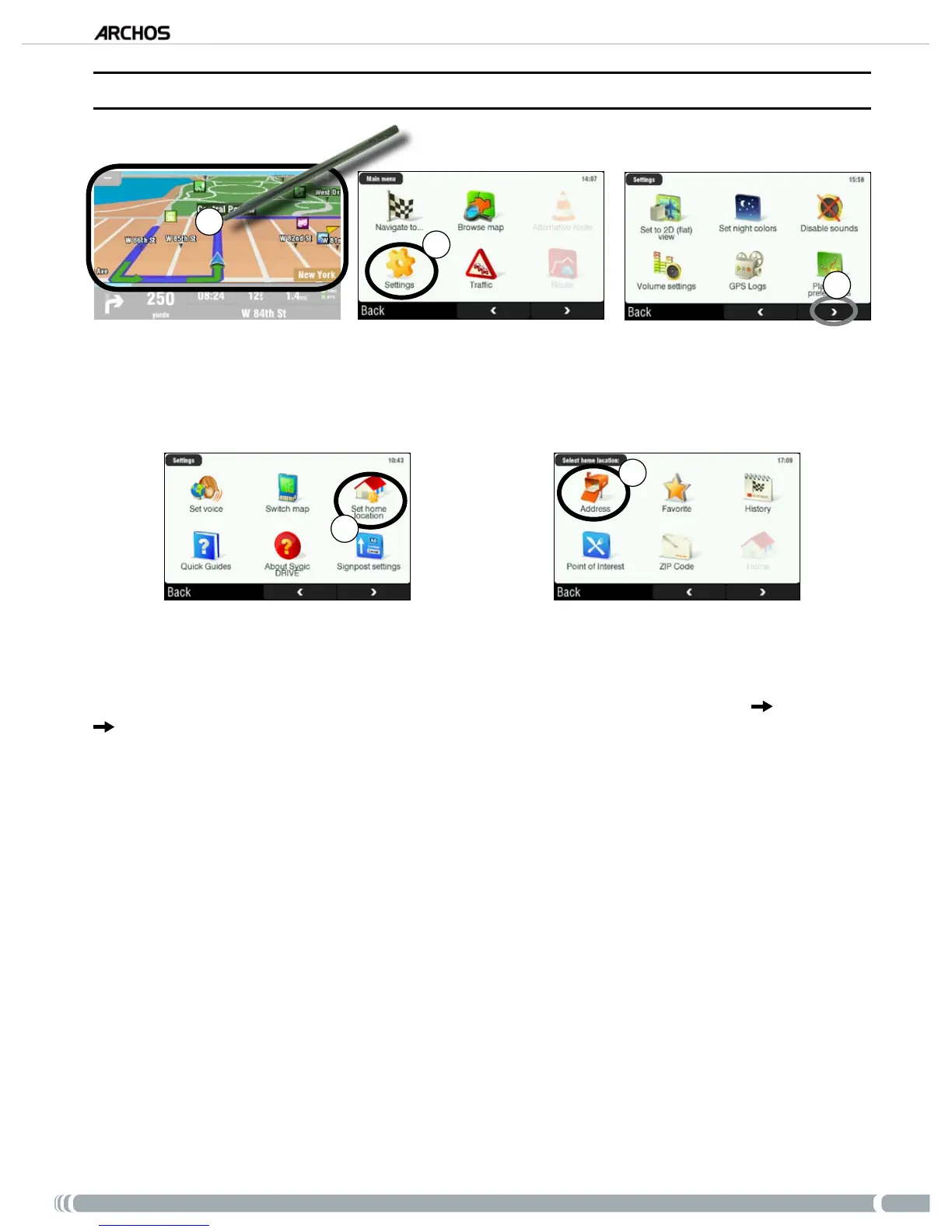
From the navigation screen, tap anywhere in the map area to access the main menu.
Then tap on ‘
Settings’.
Tap twice on the bottom right arrow to access the third screen of the main menu.
4
5
Tap on ‘Set home location’.
Tap on ‘
Address’, then enter your home address (as explained in section 4.1).
Your home address is now memorized. To select it as your destination, go to ‘
Main menu’ ‘Navigate to’
‘Home’.
1.
2.
3.
4.
5.



 To Next Page