GPs
20
USER MANUAL - version 4
5� desCRIPTIOn Of The MenUs
5�1� qUICk MenU
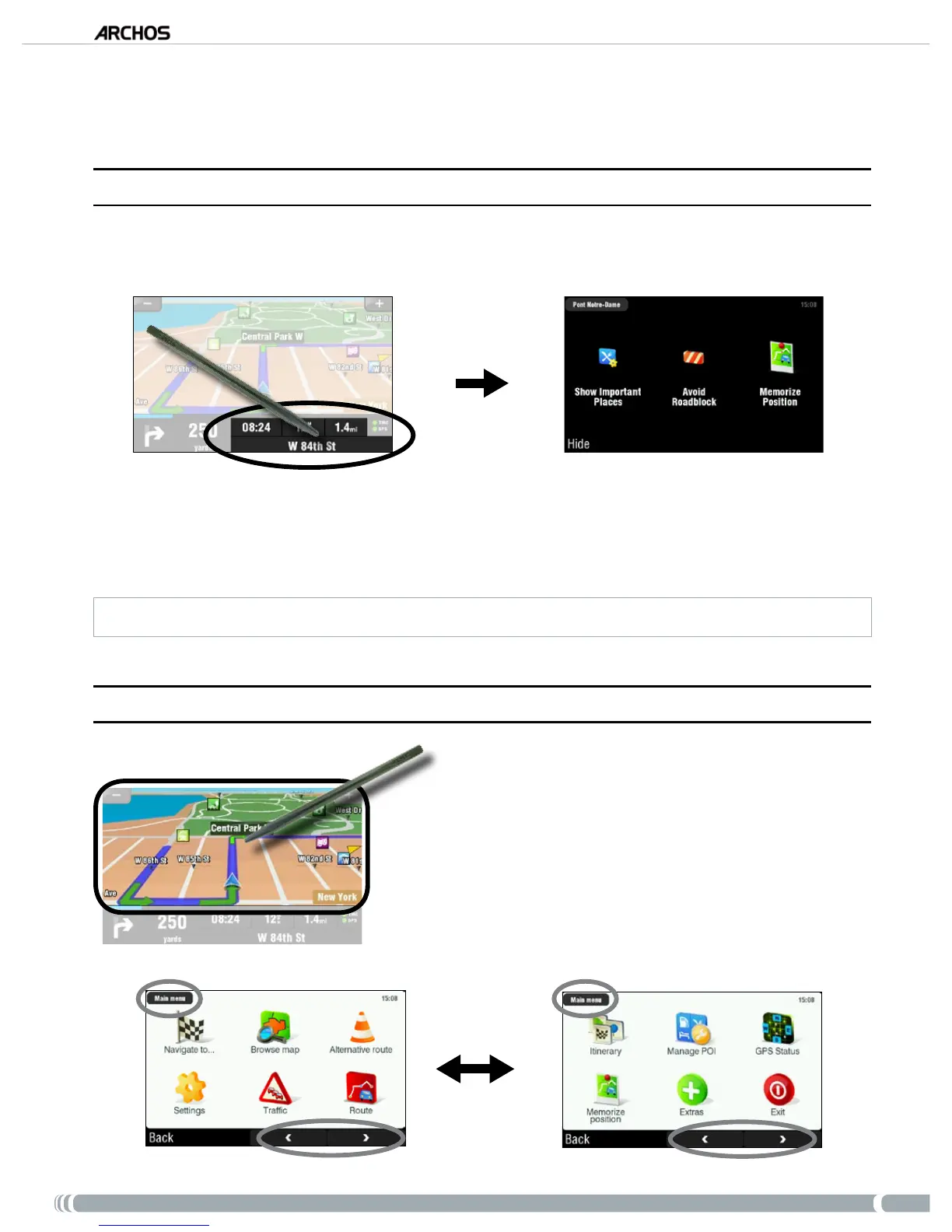
Tap on the bottom right of the navigation screen to access the quick menu. You will then see 3 main op-
tions:
‘Show Important Places’ *: displays the two closest points of interest on your route.
‘Avoid Roadblock’ *: allows you to dene a road block. The ARCHOS will automatically recompute a
route that will avoid this road block .
‘Memorize Position’: stores your current position into the history.
* only if you have computed a route.
5�2� MaIn MenU
From the navigation screen, tap anywhere on the map
area to access the main menu.
Use the bottom arrows to jump back and forth between
the 2 screens of the main menu.
The box in the top left corner tells you where you are in
the menu system.
•
•
•
•
•
•



 To Next Page