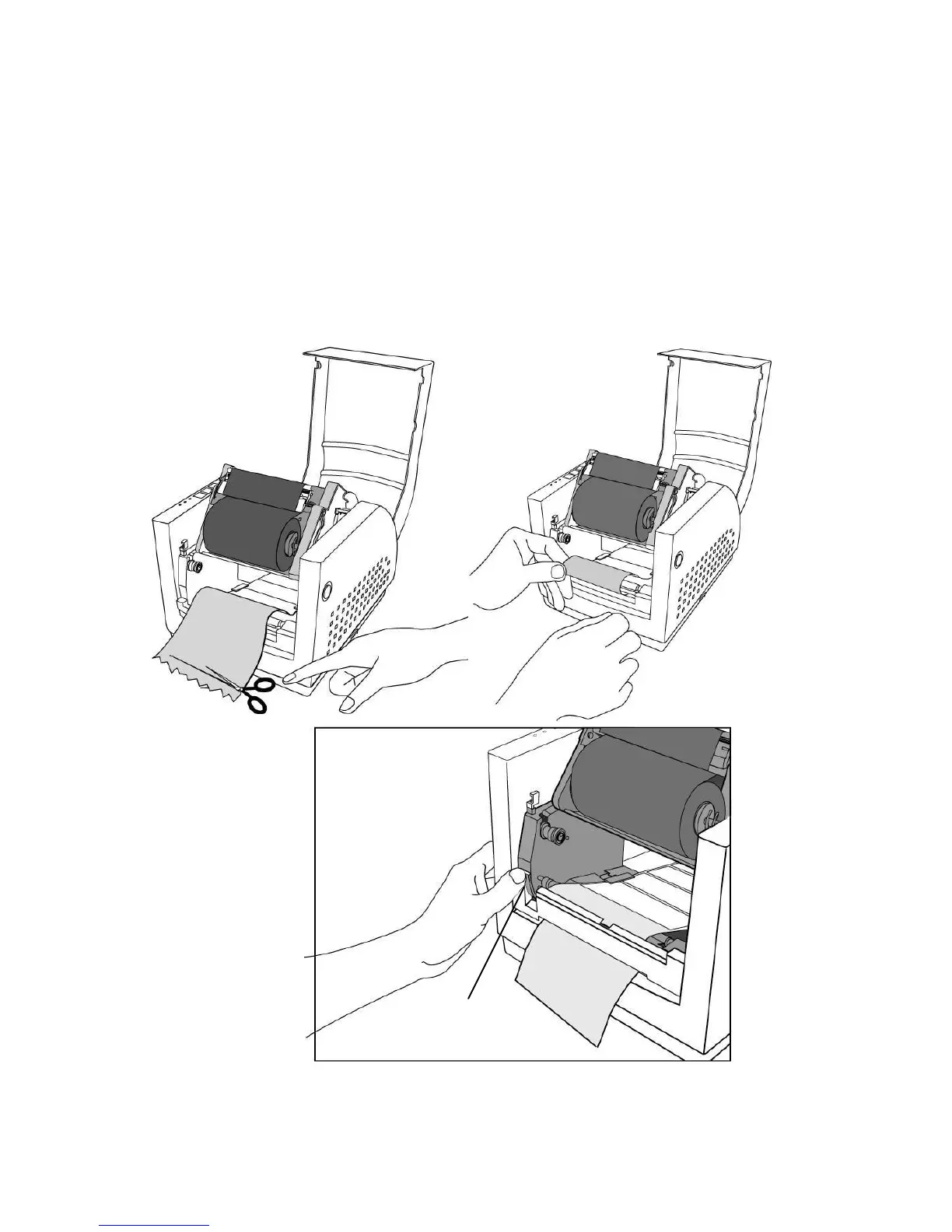
2. Trim the edge of label backing paper with scissors or knife.
3. Push down peeler-switch to ease the access packing paper.
4. Lead the backing paper over the plate, then thread it back
into the slot, ensuring that it is inserted between white plastic
roller and plate.
5. Pull back the peeler-switch to secure backing paper.



 To Next Page