11
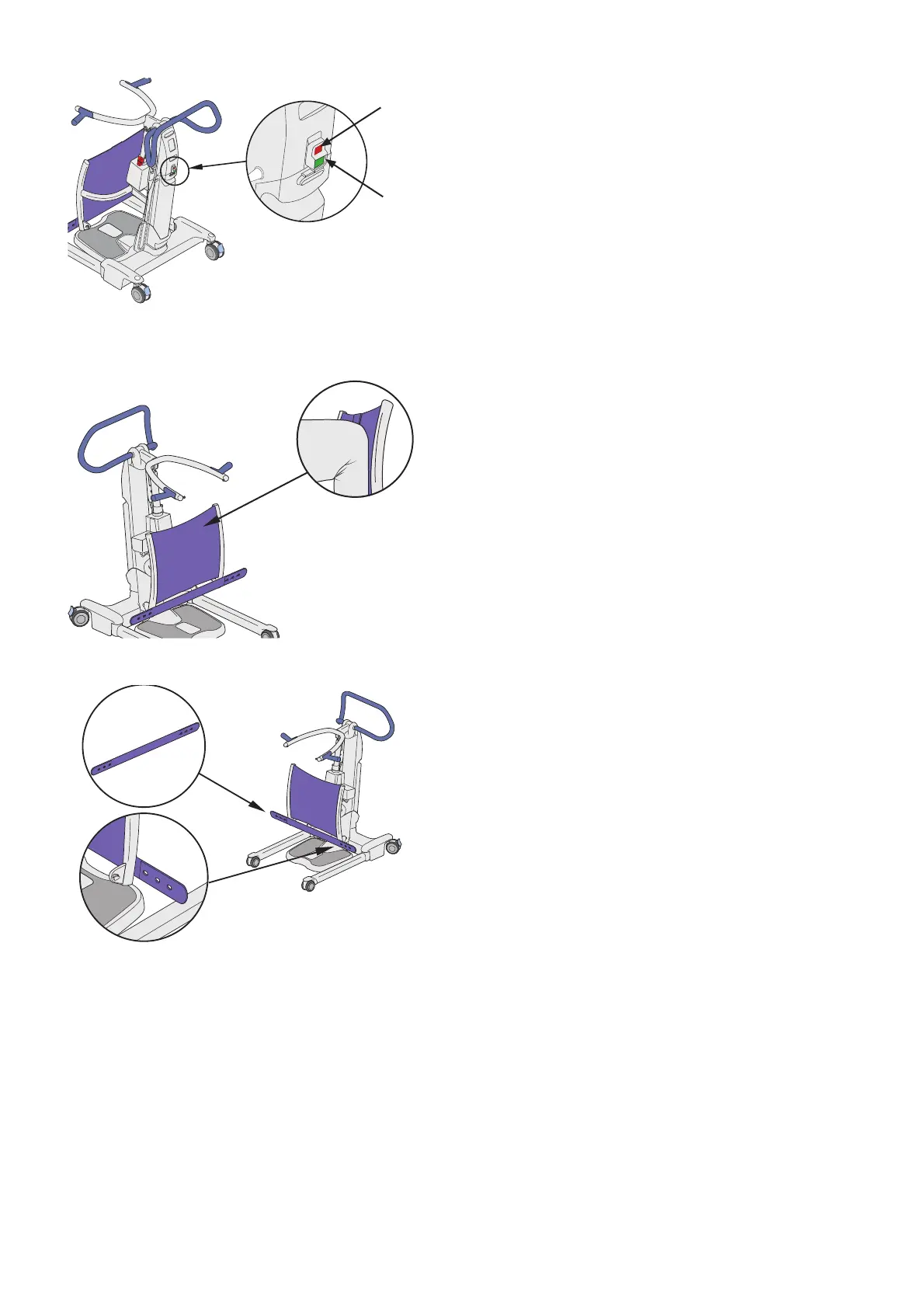
Emergency Stop Button
To Activate
Press the red emergency stop button (A) to cut all
power to all electrical components. (See Fig. 6)
To Deactivate
Press the green power button (B) to power on the
equipment again. (See Fig. 6)
Power Button
The green power button (B) is located next to the stop
button. Press the power button to switch on Sara Flex.
(See Fig. 6)
Leg Support
The leg support is made out of silicone. (See Fig. 7)
This material adjusts itself based on the pressure
applied by the patient knees (A).
Leg Strap
The leg strap is located under the silicone leg support.
(See Fig. 8)
The leg strap is used to make sure that the patient’s
legs stay close to the leg support.
To fasten the leg strap attach it to the attachment point
on either side of the leg support.
Fig. 6
Fig. 7
A
Fig. 8
A
B













 To Next Page