32
Make sure all labels are attached
• Check if all labels are attached on the Sara
Flex according to “Labels on Sara Flex” on
page 37.
Visually check the hand control and cable for
damage
• Check the hand control screen for dead pixels
or any other display defects.
Perform a full functionality test on Sara Flex
• Raise the lifting arm to its highest position
using the hand control or the control panel.
• Lower the lifting arm to its lowest position
using the hand control or the control panel.
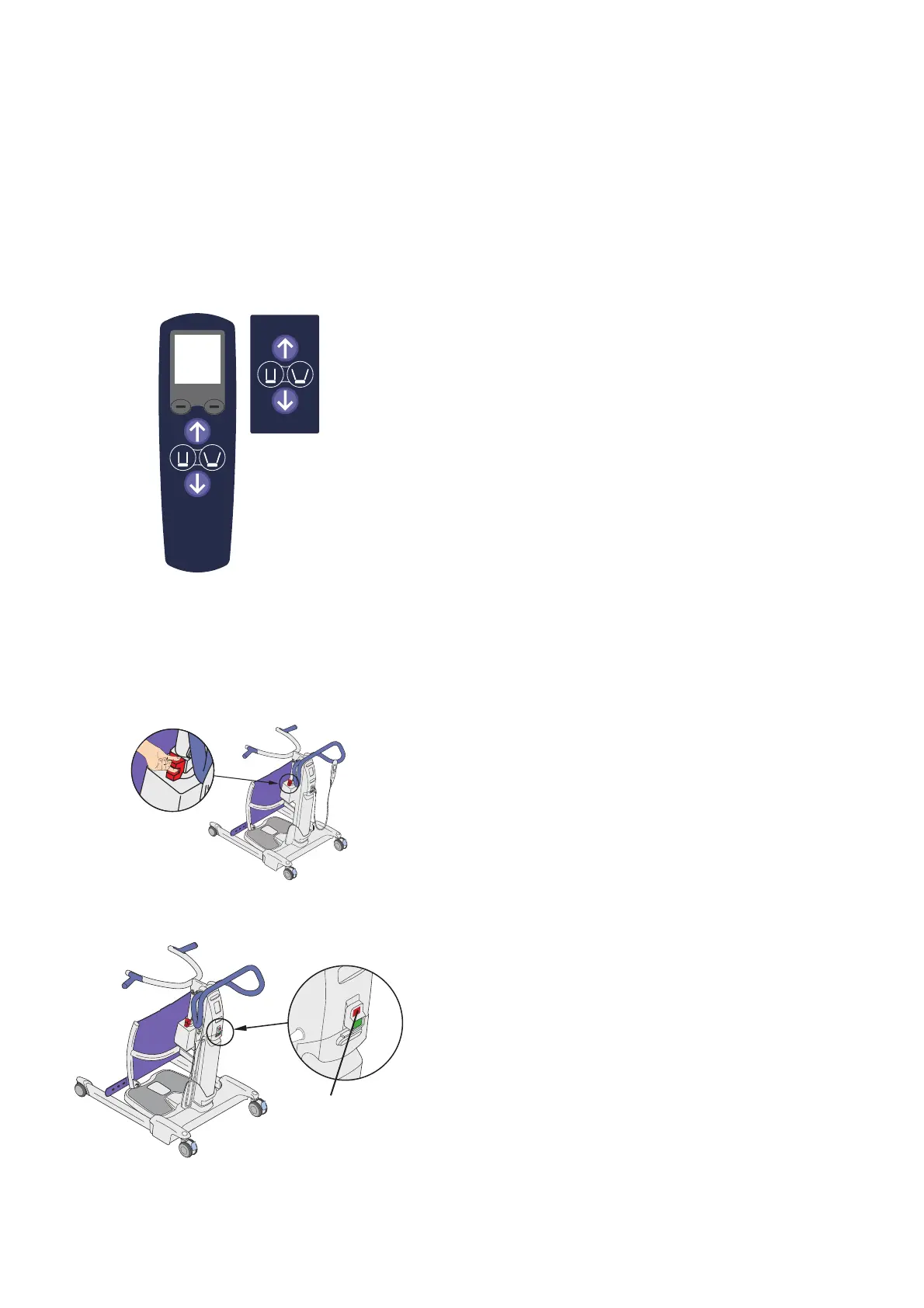
• Test every button on the hand control and the
control panel. (See Fig. 49)
All buttons must be working according to
“Controls and Features” on page 9.
• Move the Sara FlexDURXQGRQDÀDWVXUIDFHDQG
make sure that the four castors are in contact
with the ground.
• Make sure to test the brakes. Activate the brakes
and try to move the Sara Flex around.
• Check for abnormal sounds during movements.
Check operation of the Emergency Stop/
Power Button and the Emergency Lowering
Handle
• Raise the lifting arm.
• Push the lifting arm down while pulling up the
Emergency Lowering handle. The lifting arm
should lower slowly. (See Fig. 50)
• While raising/lowering the lifting arm or
opening/closing the legs, press the Emergency
Stop/Power Button (A). The lift movement
should stop immediately. (See Fig. 51)
Fig. 49
Fig. 50
Fig. 51
A













 To Next Page