installation &
operating instructions
3750 Pulpress
Pressurisation unit
10
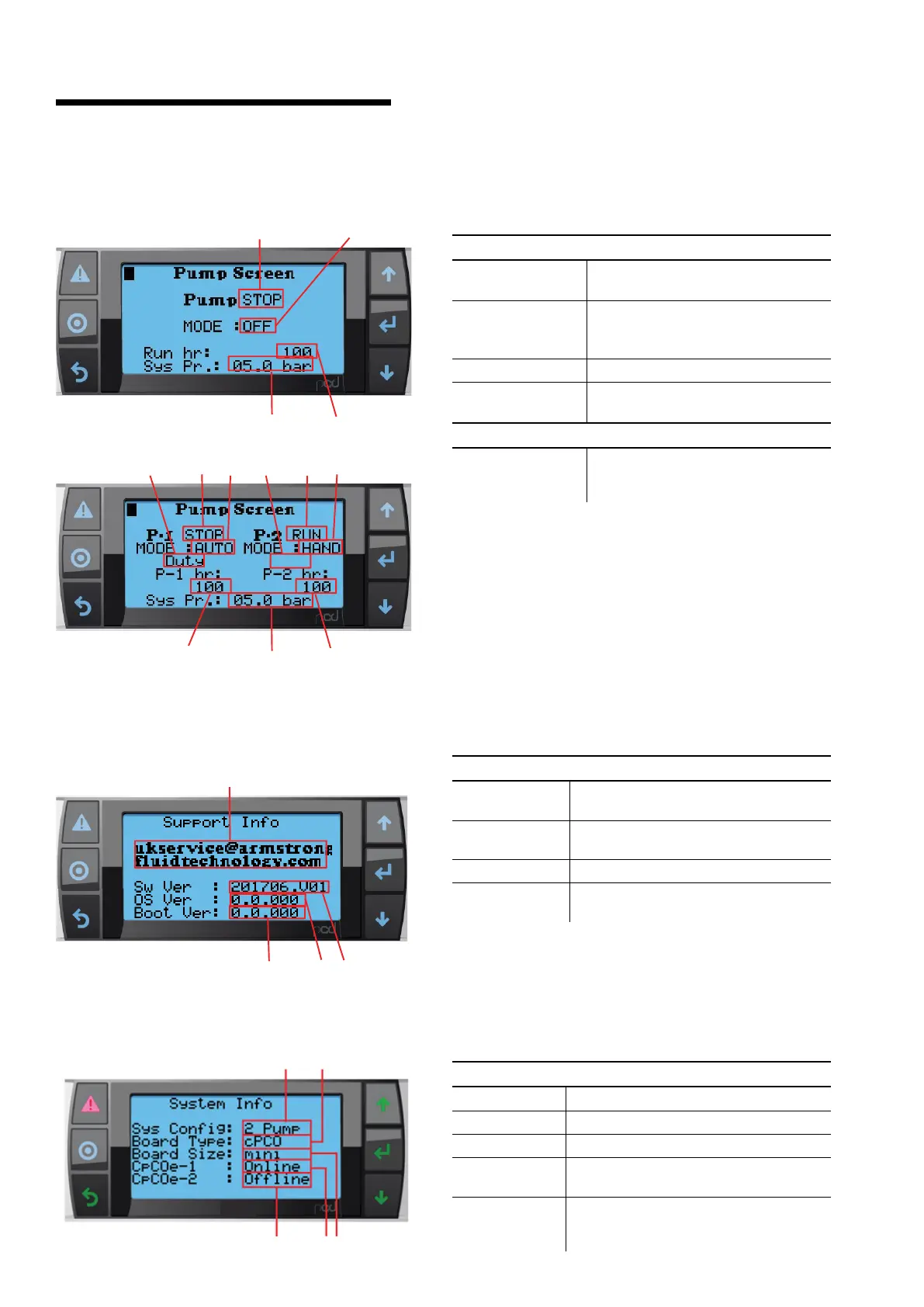
21.1.4 pump control screen
description
This screen allows user to control Pump operations.
data
1 Pump (p-1, p-2)
Status
Indicates the Pump Run/Stop status
2 Duty / Standby
Indicates Duty/Standby status of Pump
if Pump is placed in Auto Mode
Blank in Hand or O mode
3 Run hr Indicates the total Pump running hours
4 System Pressure
Indicates actual system pressure at the
Probe
buttons
5 Mode
Navigator button that allows changing
Pump Mode for Hand, o and Auto
Modes.
21.1.6 system information
description
This screen show system information
data
1 Sys Config Indicates the number of pumps configured.
2 Board Type Indicates type of controller board used.
3 Board Size Indicates Size of controller board used.
4 CpCoe-1
Indicates the expansion-1 module status
(Online/Oine).
5 CpCoe-2 (for
twin system
only)
Indicates the expansion-2 module status
(Online/Oine).
diagnostics
21.1.5 support information
description
This screen show support information
data
1 E-mail id
Displays email id for requesting a support
for 3750 unit or any other clarifications
2 Sw Ver
Indicates current version of control soft-
ware installed into controller
3 OS Ver Indicates os installed into controller
4 Boot Ver
Indicates boot version installed into
controller
1
3
4
5
1
1 2
2
3
3
4
5
5
1
2
3
4
45
1 2
3


 To Next Page