installation &
operating instructions
3750 Pulpress
Pressurisation unit
11
alarms
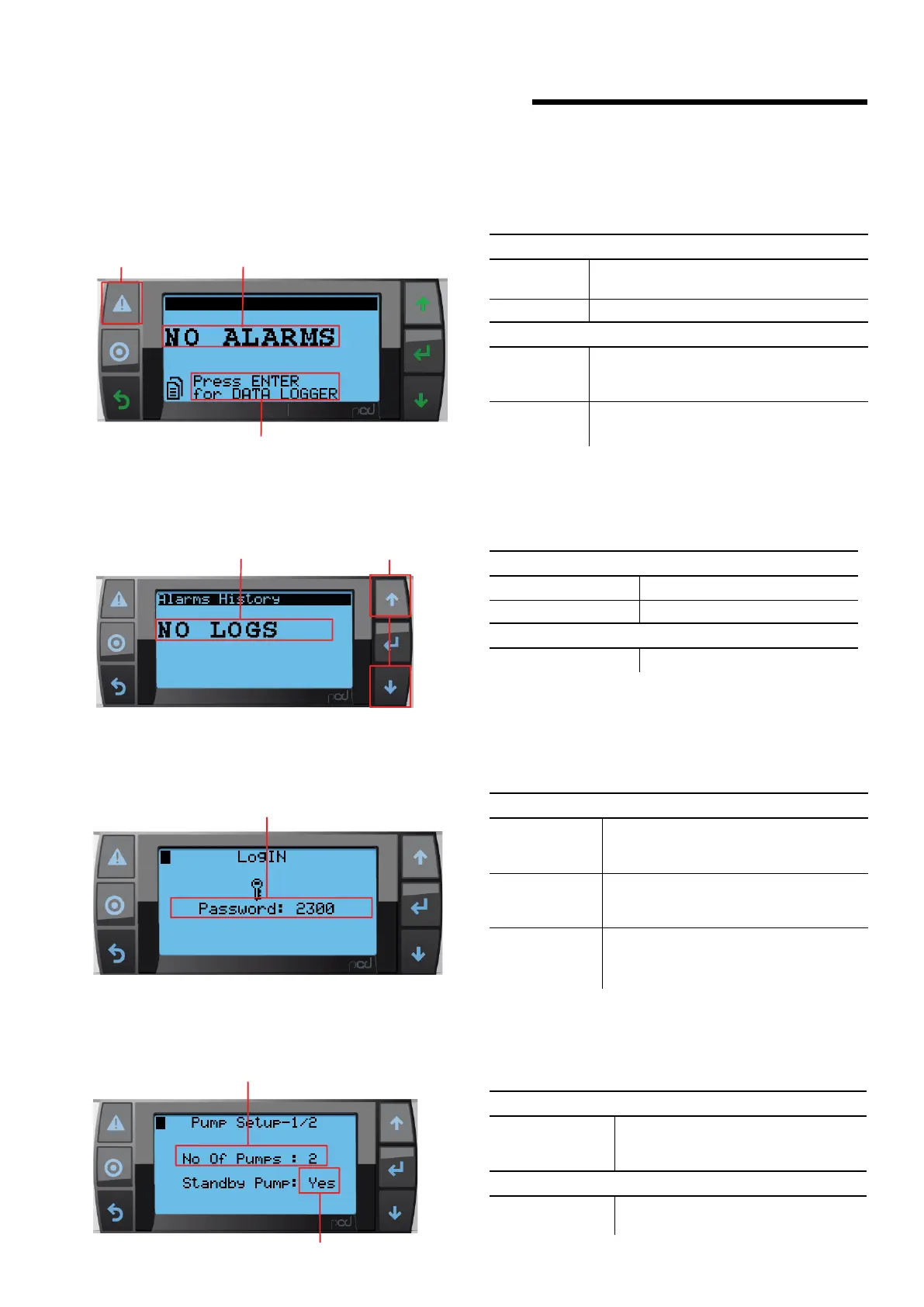
21.1.7 alarm screen
description
This screen allows user view and reset alarms
data
1 Alarms
Alarms will be displayed based on priority
shown in alarm section below.
2 No Alarm Indicate there is no alarm
buttons
3 Alarm
Reset
Reset can be done pressing the alarm button
a single time to reset current alarm and long
press (3 sec) to reset all alarms at once.
4 Data
Logger
If no alarms are present, pressing the Enter
button will navigate to the data logger screen
1
2
3
21.1.8 alarm log screen
description
This screen allows user view alarm logs
data
1 Alarm logs System can keep logs in this screen
2 No Logs Indicate there is no alarm log
buttons
3 Up and Down Keys Scrolls between recent alarm logs
1
2
21.2 setup screens
21.2.1 login
description
This screen allows user to login to access setting screens
buttons
1 Password
Allows user to enter the password. after
entering the correct password press enter
key its navigates to settings screens.
2 Wrong
Password
If user enter wrong password and press
Enter key, then system will be reset to
default 2300
3 Level-1
Password
2323 is the level-1 password.
Using this password operator can change
the basic parameters of the system
21.2.2 pump setup – 1
description
This screen allows user to access Pump Setup
data
1 Standby Pump
If
1 Pump selected, then standby pump
is no. If 2 pump selected then standby
pump is yes
buttons
2 No. of Pumps
Allows user to change number of pumps
based on system configuration.
1
2


 To Next Page