
 Need help?
Do you have a question about the Arris Touchstone DG1670 and is the answer not in the manual?
ARRIS Data Gateways comply with requirements for performance, construction, labeling and information.
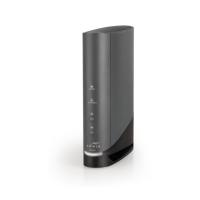
Details features of the Touchstone DG1670 Data Gateway, including speed, convenience, and compatibility.
Lists the items included in the Data Gateway package for setup.
Lists additional items required for installation, such as coaxial cable and splitters.
Instructions on contacting the cable company to establish an internet account and questions to ask.
Recommended hardware configuration for optimal performance with the DG1670.
System requirements for Windows, MacOS, and Linux/Unix to use the Data Gateway.
Steps to ensure service is ready and how to install and connect the Data Gateway.
Factors to consider when choosing a location to install the Data Gateway.
Instructions for mounting the Data Gateway on a wall or placing it on a desktop.
Description of LED indicator lights on the front of the Data Gateway.
Description of connectors and controls on the rear of the Data Gateway.
Steps to configure computer TCP/IP settings for Ethernet connection with the Data Gateway.
Guide to configuring TCP/IP settings on Windows XP, 7, Vista for Ethernet.
Guide to configuring TCP/IP settings on MacOS X for Ethernet.
Steps to set up and secure the wireless LAN connection on the DG1670.
Guide to setting up parental controls, including keyword and website filtering.
Follow instructions in the information packet from your cable company for setup.
Explanation of LED indicator lights on the Data Gateway for troubleshooting.
Instructions on using the reset button to reset the modem or restore factory defaults.
Troubleshooting steps for when the Data Gateway has no power.
Steps to troubleshoot connection issues (Ethernet/Wireless) and slow speeds.
Definitions of common cable and networking terms used in the manual.













 To Next Page

 General