4 Use the online help information to set configuration parameters as required.
Note: Most configuration parameters that you may want to set can be accessed
on the System Basic Setup screen, including the security mode and set-
ting a system password.
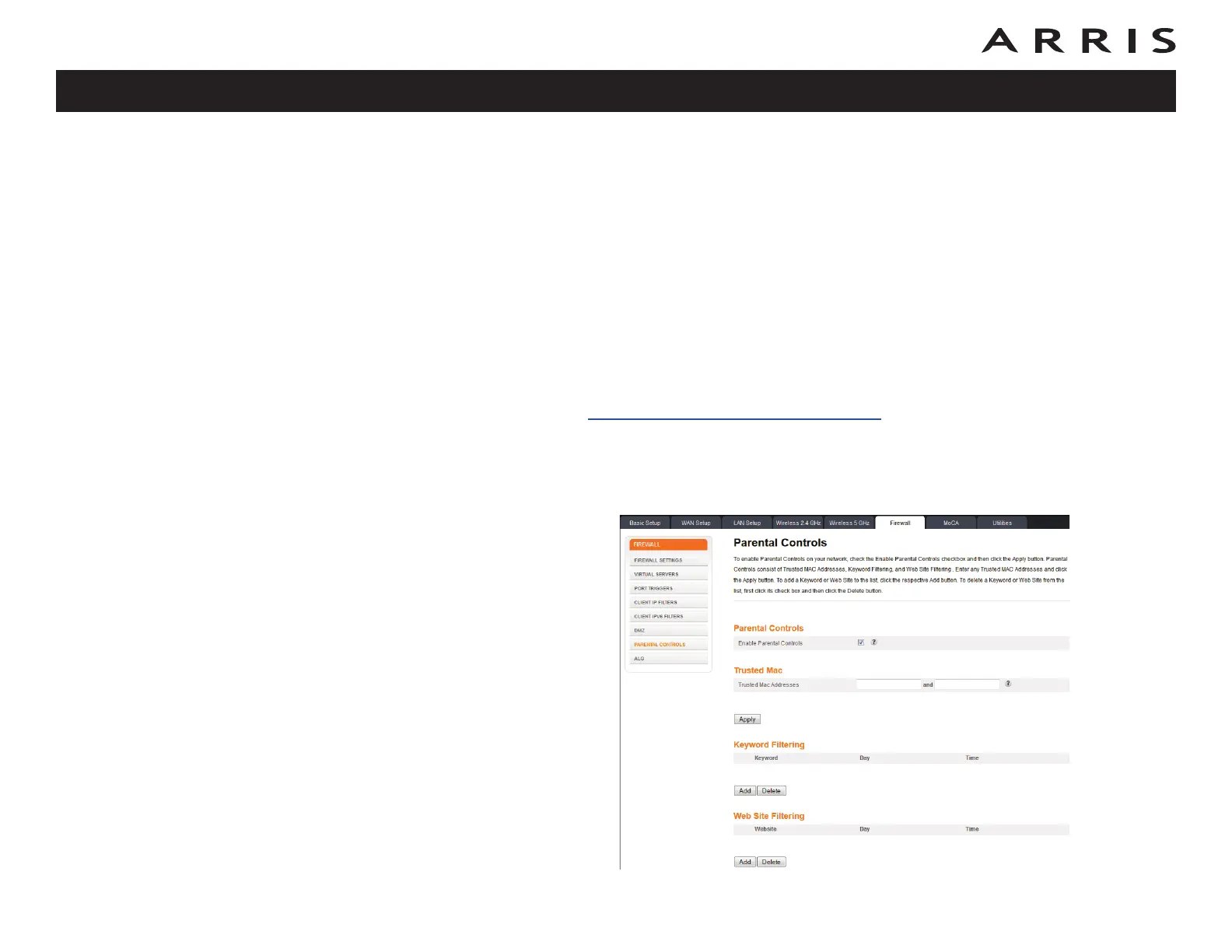
Setting Parental Controls
The Parental Control feature allows you to block specified keywords and web sites
from being accessed and also to specify trusted computers in the network.
Trusted computers are not affected by the parental control settings.
Follow these steps to set up your Parental Controls:
1 Access and log into the wireless configuration interface as explained in
Accessing the Configuration Interface.
2 Click the Firewall tab and then click Parental Controls in the side menu
to display the Parental Controls screen.
3 Check the Enable Parental Controls checkbox and click the Apply button.
Touchstone DG1670 Data Gateway User’s Guide
Safety
Getting
Started Installation
Ethernet
Configuration Usage Troubleshooting Glossary
23














 To Next Page