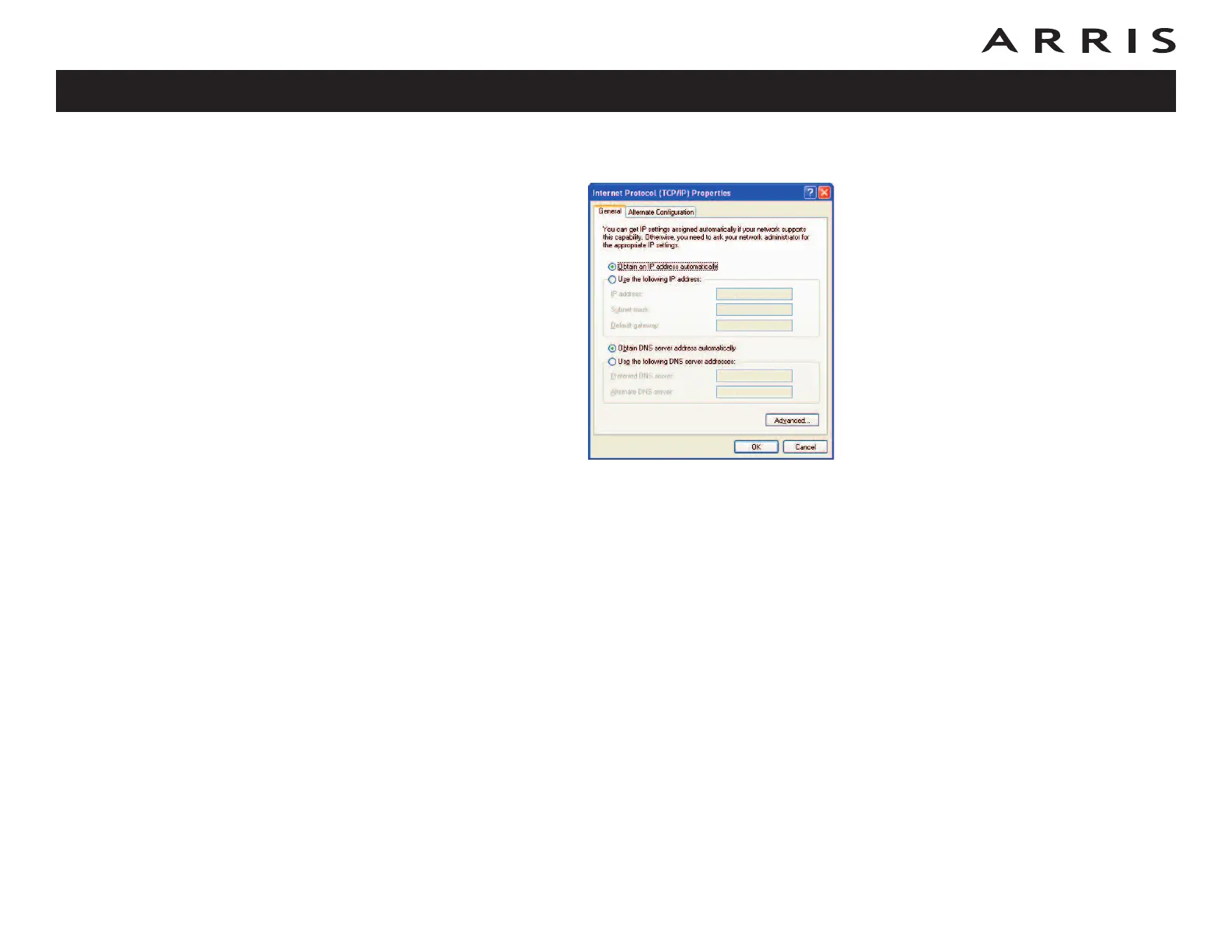
5 Click the General tab. Then click Obtain an IP address automatically
and click OK.
6 Click OK to accept the new settings, and OK again to close the Properties
window.
7 You may have to restart your computer in order for your computer to obtain
a new IP address from the network.
Touchstone DG1670 Data Gateway User’s Guide
Safety
Getting
Started Installation
Ethernet
Configuration Usage Troubleshooting Glossary
28














 To Next Page