3. BASIC OPERATIONS
3.1. Plug and Play
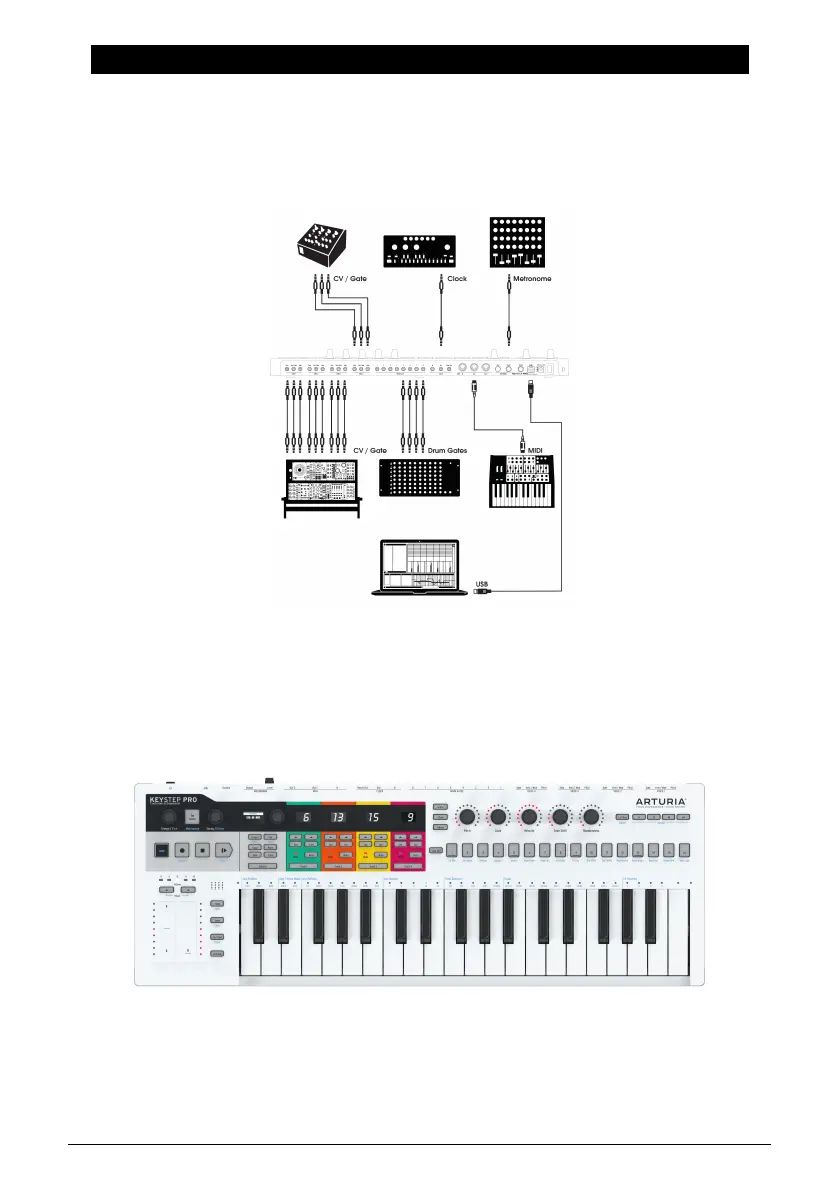
Connect the KeyStep Pro to your computer or an external device as shown in the image
below and you're ready to go! Here are a few pointers to make the most of your first session.
3.1.1. Slimkey Keyboard
The Slimkey keyboard is both velocity- and pressure-sensitive (sometimes called
aftertouch). You can specify the velocity curve and aftertouch response using the MIDI
Control Center and the Utility menu. Refer to Chapter 9 [p.118] for details.
Arturia - User Manual Keystep Pro - Basic Operations 7














 To Next Page