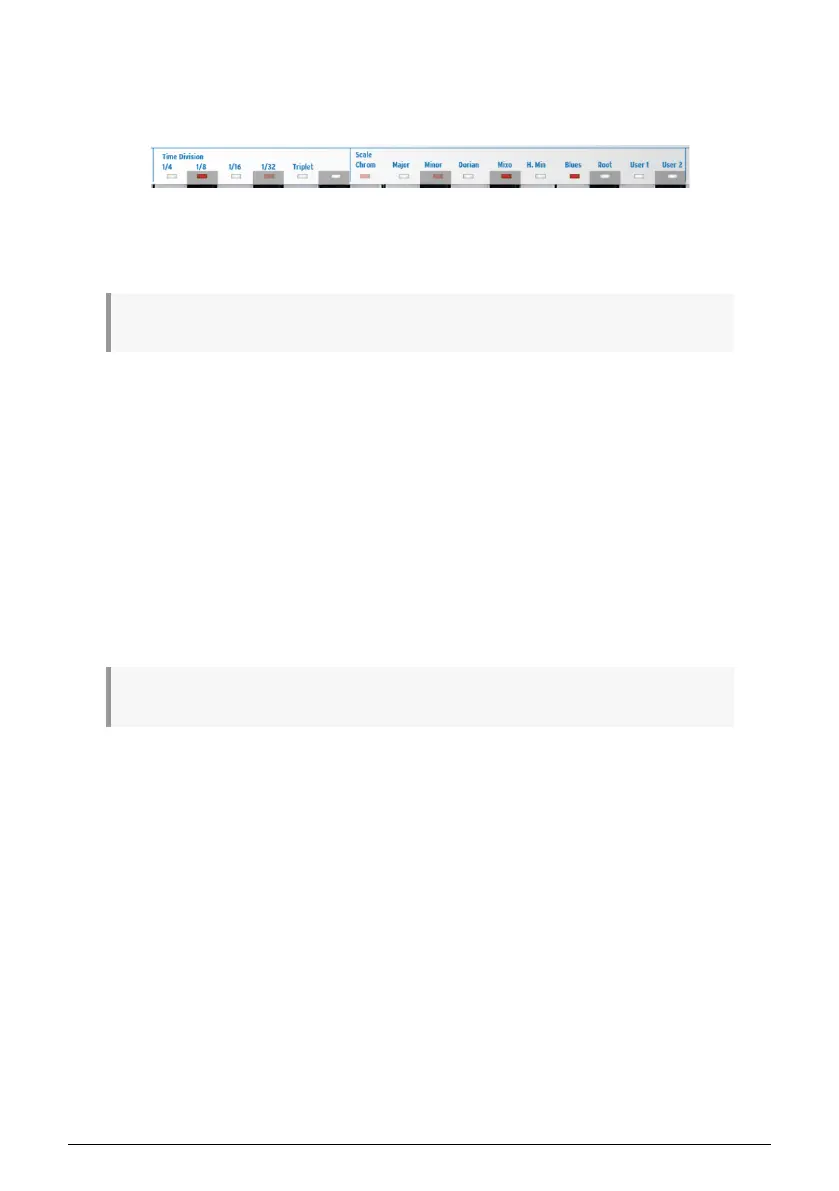
5.2.4.3. Time Division
The Tempo knob determines the speed of your arpeggio(s). Tempo changes are displayed
as BPM (beats per minute) in the OLED display. The default rate is 120.0 bpm.
By default, the arpeggiator will sync to the internal clock. The Time Division tells you with
what rate the arpeggiator is currently synced to the clock. For example, if you select 1/4
(quarter notes), the arpeggiator plays four notes per bar/measure.
♪: This way of syncing is the same for arpeggios and sequences.
The available time divisions are listed below:
• 1/4 note
• 1/4 note triplet
• 1/8 note
• 1/8 note triplet
• 1/16 note
• 1/16 note triplet
• 1/32 note
• 1/32 note triplet
At this point, you are probably wondering how to create the triplet values in the above list.
It's simple: to create 1/8 triplets, hold down SHIFT and press the 1/8 key (F# in the middle
octave) plus the triplet key (A in the middle octave).
♪: 1/4 corresponds to a standard metronome tick.
5.2.4.4. Scale and Root
While an arpeggio is running, you can alter its scale and root on the fly. Please refer to the
to the Scales [p.85] section later in this chapter for more information.
Arturia - User Manual Keystep Pro - Making Tracks 55














 To Next Page