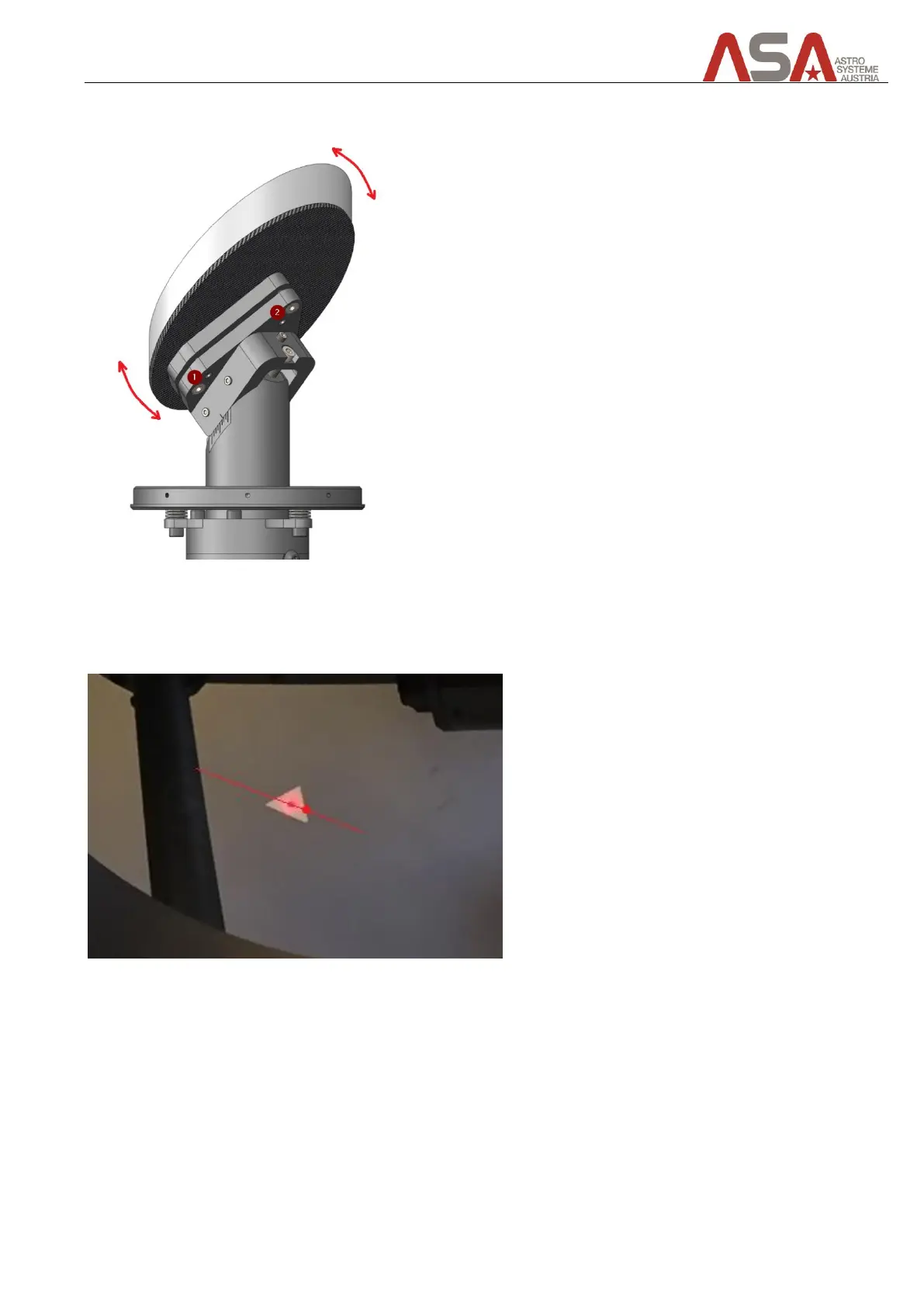
To tilt the tertiary mirror you need to use the push and pull screws behind the mirror.
Figure 53 - how to tilt the tertiary mirror
Tilt the mirror a bit and then check the position of the laser point of the other nasmyth focus port. Repeat this
procedure until the laser points of both nasmyth focus ports are in the same position.
Figure 54 – after collimating the tertiary mirror (both laser points are now aligned to same position)


 To Next Page