EasyManua.ls Logo

Ascendor PLK8 - User Manual

Default Icon
44 pages
Print Icon
To Next Page IconTo Next Page
Loading...
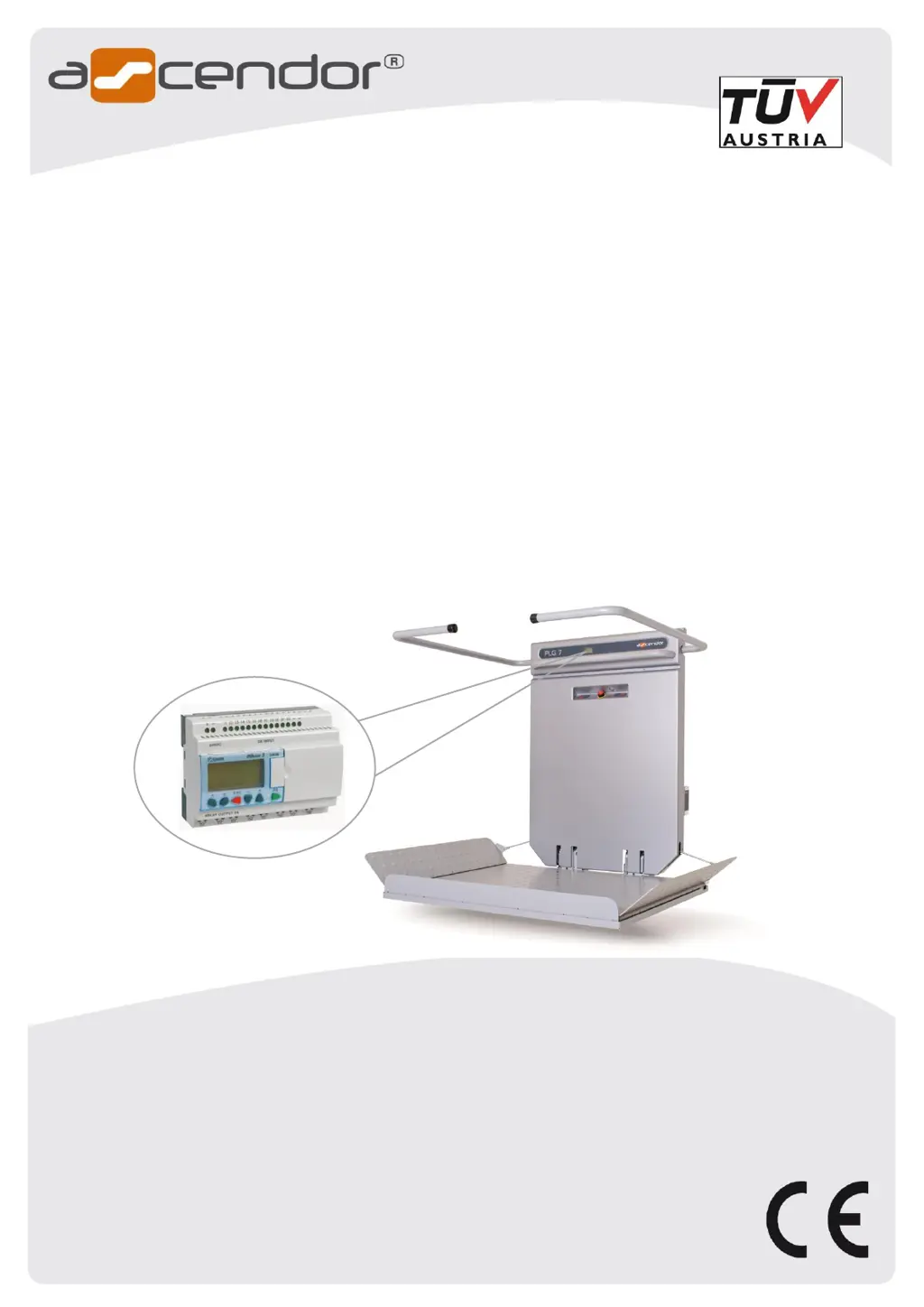
Platform stair lift PLG7 / PLK8
ORIGINAL-user manual
Part 3: Maintenance and Service Manual
Description of PLC Diagnostic System
English Version 2.14
ASCENDOR GMBH
Drautendorf 48
4174 Niederwaldkirchen
Austria
Tel.: +43 7231 40040
Fax: +43 7231 40040-590
office@ascendor.com
www.ascendor.com

Table of Contents

Questions and Answers

  • J
    Jessica FrancisSep 9, 2025
    What to do if an obstacle activates the contact tray on Ascendor PLK8?
    • B
      Billy FitzpatrickSep 9, 2025
      If an obstacle is activating the contact tray or access ramp of your Ascendor Stairlifts, remove the obstacle and ensure that the access ramp and contact tray can move freely.
  • T
    Tiffany JohnsonSep 7, 2025
    How to release the emergency stop button on Ascendor PLK8 Stairlifts?
    • D
      Dr. Gordon EstesSep 8, 2025
      If the emergency stop button on your Ascendor Stairlift has been pushed, release it by turning the button to the left.
  • R
    russell71Aug 22, 2025
    What to do if Ascendor PLK8 Stairlifts emergency stop is activated?
    • P
      Paul WeaverAug 22, 2025
      If the emergency stop button on your Ascendor Stairlifts has been pushed, release it by turning the button to the left. If the emergency safety brake has been activated, use the emergency drive button to move the lift towards the upper station. After the safety catcher has been activated, a technician must inspect and, if necessary, replace the device.
  • S
    Sheena MartinSep 5, 2025
    What to do if Ascendor PLK8 roller monitoring safety catcher fault?
    • S
      sarah86Sep 5, 2025
      Call a service technician to adjust or replace roll monitoring sensor if the monitoring roller of the safety gear is operating sporadically or not at all.
  • M
    Mark BlackSep 4, 2025
    What to do if Ascendor PLK8 Stairlifts shows fault 6 only use onboard control?
    • J
      John CobbSep 4, 2025
      The Ascendor Stairlifts can only be operated via onboard controls while the platform is opened. The PLC menu must be reprogrammed, this can only be done by a service technician.
  • V
    Victoria MillerSep 2, 2025
    What to do if Ascendor Stairlifts fuse F2 is broken?
    • T
      Troy WoodSep 2, 2025
      If the F2 fuse is broken on your Ascendor Stairlifts, replace the 7.5 A fuse. Also, check for free movement of the safety bars and platform motor operation.
  • U
    umurraySep 1, 2025
    Why Ascendor PLK8 Stairlifts does not work and no prompt is visible on the PLC display?
    • R
      Raymond KennedySep 1, 2025
      If your Ascendor Stairlifts isn't working and there's no prompt on the PLC display, push the RESET button on the 2A Fuse F1.
  • M
    Mark NealAug 31, 2025
    What to do if Ascendor Stairlifts platform is still open?
    • K
      Kayla BlanchardAug 31, 2025
      If the platform of your Ascendor Stairlifts is still open, press and hold the FOLD Platform button for at least 2 seconds to ensure it closes completely.
  • A
    Amy CarterAug 30, 2025
    What to do if Ascendor PLK8 Stairlifts onboard UP/DOWN travel controls permanently activated?
    • G
      Gary McmahonAug 30, 2025
      If the onboard UP/DOWN travel controls on your Ascendor Stairlifts are permanently activated, check if dirt or water is activating the sensor button.
  • K
    Katrina AndersonAug 28, 2025
    What to do if Ascendor PLK8 platform or safety bars are overloaded?
    • J
      Jeffery SchmidtAug 29, 2025
      If the platform or safety bars on your Ascendor Stairlifts are overloaded, it's likely due to an obstacle blocking their movement. Remove the obstacle. If necessary, call a service technician.

Summary

Introduction and Safety

Introduction

Manual describes equipment tools available at time of writing and reserves right to alter content.

Health and Safety Regulations

All service work requires trained personnel; disconnect power and batteries before starting.

Storage Precautions

If lift is not installed immediately, batteries must be disconnected from the circuit for storage.

Service Schedule and Procedures

Front Plastic Cover Removal

For many service tasks, it is necessary to remove the front plastic cover.

Service Schedule Overview

Routine checks and maintenance tasks for the platform stair lift.

Control System Checks

Verifies functionality of remote, onboard controls, safety equipment, and access ramps.

Mechanical, Rail, and Component Service

Covers travel rail, platform lift service, lubrication, and battery checks.

Documentation, Tools, and Spare Parts

Guidelines for documentation, required tools, inspector checks, and recommended spare parts.

Component Functions and Troubleshooting

Switch and Button Functions

Details the position and function of various switches and buttons (b1-b28) on the lift system.

Trouble Shooting Guide

Provides a guide to identify and resolve common faults and display prompts with solutions.

Motor Controller Failure Codes

Explains LED codes and indicators for motor controller faults and error messages.

PLC Diagnostic System

Explains normal operation, menu navigation, I/O status, and operational data for PLC diagnostics.

Motor Monitoring and Settings

Details onboard control, platform motor current monitoring, and analog PLC/flasher parameter adjustments.

Component Replacement and System Integration

Fuse Identification

Identifies the location and ratings of fuses on the lift unit.

Manual Platform Operation

Provides methods for opening the platform without using the remote control.

Adjusting System Settings

Instructions for adjusting platform angle, safety bar clutch/position, and access ramp angles.

Remote Control Setup

Procedure for memorizing remote controls by interacting with the radio receiver.

Safety Catchers and Limit Switches

Steps for disassembling, resetting, testing, and removing safety catchers and limit switches.

Drive Motor and Safety Bar Motors

Detailed instructions for removing the drive motor, gearbox, and safety bar motors.

PLC Program Transfer

Instructions for importing a new PLC program via a memory card and conducting operational tests.

Wiring Diagrams and Service Plan

Main Circuit Board Wiring

Detailed wiring diagram of the main circuit board and explanation of LED status indicators.

System Wiring Diagrams

Provides comprehensive wiring diagrams for various components and control systems of the lift.

Service Plan

A log for recording service history, including installation, dates, counters, and technician signatures.

Ascendor PLK8 Specifications

General IconGeneral
Speed0.15 m/s
DriveRack and pinion
Battery BackupYes
Rail LengthCustomizable
Safety FeaturesSeatbelt
ApplicationResidential
Footrest TypeFolding
ArmrestsYes
Control Typeremote control

Related product manuals