TD 92679EN
22 November 2013 / Ver. G
Installation Guide
Elise3
28
5. Working in Boot Mode
5.1.2 Network Settings
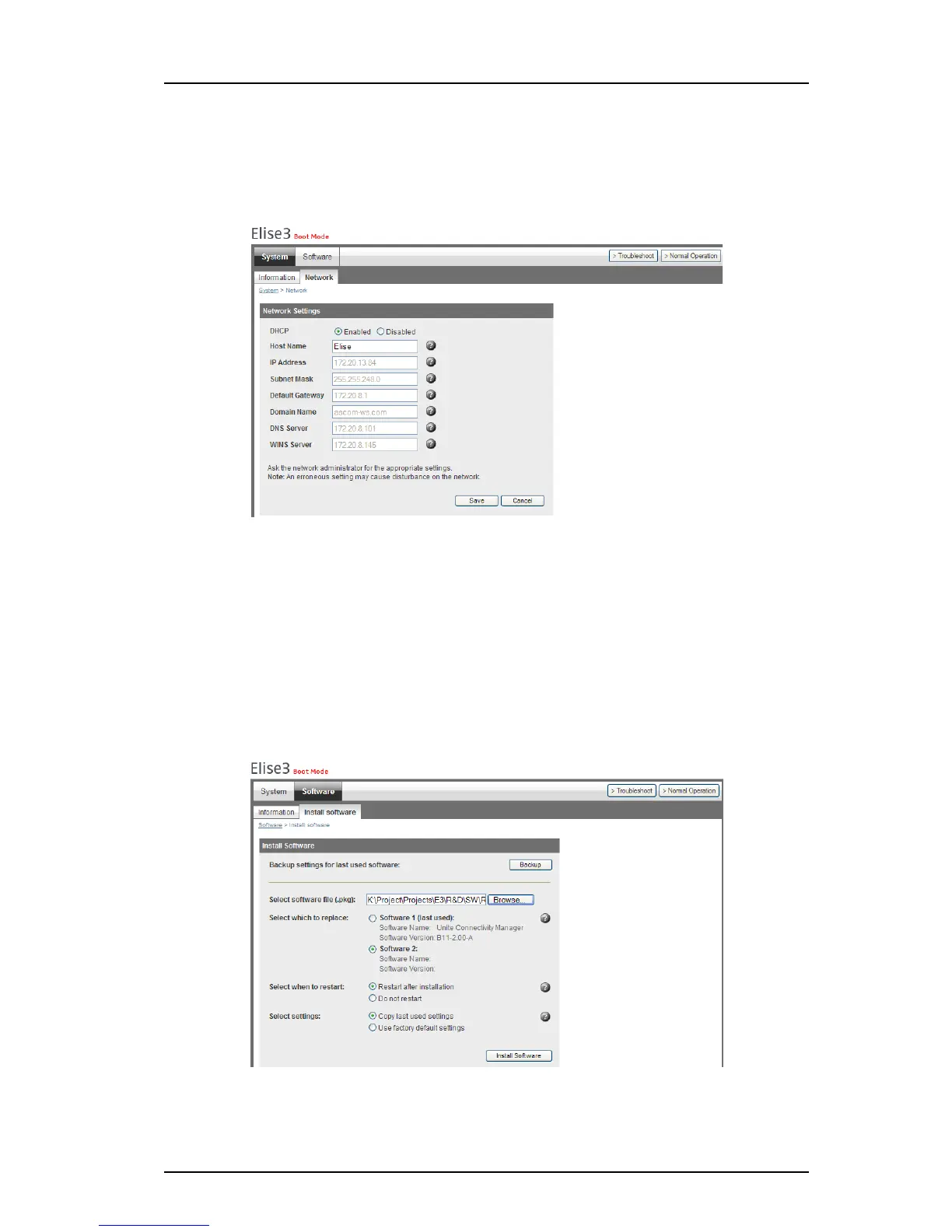
Under System > Network the network settings are shown. All network settings can be
edited in t
his view if DHCP is disabled, but only the Host name if DHCP is enabled.
Figure 19. System network settings in Boot Mode.
5.1.3 Install Software in Boot Mode
Installing new software is norma
lly done from the product’s web interface, refer to the
product documentation. But if the web interface cannot be reached it is possible to put the
Elise3 in Boot Mode, access the Elise3 web interface and install new software from there.
NOTE: It is not recommended to use the Elise3’s Management
port when installing software.
Two software versions can be installed on the m
odule. One software version is active and
the other inactive in normal operation.
Figure 20. Software installation in Boot Mode
1 Set the Elise3 in Boot Mode, see 5.1 Set Elise3 in Boot Mode on page 27.
2 Select Software > Install software.



 To Next Page