CPU 1021/A User’s Guide
52 Asem S.p.A.
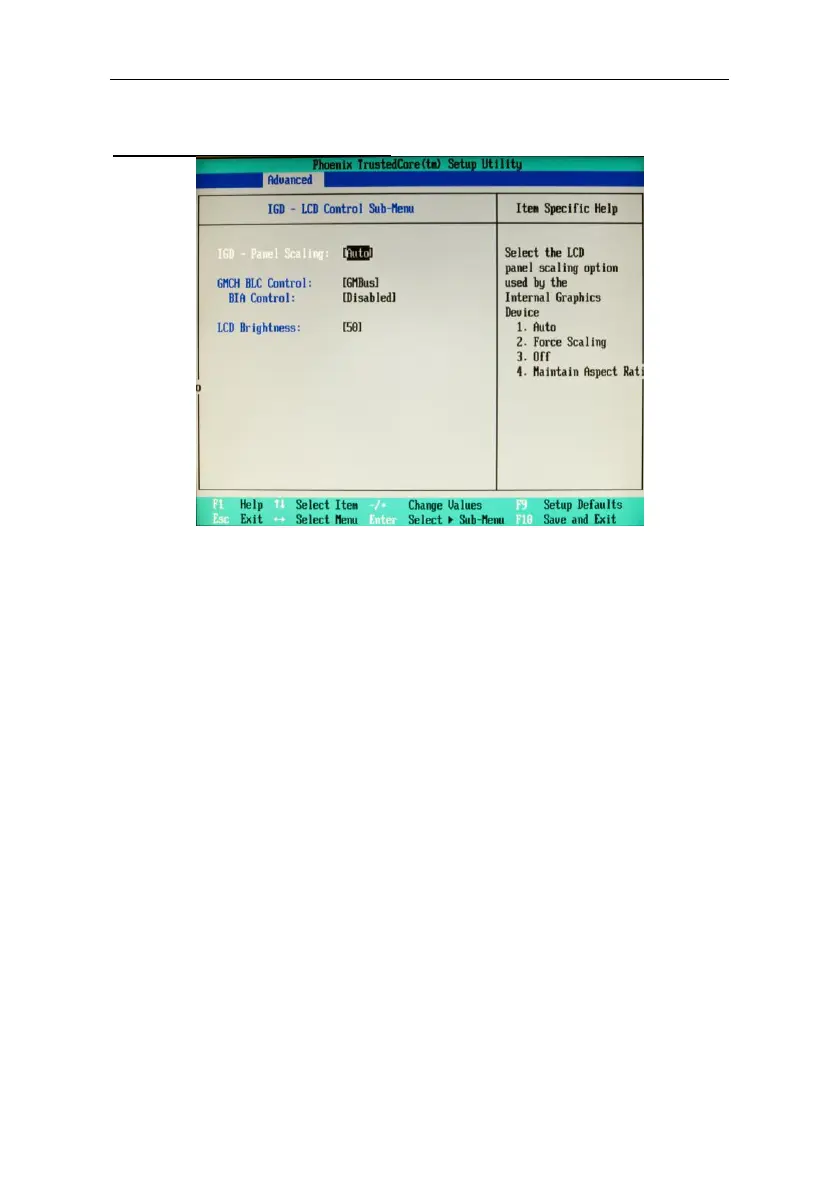
IGD – LCD Control Sub-Menu
IGD – LCD Control Sub-Menu
IGD - Panel Scaling: Controls calibration of the scaling of the LCD panel
[Auto].
IGD – Portrait Mode: [Auto].
Spread Spectrum Clock Chip: Controls the Spread Spectrum Clock for
the video
Default: Off
DVMT 4.0 Mode
Select the configuration “Dynamic Video Memory Technology”. It defines
the amount of memory which will be assigned for the integrated video.
Fixed: Fixed graphic memory will be assigned.
DVTM (default): Only the pre-assigned memory will be assigned during
start-up. Further memory is assigned if necessary during start-up.
Combo: Combines the functions Fixed and DVMT.
Pre-Allocated Memory Size [8MB]
Determines the sum of the pre-assigned memory for the integrated video
[1MB] [8MB]
Total Graphics Memory [128MB]
Selects all memory (pre-assigned, Fixed, DVMT) assigned for the
integrated video.
[32MB] [64MB] [128MB]



 To Next Page