Before you start cooking
Please make sure of the following before cooking with Hestan Cue App:
• Your smart device must be connected to the internet via Wi-Fi (see chapter 'Wi-Fi Connection
setup').
• Your smart device's Bluetooth is turned on.
• Sound volume is turned up and not muted on your smart device.
• Your induction hob and Celsius°Cooking™ cookware is paired with the Hestan Cue App.
• Start the Hestan Cue app and follow the instructions in the app.
Step cooking by the use of the Hestan Cue App
When the menu is opened and no Hestan Cue program has been chosen, for about 20 seconds,
there is the possibility to connect to the cooking zone with the Hestan Cue App. Once the App has
been started, the menu will be closed. The temperature set in the App will be visible once it is
activated. The actual temperature is displayed dimmed alternately with the set temperature as long
as it has not been reached. When user interaction is needed, e.g. confirming a new set point, the
Hestan Cue key will blink. The App will show the main information.
Skip a cooking step
To skip a current step in the App, press the Hestan Cue key for about 1 second.
Switching off the cooking zone
Switching off a Hestan Cue controlled zone is possible by setting the temperature to zero (0).
The display will show a dash. Alternatively, touch the Slider or the Hestan Cue key from the zone to
be switched off for at least 3 seconds to deactivate the Hestan Cue mode completely.
INFORMATION!
You can use the Hestan Cue programs on two different zones simultaneously, while the App can
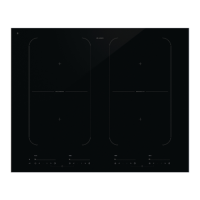
be assigned to only one cooking zone. Hestan Cue App cooking is working only on Bridge
Induction cooking zones.
INFORMATION!
While the Celsius°Cooking™ probe is used to control the temperature of the content inside a pan
(e.g. water or soup) the Celsius°Cooking™ cookware is controlled on the pan bottom temperature.
Due to this, there is always an offset between the set-point and actual temperature of the content
INSIDE the cookware. When, e.g. trying to boil a liquid on the Celsius°Cooking™ cookware may
be necessary to set a higher temperature to reach the boiling point. Reaching the boiling point
is also further dependent on the volume of the liquid and whether a lid is placed on top of the
cookware. Furthermore, regular stirring improves this behaviour, even when cooking with the
probe.
Bridge Induction zone
The Bridge Induction zones can be linked together. This creates one large zone that can be used,
for example, for a large fish pan or various pans at the same power.
• Pan position recognition is activated automatically after the appliance is switched on. When a
pan is placed on the hob, the pan recognition function recognizes its position and automatically
37
Operation


 To Next Page