Service manual WM70
34
Service menu WM70.2
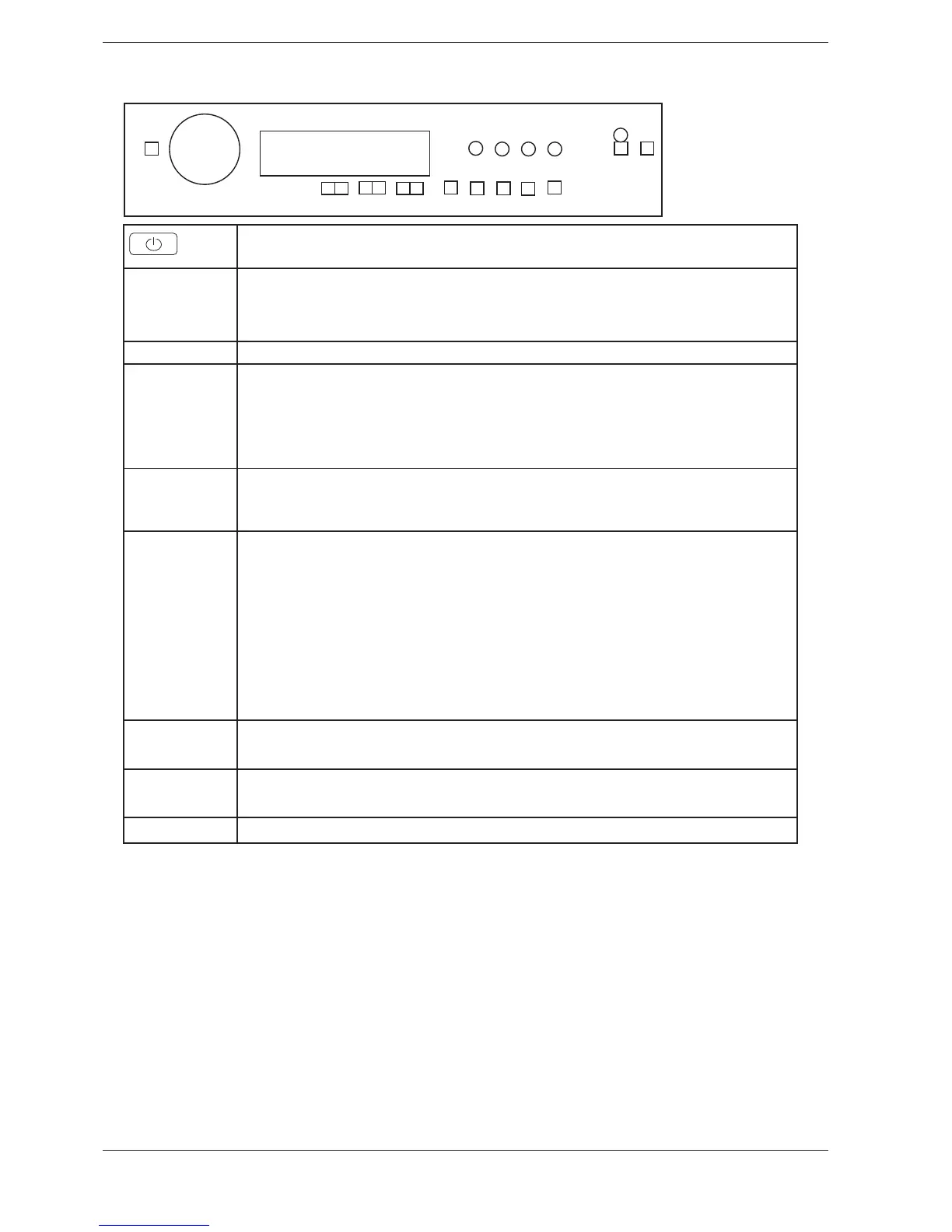
S1
J1
S10
S8S2 S3
S13
S11
S14
S12S9
S4 S5
S6 S7
LCD
L3
L4
L1
L5
L2
L6
Switch off, and then on main power.
S6
s7AIT FOR AT LEAST SECONDS
s0RESS DOWN BUTTON 3
s4U R N ON THE POWER
s0RESSING 3 WHEN POWER ON FOLLOWED BY PUSHES ON 3 WITHIN SEC ENTERS THE SERVICE MENU
./4%
Make all selections. Pressing S13 stores all selections made in service menu and leaves service mode.
Turn
J1
Tracking data reed out
SP: (software programming date: year week
CM: (control unit manufacturing date: year week
SV1: (Software version)
SV2: (Software version)
.# .UMBER OF CYCLES
Press S14 next step is accessed.
Failure reed out
2OTATING * WILL DISPLAY ND AND RD LAST DEVIATING FAULT EX h4HERMISTOR FAULT v h/VER mOW v
Failure record is cleared by total reset
Pressing S14 next step is accessed.
Diagnostics
Separate test of auxiliary components.
Rotating J1 each component will be turned on (with a 1 sec delay) and inputs detected in sequence:
h4ESTINGv NO COMPONENT
h4ESTING VALVE v INLET VALVE ON
h4ESTING VALVE v INLET VALVE ON
h4ESTING VALVE 3-v INLET VALVE AND ON
h4ESTING HEATERv HEATER ON UNTIL MAX #
h4ESTING MOTORv NORMAL ACTION
h4ESTING DRAINv DRAIN PUMP ON
h4ESTING SPINv SPIN SEQUENCE DRAIN PUMP ON
h4ESTING DOORv
Pressing S14 components will be off and next step is accessed.
Spin speed
Turn J1 counter clockwise 1500 rpm, 1600 rpm, 1700 rpm, 1800 rpm, default or clockwise 1800 rpm, 1700 rpm ...
Pressing S14 next step is accessed or S13 to store or leave service mode.
Reset
By pressing S13, the machine returns to the default settings.



 To Next Page