Service manual WM70
52
Instruction Image
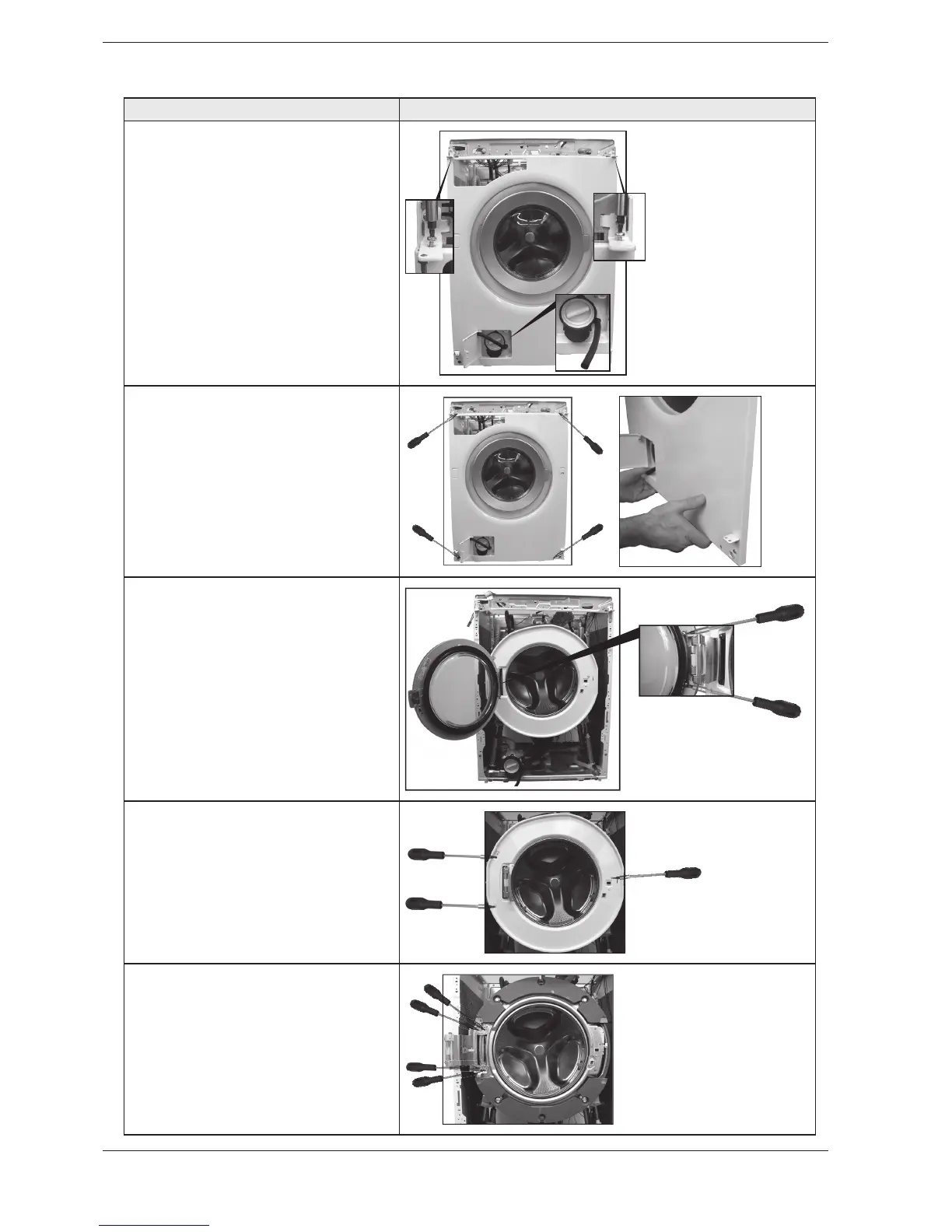
1. Unscrew the screws in the hooks
holding the front panel. Then carefully
pull off the drainage hose that is
secured in the door for the drain
pump.
.OTE
Water is poring out when the
drainage hose is pulled off.
2. Unscrew the screws holding the
front panel. Then remove the front
panel by carefully pulling it out at the
lower edge.
3. Unscrew the two screws holding
the glass door. Use Torx.
4. Unscrew the three screws that
hold the covering plate to the
container. Use a Torx driver. Fully
open the hinge and remove the cover
plate.
5. Unscrew the three screws that
hold the cover plate to the container.
Use Torx.
Replacing front panel, door, cover plate and the hinges



 To Next Page