Service manual WM70
50
Instruction Image
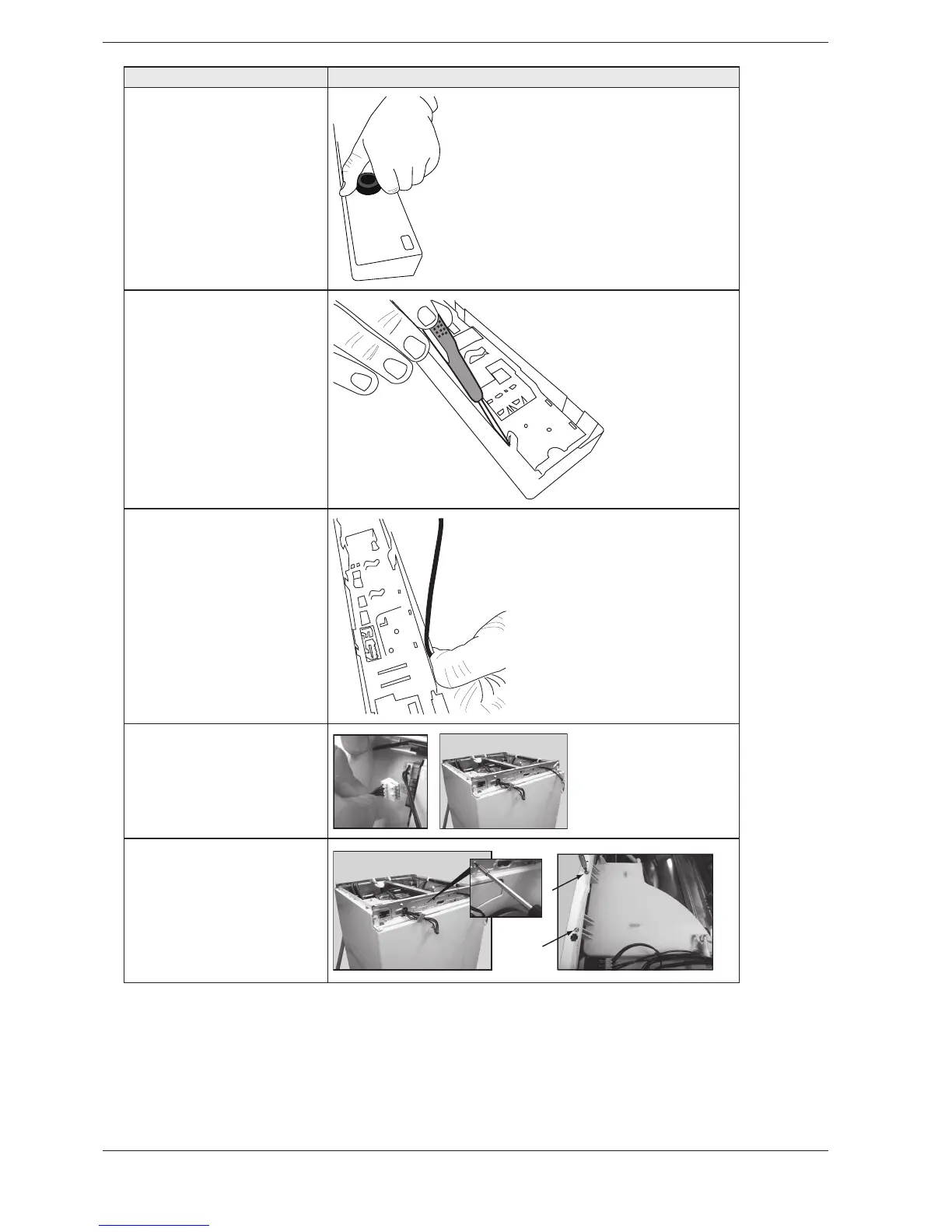
6. Carefully pull the
programme selector from the
panel.
7. Use a screwdriver to free
the control card from the
PANEL ./4% 4HE CONTROL
card must be placed in an
ESD-safe bag.
8. Check that the push button,
lens and decorative inlay are
IN PLACE .OW CAREFULLY PRESS
the new control card into
PLACE ./4% $ONT FORGET TO
replace the rubber seal.
9. Carefully disconnect the
wiring from the control unit.
10. When removing the
detergent container, first
slacken off the screw on
the front member and then
the two screws holding the
detergent container in the side
panel.



 To Next Page