ASPION G-Log Manager – PC software / Creating and editing profiles
User manual – Version 3.2/11-19 Copyright © ASPION GmbH Page 23
Select the Edit profiles function from the left area.
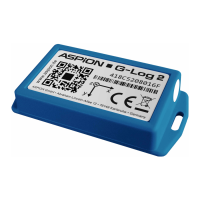
Settings for ASPION G-Log (incl. Waterproof):
Enter a profile name.
The battery lifespan affects the maximum recording time of the sensor. The data rate is automatically
calculated from the entries that were defined for the battery lifespan. The data rate is reduced for
longer durations. Highest data rate: 400 Hz; lowest data rate: 25 Hz.
Please note: the data rate is the higher, the shorter you define the lifespan of the battery. A high data
rate is useful especially for the recording of short shocks.
Define the threshold value for one shock event for all 3 axes for both directions ±. If this defined value is
exceeded for at least one of the 3 axes with the corresponding duration (see ), the sensor records this
event.
Please note: the sensor saves 286 events (shock/temperature/activities). If the non-volatile memory is
full, events of an earlier date are overwritten. This excludes the first shock value and the 8 peak shock
values, see ASPION G-Log shock sensors, chapter 3.1., "Technical data ASPION G-Log".
Important: with some combinations of selected threshold and shock duration, you may not receive
relevant and useful recordings. Please refer to the already included default profiles and talk to your
technicians or contact your supplier/support to be able to define the right settings.
The threshold value for the shock duration is entered in milliseconds.
Please note: the shorter the duration, the earlier a shock event is recorded.


 To Next Page