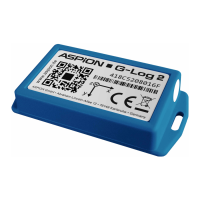
ASPION G-Log Manager – PC software / Help, errors and problem solving
User manual – Version 3.2/11-19 Copyright © ASPION GmbH Page 41
11. Help, errors and problem solving
In the lower left-hand corner, you find the Help button. When clicking this button, you open the manual as
PDF in your PDF reader. You can navigate in the contents to directly go to the required chapter. The
following table helps you with errors that may occur and explains you the possible steps to solve the
problem.
Sensor cannot be written or
read.
Card reader does not
recognize the sensor.
Remove the sensor from the card reader.
Wait a moment and then repeat the
process.
Sensor can no longer be read
out, is not recognized by the
card reader.
Empty battery or no contact
with battery.
To read out the sensor, you can send the
sensor to the manufacturer or replace the
battery of ASPION G-Log 2. If you do no
longer need the sensor, please dispose of
it correctly, see ASPION G-Log shock
sensor, chapter 4, “Disposal”.
The entered card reader name
was not recognized.
Card reader is not
connected correctly.
Check whether the USB connector of the
card reader is connected correctly.
Data could not be transferred.
The request was cancelled.
Card reader does not
recognize the sensor.
Remove the sensor from the card reader.
Wait a moment and then repeat the
process.
Data could not be transferred.
A Smartcard is required for the
process.
The sensor is not
completely connected to
the card reader.
Place the sensor completely on the card
reader and repeat the process.
Data could not be transferred.
The data is invalid.
The sensor’s firmware is not
compatible to the PC
software.
Contact your technical support.
No sensor could be recognized.
Empty battery or no contact
with battery.
ASPION G-Log: Please contact your
technical support.
ASPION G-Log 2: Replace the battery (
see ASPION G-Log shock sensor /
6. Battery replacement)
The data cannot be written
(wrong type of sensor).
An incorrect type of sensor
(ASPION G-Log / ASPION G-
Log 2) was selected when
writing to the sensor.
Select a profile that matches the sensor
type and repeat the procedure.


 To Next Page