GENOAD12M3-2Q
GENOAD12M3-2Q/H
GENOAD12M3/T
88 89
English
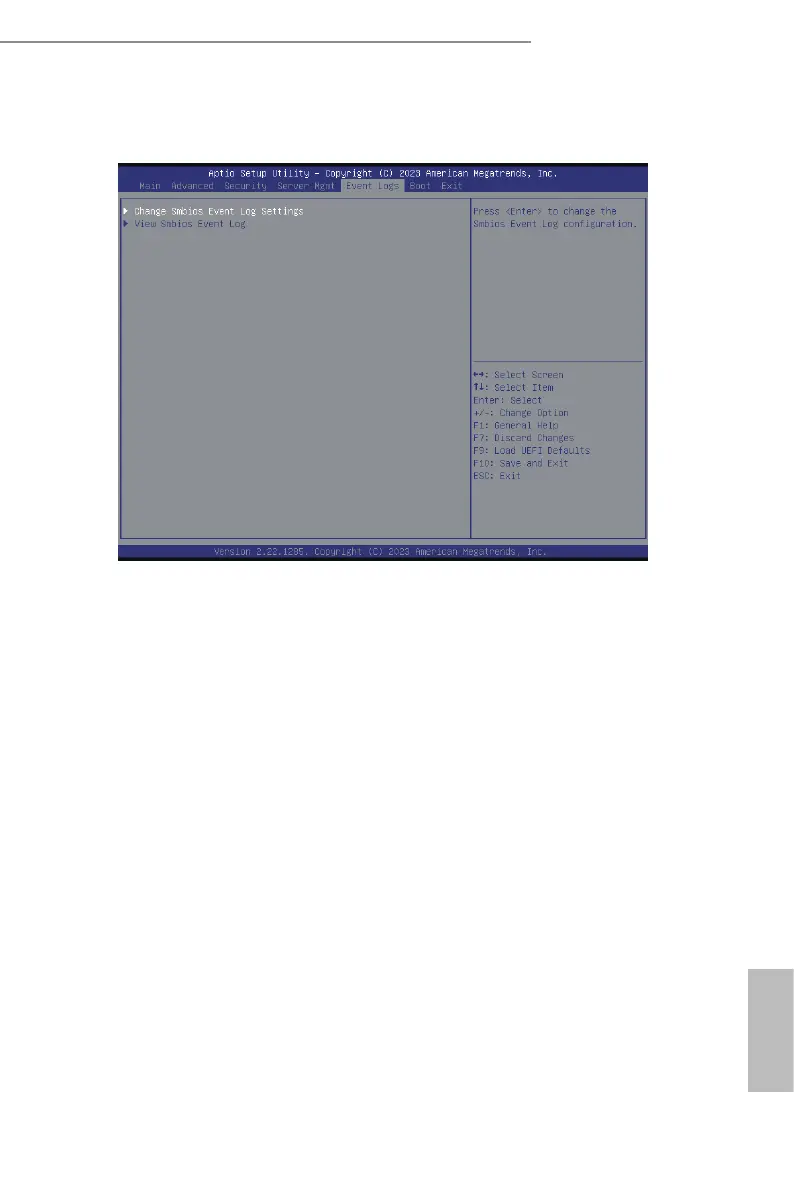
3.6 Event Logs
Change Smbios Event Log Settings
Select item to congure the Smbios Event Log Settings.
When entering, the items as below are displayed:
Smbios Event Log
Use this item to enable or disable all features of the SMBIOS Event Logging during system
boot.
Erase Event Log
The options include [No], [Yes, Next reset] and [Yes, Every reset]. If Yes is selected, all
logged events will be erased.
When Log is Full
Use this item to choose options for reactions to a full Smbios Event Log. The options
include [Do Nothing] and [Erase Immediately].
Log System Boot Event
Choose option to enable/disable logging of System boot event.
MECI (Multiple Event Count Increment)
Use this item to enter the increment value for the multiple event counter. e valid range is
from 1 to 255.
METW (Multiple Event Time Window)
Use this item to specify the number of minutes which must pass between duplicate log
entries which utilize a multiple-event counter. e value ranges from 0 to 99 minutes.






 To Next Page