GENOAD12M3-2Q
GENOAD12M3-2Q/H
GENOAD12M3/T
90 91
English
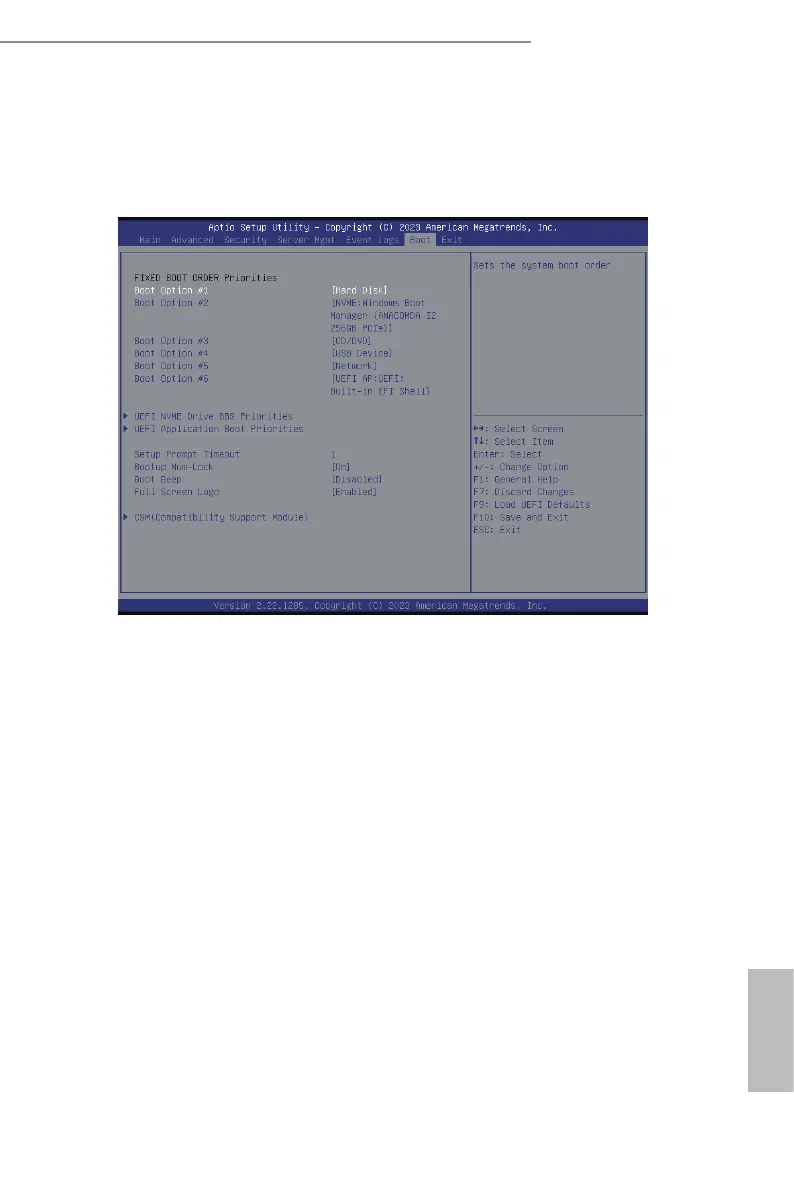
3.7 Boot Screen
In this section, it will display the available devices the system for user to congure the boot
settings and the boot priority.
Boot Option #1/#2/#3/#4/#5/#6
Use this item to set the system boot order.
UEFI NVME Drive BBS Priorities
Species the Boot Device Priority sequence from available UEFI NVME Drives.
UEFI Application Boot Priorities
Species the Boot Device Priority sequence from available UEFI Application.
Setup Prompt Timeout
Congure the number of seconds to wait for the UEFI setup utility.
Bootup Num-Lock
If this item is set to [On], it will automatically activate the Numeric Lock function aer
boot-up.
Boot Beep
Select whether the Boot Beep should be turned on or o when the system boots up. Please
note that a buzzer is needed.






 To Next Page