24
Problem indication Cause Action
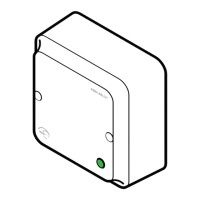
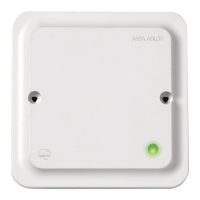
The communication hub
LED is flashing red twice =
no connection between
the EAC system and the
communication hub
∙ The hub is not properly connected
to the IP network.
∙ The hub network parameters are
not correctly configured
∙ The ACU address, port or TLS
settings are not properly configured
in the communication hub.
∙ The ACU is not properly configured
∙ . The certificate used by the ACU is
not supported.
∙ Check that the ethernet LED is green. If not, check
ethernet cable and network equipment.
∙ Configure the hub network parameters.
∙ Configure the hub EAC connection.
∙ Make sure that the communication settings in the
EAC matches the hub EAC connection settings.
∙ Make sure that a valid certificate type is used.
During normal operation
Problem indication Cause Action
The communication hub
LED is flashing red once =
no connection between
the lock/sensor and the
communication hub
∙ The lock/sensor and communication
hub are not paired.
∙ The lock/sensor and the
communication hub have different
channel masks.
∙ The battery of the lock/sensor has
run out.
∙ The status message intervals differ
between the hub and the lock
∙ Repeat the scanning process by selecting
Scan /Scan all.
∙ Pair the lock/sensor and communication hub in
the Configure door wizard of the Programming
Application.
∙ Change the radio channel. See the Programming
Application manual, ref [1].
∙ Replace the battery of the lock/sensor. See the
Programming Application manual, ref [1].
∙ Make sure that the lock has the same or a shorter
status message interval than the hub
The communication hub
LED is flashing red twice =
no connection between
the EAC system and the
communication hub
∙ The EAC address is not properly
configured in the communication
hub.
∙ The EAC system is not properly
configured.
∙ Configure the EAC address. Refer to the Aperio
mechanical installation manual.
Unstable radio
communication
between lock/sensor and
communication hub
∙ Poor radio link quality.
∙ The lock/sensor and the
communication hub have different
channel masks.
∙ Change the radio channel. See the Programming
Application manual, ref [1].






 To Next Page
