91
parameter. DELETE will clear the current softkey selection.
Once a parameter is edited, it is necessary to complete the edit either by pressing the
ENTER key to accept the new value or the EXIT key to escape from the edit and
return to the original value.
When selecting EDIT, the user will be directed to the main MENU screen. All softkey
selections highlighted in red can now be added as a My Menu softkey selection. To
add a selection as a My Menu softkey, press and hold the desired softkey until the My
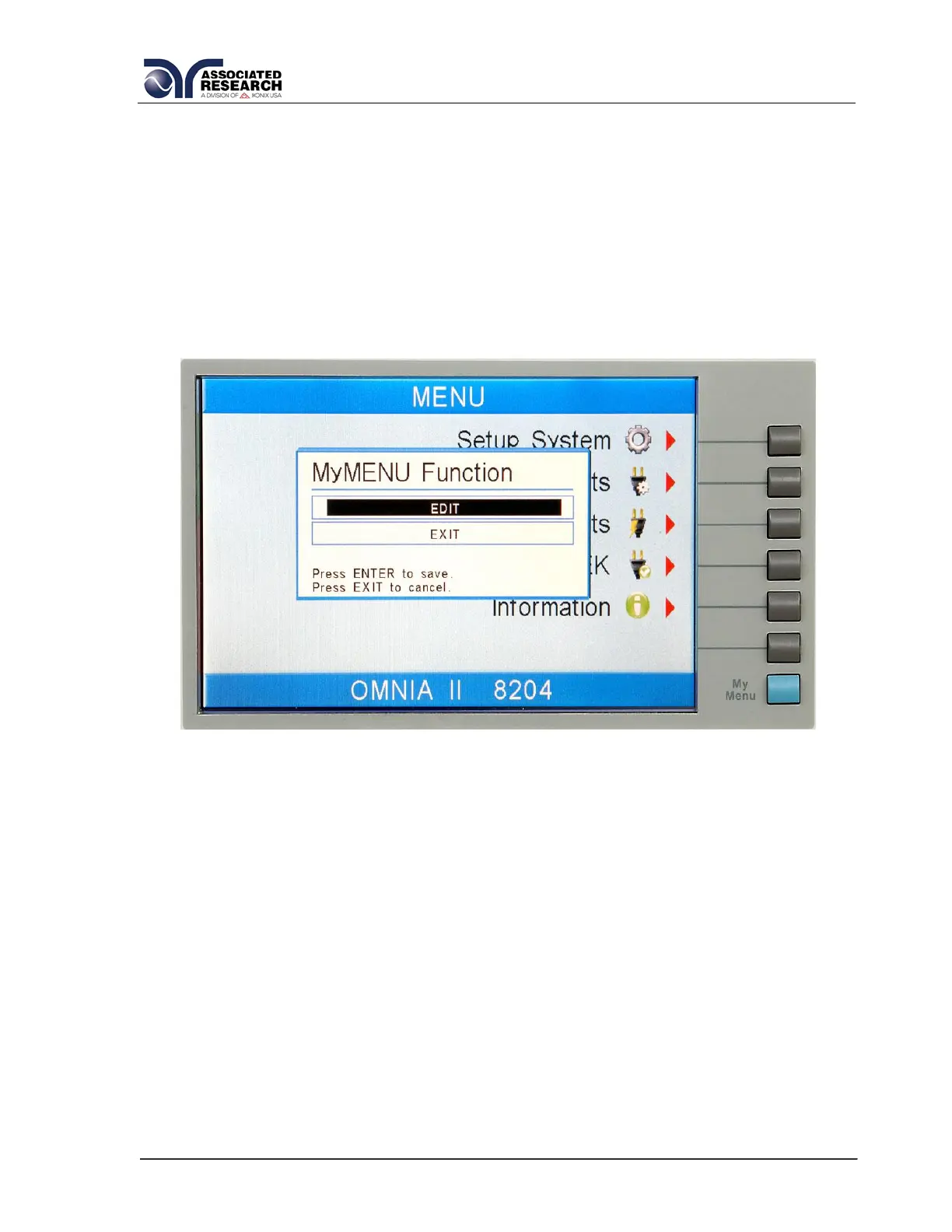
Menu Function pop up appears as follows:
Use the up or down arrow keys to select the preferred function. The My Menu setting
options are EDIT and DELETE. Selecting EDIT will input the selected parameter as a
My Menu soft key. DELETE will clear the current soft key selection.
Once a parameter is edited, it is necessary to complete the edit either by pressing the
ENTER key to accept the new value or the EXIT key to escape from the edit and
return to the original value.
To navigate to other menus within the unit, simply press the soft key selection without
holding it down.



 To Next Page
 Loading...