25
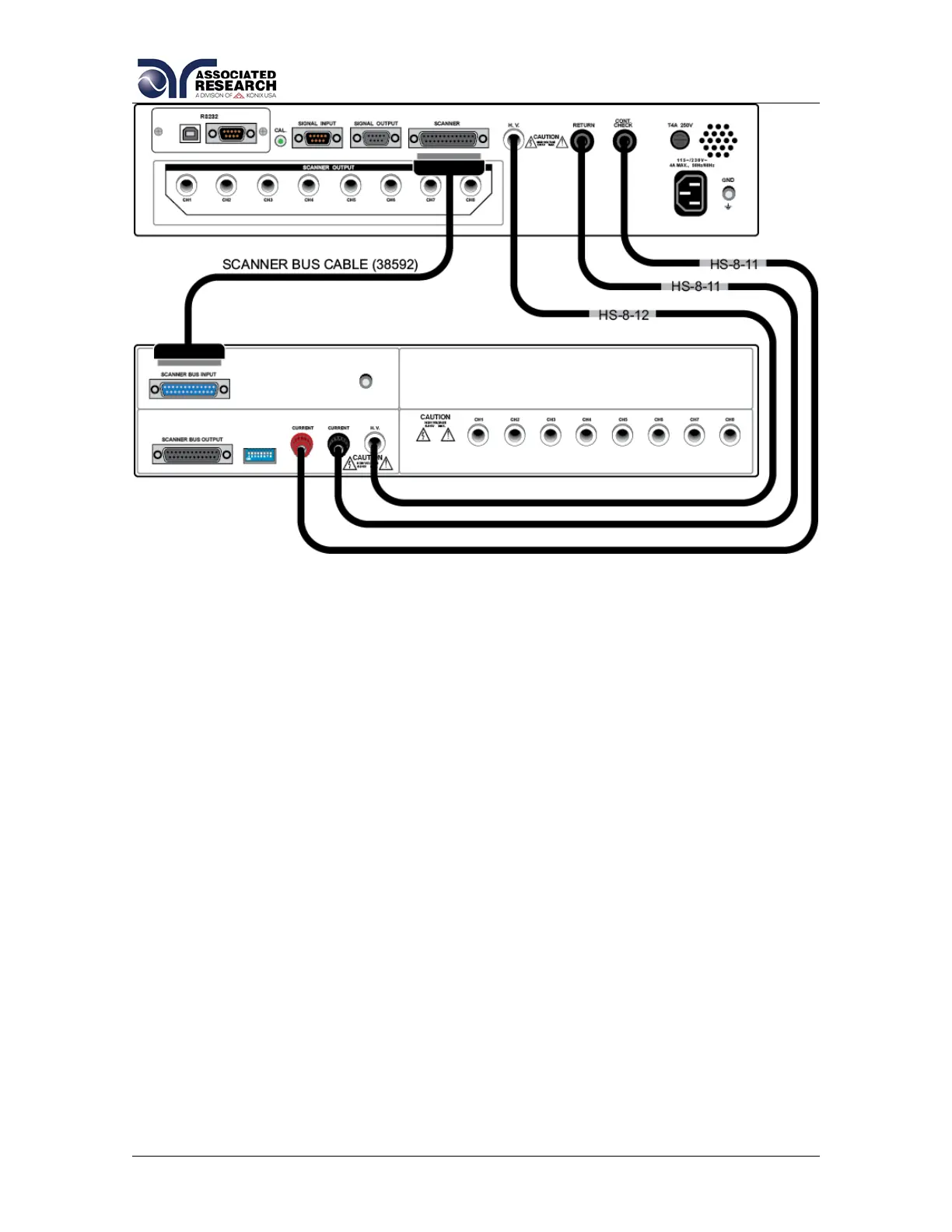
HypotULTRA 3 and SC6540 Secondary
4.2.3. Setup
The SC6540 Scanner channels can be set as High (H) for high voltage or
Continuity testing output, Low (L) for the return connection, or Open (O) for OFF.
Channel setup is done using the HypotULTRA / HypotULTRA III menu or
accompanying automation software. For information on SC6540 setup through
Associated Research’s Autoware Automation Software, consult the Autoware3
help file.
The following setup procedure will refer to setup through the HypotULTRA setup
menu:
From the Test Parameter Review screen (ACW, DCW, CONT, or IR) you can
scroll to find the Scanner settings. Below is an example of the Int Scanner Test
Parameter screen.


 To Next Page