43 of 108
6.14 Programming the “DISPLAY” version
machine parameters
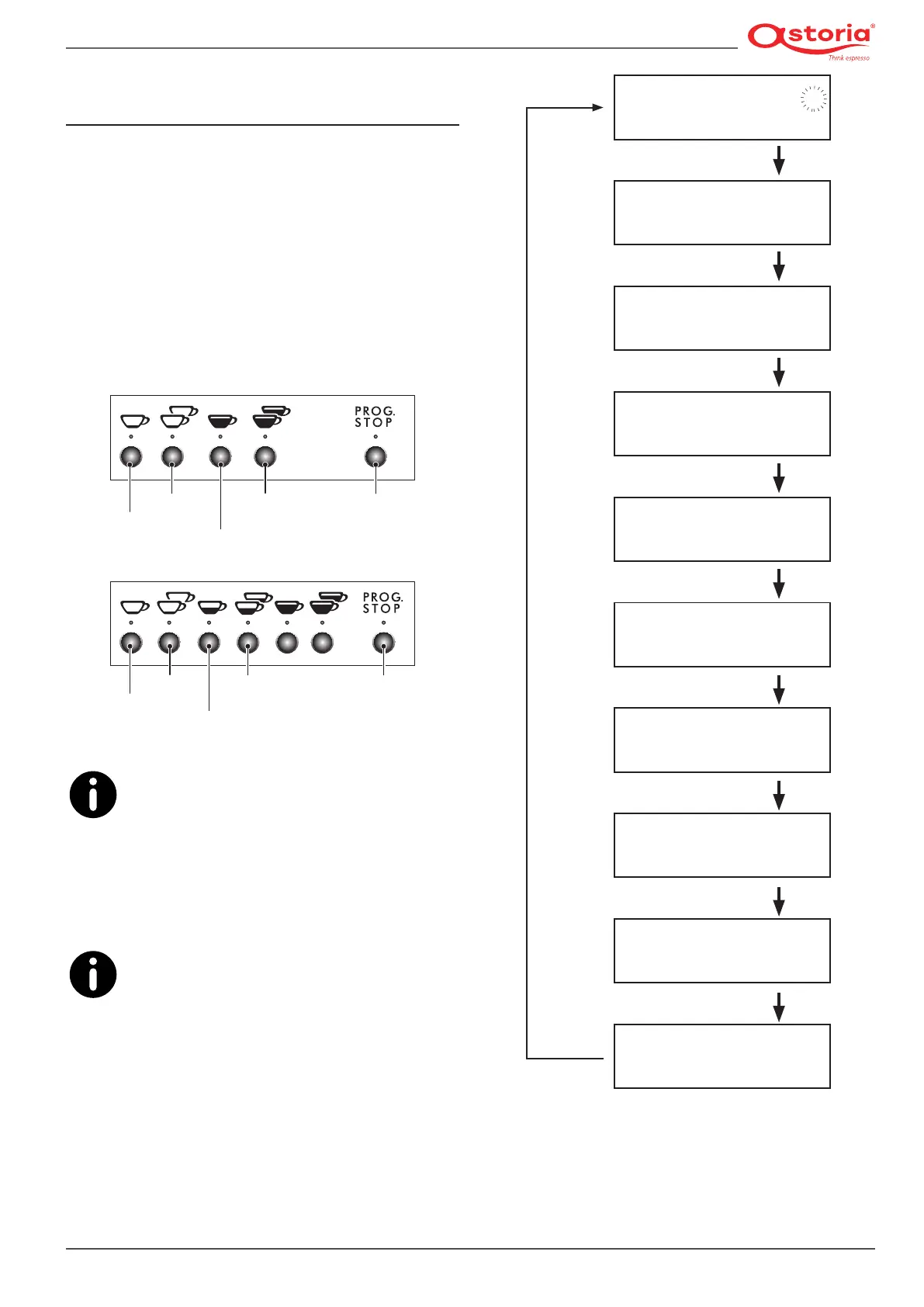
6.14.1 Accessing the menu
• To access the programming menu, press and hold the
(MODE) button for at least 3 seconds.
• Use the (MODE) button to scroll the various areas of the
programming menu.
• Use the (ENTER) button to move from one parameter to
another within the same area.
• To change the value of each parameter, use the two ( + )
increase and (-) decrease buttons.
Decrease (-)
Increase (+)
Mode
Enter Stop
Programm.
Decrease (-)
Increase (+)
Mode
Enter Stop
Programm.
The system automatically exits the program-
ming mode 20 seconds after the last operation
was carried out.
Always use the right pushbutton panel for the program-
ming modes.
The machine menu is indicated below.
The machine menu can vary. This occurs should
a different version of the software be installed
on the machine; sometimes the software is also
updated even during maintenance to improve its perfor-
mance.
1.0 BAR 115°C P
09:16
13-01-20 5
LANGUAGE
ENGLISH
COFFEE TOTALS
NNNNN
LITRE COUNTER
L = NNNNN
AUTOMATIC STEAM WAND
75°C
CUP WARMER
80°C
PRESS. HEATING UNIT
1.0 BAR CURR = 7
WORKING DAYS
1234567
AUTO ON/OFF
ON 08:00
CLOCK SETUP
09:16 18-10-12 1
(MODE) x 3 secs.
(MODE).
(MODE).
(MODE)
(MODE)
(MODE)
(MODE)
(MODE)
(MODE)











 To Next Page