Viron eQ Salt Chlorinator With Bluetooth | Installation and Operation Manual
Page 15
Section 7. System Introduction and Setup
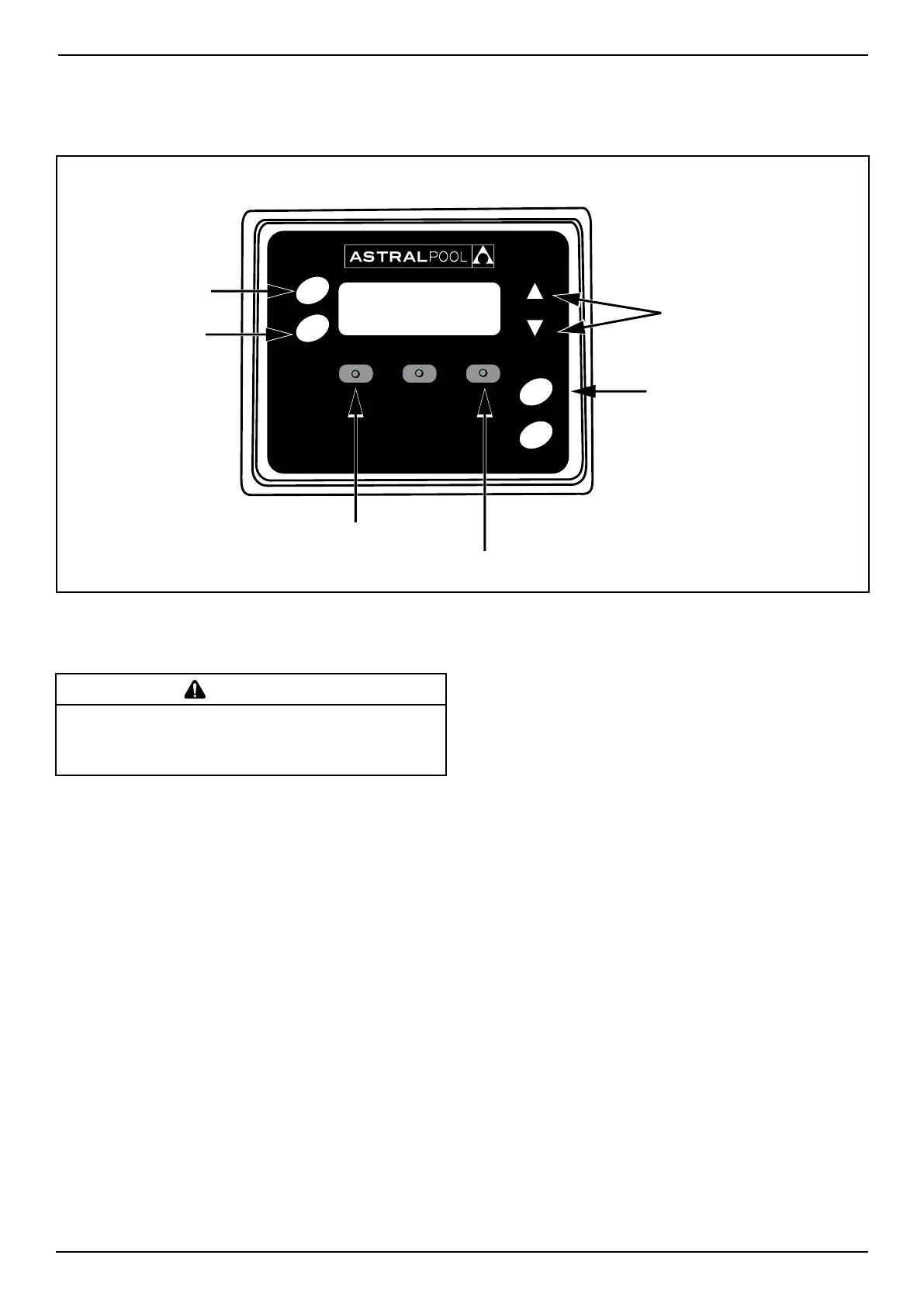
7.1 User Interface Overview
Browse current menu;
Increase or decrease
a setting
Auto - Running/Stopped
Manual - Running
Manual - Stopped
Maintenance
and Special Functions
Set Chlorine and pH
NOTE: Follow Screen Prompts and press
corresponding button below screen for selection.
Timer
Clock
Pool
Mode
Spa
Mode
Set Timer and
adjustments
Set Clock and
Mode Times
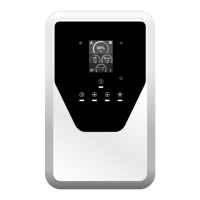
Figure 14. Controller User Interface
7.2.1 Viron eQ Chlorinator Installation Steps
MAINT > NEXT > NEXT > INSTALL >
1. Language
Select INSTALL from the Maintenance menu
and you ACCEPT the appropriate Language for
your Chlorinator (English is the default language).
INSTALL CHLORINATOR is displayed.
2. Select Installation Options
After setting the Language option, you will be
asked if you want to INSTALL CHLORINATOR.
Set the following install options:
• TIMER ENABLED – Turn your timer on or off.
Press ACCEPT.If the chlorinator is connected
to an external timer clock or Genus Remote
Control system choose Disable.
• FAST COMMS – Do not change this function
unless you are using an older version Hurlcon/
AstralPool controller (no touchscreen).
• VARIABLE SPEED PUMP – Program the speed
of the pump as part of the timer setting in
the chlorinator. Choose YES if you have an
AstralPool 3 speed pump.
• FLUSH AFTER TIMER – Turn on pump will
momentarily after timed cycle to flush residual
chemicals from the injection chamber.
7.2 Initial Start-up
WARNING
To avoid risk of serious damage to the equipment, ensure that all
salt added to the pool has completely dissolved before activating the
chlorination function of your system.
The eQ Chlorinator can be controlled using the
screen and buttons or via an App on a compatible
smartphone or tablet using Bluetooth.
Initial set up for equipment such as variable speed
pumps etc, needs to be performed using the
Chlorinators screen and buttons. After initial setup,
most other functions can be performed using either
the Chlorinator or the App.
The eQ Chlorinator basic functions are:
1. Maintenance – special functions and initial set
up to suit your pool and spa.
2. Setting – adjust chlorine production and pH of
pool and spa water.
3. Clock and Timer – set current time and timers
for filtration, chlorine production and pH
monitoring.
4. Pool and Spa Mode – select mode specific to
producing chlorine and acid dosing either the
pool or the spa.



 To Next Page