Viron eQ Salt Chlorinator With Bluetooth | Installation and Operation Manual
Page 16
• PUMP FLOW CHECK – Monitor the flow sensor
inside the chlorinator cell. If water flow is not
detected for over 5 minutes, power to the pump
outlet will be shut down to prevent damage to
the pump.
• ENABLE LIGHT – Set your Chlorinator to control
a Halo Lite (SLX setting)
NOTE: If an SLX light is connected via the ARC setting,
there is no way to control colour other than with
On/Off to cycle through the colours. Colour is
not saved for next use and reverts to white.
• CELL REVERSAL PERIOD – Do not change
this setting without consulting with your local
AstralPool dealer or service department.
Standard setting is 4 hours.
• REVERSE CELL? – Perform a manual reverse of
your chlorinator cell – designed for use by your
pool technician only.
• SET POOL WATER VOLUME – Change the
volume of your pool. Select YES and use up/
down arrows to change. Press ACCEPT.
NOTE: Setting is only available if probes are
installed.
• SET SPA WATER VOLUME – Change the
volume if you have a spa attached to your pool.
Select YES and use up/down arrows to change.
Press ACCEPT.
NOTE: Setting is only available if probes are
installed
• RESET SYSTEM? – Revert the Chlorinator back
to factory settings. Select NO. Use only in the
case of a system error that can’t be cleared.
7.2.2 System Power
• Press POOL MODE to cycle between:
Auto
Manual - On
Manual - Off
• Press
to turn the Viron eQ Chlorinator On
and Off.
AUTO operates the filter pump and chlorine
production on the selected timer periods. If the
factory defaults are not changed, the timer turns
the filter pump and unit on at 08:00 hours for a
period of 4 hours and then again at 16:00 hours for
a further period of 4 hours.
– Auto – Running indicates that the chlorinator
is running within a timer period.
– Auto – Stopped indicates that the chlorinator
is outside of a timer period.
7.3 Backwash the Filter
MAINT > BACKWASH > Up or Down for time > ACCEPT >
BACKWASH to rinse > Up or Down for time
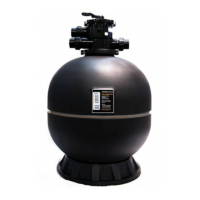
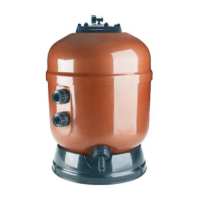
Before running the eQ Chlorinator for the first time,
ensure your sand filter is backwashed for 2 to 3
minutes and then rinsed for 1 minute.
• Turn pump off when changing the position of the
backwash valve on your filter.
• Minimum time is 1 and maximum is 5.
NOTE: You can press ABORT at any time to stop the
backwash cycle.
7.4 Set Dosing
WARNING
• Hydrochloric Acid should be handled with extreme care.
• Refer to Material Safety Data Sheets on Hydrochloric Acid.
• Do not inhale Acid fumes.
• Do not spill.
• Handle with extreme care during transport.
• Use protective gloves and goggles
• In the case of spillage wash down with fresh water immediately.
• Keep out of reach of children.
Set the Acid dosing time and amount via the
DOSE function or override the time clock to set the
Chlorinator to allow for additional circulation of the
swimming pool water after treatment or cleaning.
Timer
Clock
Pool
Mode
Spa
Mode
POOL SANITISING OFF
UNIT 16:00
SET DOSE NEXT
Figure 15. Viron EQ Chlorinator Dose Menu Screen
MAINT > NEXT > DOSE > Up or Down for time > SET
Press DOSE and up/down arrows to:
• Shock Chlorinate the Pool: Provide a shock
dose of chlorine production or sanitise until the
first timer tomorrow morning.
• Manually prime Acid Pump: Select this function
to fill the clear PVC tube with Acid on initial
start-up or after changing or refilling the Acid
Container. The priming period is for 5 minutes
but can be stopped at any time. If the tube is not
completely filled with Acid after 5 minutes repeat
the process.



 To Next Page