Viron eQ Salt Chlorinator With Bluetooth | Installation and Operation Manual
Page 21
Section 10. Ai Mode
Ai Mode is complete automatic control of your Pool
& Spa. Ai Mode is a unique system that controls
the filtration and chlorine levels in your pool with
three primary objectives:
• Completely turnover your pool water every
day so that the organic material which looks
unsightly and which feeds algae and bacteria is
removed from your pool.
• Ensure the correct sanitizer level is achieved to
destroy any pathogens, algae and bacteria in
the water.
• Minimize the cost of operating your pool and
spa.
Ai Mode will automatically adjust operating times,
pump speed (when Viron variable speed pumps
are installed) and chlorinator output to suit the
weather conditions and bather load.
Priority one is to produce sufficient chlorine to
make the pool clean, healthy and ideal to swim in.
Priority two once the pool is clean is to reduce
operating costs by automatically reducing the
pump speed.
10.1 Ai Equipment Requirements
For your Viron eQ Chlorinator to operate in Ai
Mode you will need the following equipment:
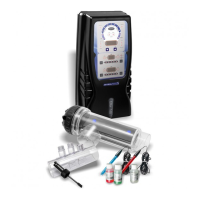
• A Viron eQ Chlorinator
• pH sensor
• Chlorine sensor
• RJ12 communications cable
• Viron XT series variable speed pump
10.2 Ai Mode Connection
Connect your Viron XT series pump to the Viron eQ
Chlorinator with the RJ12 communications cable
and plug the 3 pin plug into the bottom.
10.3 Ai Mode Set Up
In the Viron eQ Chlorinator “Set Up” screen:
1. Enter “INSTALL” menu and enable the
following:
– 3 speed pump enabled the volume of your
pool and spa in litres (if no spa is installed,
leave this at factory pre-set level)
– Select Ai Mode
– Select the size Viron Pump you have
installed (1.0 hp for P320/XT320 and 2.0 hp
for P600/XT520)
– Select the speed of the pump when you have
the system manually on – we recommend
speed 1 or high speed.
– Select “Continue” set up when asked.
– the number of complete water turnovers
required each day, (suggest factory preset of
1.5 times is adequate)
– When asked “Reset to Factory Defaults?”
select no.
2. Exit the “Install Menu”
3. Change the timer period to operate for as long
as possible (suggestion of 16 hours – from 8
am to 10 pm)
10.3.1 Viron XT series Pump speed selection:
1. Enable System mode in the Viron Pump menu
– refer to your Viron Pump Instructions
2. Set Pump speeds as follows:
– With the RJ12 Cable connected to the pump
and eQ Chlorinator, change chlorinator mode
to “Manual On” to enable adjustment of the
Pump Speeds.
Note: Once pump is turned Manual On,
it will go into Priming Mode for 5 minutes
before the speeds can be changed.
– Set High Speed at near maximum speed of
the pump.
– Set Medium Speed at a speed so the
chlorinator electrode cell fills with water
during operation and the skimmer box weir
door creates some surface tension on nearby
water to skim properly. Usually, this speed
will be between 1200 and 1600 RPM.
– Set Low Speed at 600 RPM (also referred to
as sampling speed). Ensure water is flowing
through the chlorinator cell at this speed.
10.4 Operation in Ai Mode
In Ai Mode, the pump and electrode cell will start
at the first time setting. After an initial 5 minute
priming period, the pump will revert to filter speed
(Medium Speed), the eQ Chlorinator will test pH
and chlorine levels and both adjust the chlorine
production and dose acid to achieve the desired
levels.
The Viron eQ chlorinator will ensure the pump
operates until its primary two objectives are
achieved:
• Water is turned over 1.5 times (on a 50,000 litre
pool, the pump will move 75,000 litres of water
to ensure all of the water is filtered)



 To Next Page