Viron eQ Salt Chlorinator With Bluetooth | Installation and Operation Manual
Page 20
Section 9. Daily Operations
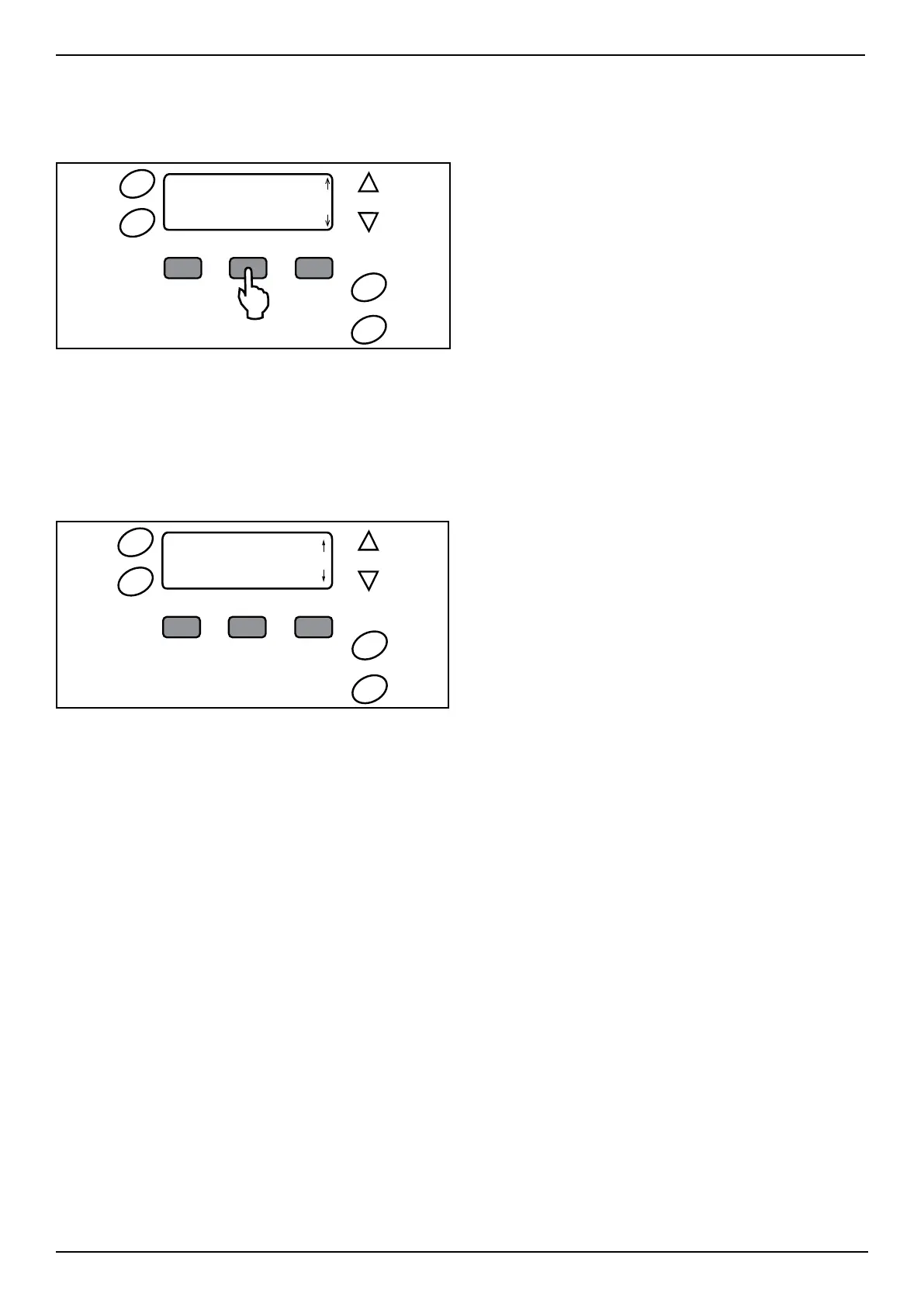
For regular operation, make adjustments via the
SET button on the eQ Chlorinator.
Timer
Clock
Pool
Mode
Spa
Mode
16:05
POOL SANITISING ON
UNTIL 20:00
SET MAINT
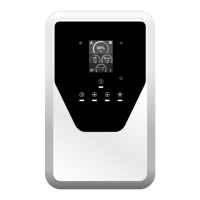
Figure 21. eQ Chlorinator Set Screen
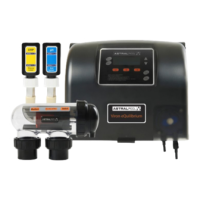
9.1 Setting Clock
POOL MODE > OFF > CLOCK > DAY > Up or Down > HOUR
> Up or Down > MIN > Up or Down > CLOCK to Save
NOTE: The clock is a 24-hour clock.
Timer
Clock
Pool
Mode
Spa
Mode
TIME: 11:00
HOUR MIN
Figure 22. eQ Chlorinator Clock Set Screen
9.2 Setting Timers
AstralPool recommends the use of two separate
timers for the morning and evening operations,
with chlorinating periods of 2-5 hours each. The
Viron eQ Chlorinator is most effective if running
in the early morning or evening when it is cooler
(strong sunlight consumes more chlorine). As a
default, the control is set to come on at 08:00
hours and 16:00 hours both for periods of 4 hours.
The Viron eQ Chlorinator has four (4) timers per day
for the filtration pump, chlorine production, as well
as two (2) timers for compatible light operations.
Timers are set by entering a Start time and a Run
time. To set timers, do the following:
TIMER > HOUR > Up or Down > MIN > Up or Down > NEXT
> RUN > HOUR > Up or Down > MIN > Up or Down >
Press NEXT until normal displays returns to save
NOTE: The RUN time represents the number of hours
you want the unit to operate for.
NOTE: For light timers to work, the chlorinator and
lights must both be set to Auto mode. Light
timers will not work if the chlorinator is set to Off
or Manual. Even if the light is set to Auto, this
function is ignored and the lights will not come
on automatically.
Recommendations for timers:
• Two timers: one for morning, one for the evening
sanitizing cycle
• Timers should typically run for periods of 2-5
hours each.
• A third timer can be used for lighting with the
pump off.
• Chlorinator is most effective if run in the early
morning or evening when it is cooler (strong
sunlight consumes more chlorine)
9.2.1 Auto Sanitising
AUTO mode sets the controller on timer clock
mode. In AUTO mode the LCD screen will display
the date and pool sanitiser or light message.
Press POOL MODE repeatedly to toggle between AUTO,
Manual - ON, Manual - Off
9.2.2 Lighting Timers
You can set additional lighting timers to control
lights automatically. Use either use the Connect
LITE remote control, or the LIGHT button on the
chlorinator to set a timer for the Lights to AUTO.
9.3 Adjust Chlorine Output
In summer (or other heavy bathing times), chlorine
output should be set between 6 and 8. Check
chlorine level in your swimming pool regularly
to determine if the output should be increased
or decreased. Rely on a pool professional for
additional advice on the recommended chlorine
level in your pool.
Free chlorine level should be between 1.0 ppm and
3.0 ppm.
NOTE: 0 chlorine output should only be used when
there is no salt in the water.
POOL MODE > Manual - ON > SET > Change Chlorine Set
Point > YES > Up or Down > ACCEPT
9.4 Adjust pH Setpoint
pH in your pool should be set between 7.4 and
7.8. Variations are determined by the type of pool
you have (concrete, fibreglass, vinyl liner). Rely on
a pool professional for additional advice on the
correct pH Set Point for your pool.
POOL MODE > Manual - ON > SET > Change PH Set Point
> YES > Up or Down > ACCEPT



 To Next Page