Viron eQ Salt Chlorinator With Bluetooth | Installation and Operation Manual
Page 19
CHLORINE SET
+ 0
SET MAINT
MAINTENANCE MODE
SELECT FUNCTION
EXIT BACKWASH NEXT
MAINTENANCE MODE
SELECT FUNCTION
EXIT DOSE NEXT
MAINTENANCE MODE
SELECT FUNCTION
EXIT INSTALL NEXT
INSTALL
CHLORINATOR
EXIT ACCEPT NEXT
INSTALL
LIGHT
EXIT ACCEPT NEXT
HOLD BOTH
TO ENTER
BOOTLOADER V1.02
Ready for download
INSTALL
BLUETOOTH
EXIT
EXIT
ACCEPT NEXT
FIRMWARE
UPGRADE
YES NO
BLUETOOTH
ACCESS CODE
63F8
NEXT
LANGUAGE/SPRACHE
IDIOMA/LANGUE/LINGUA
ENGLISH
ACCEPT
NOTE: Bootloader
version may differ
from shown.
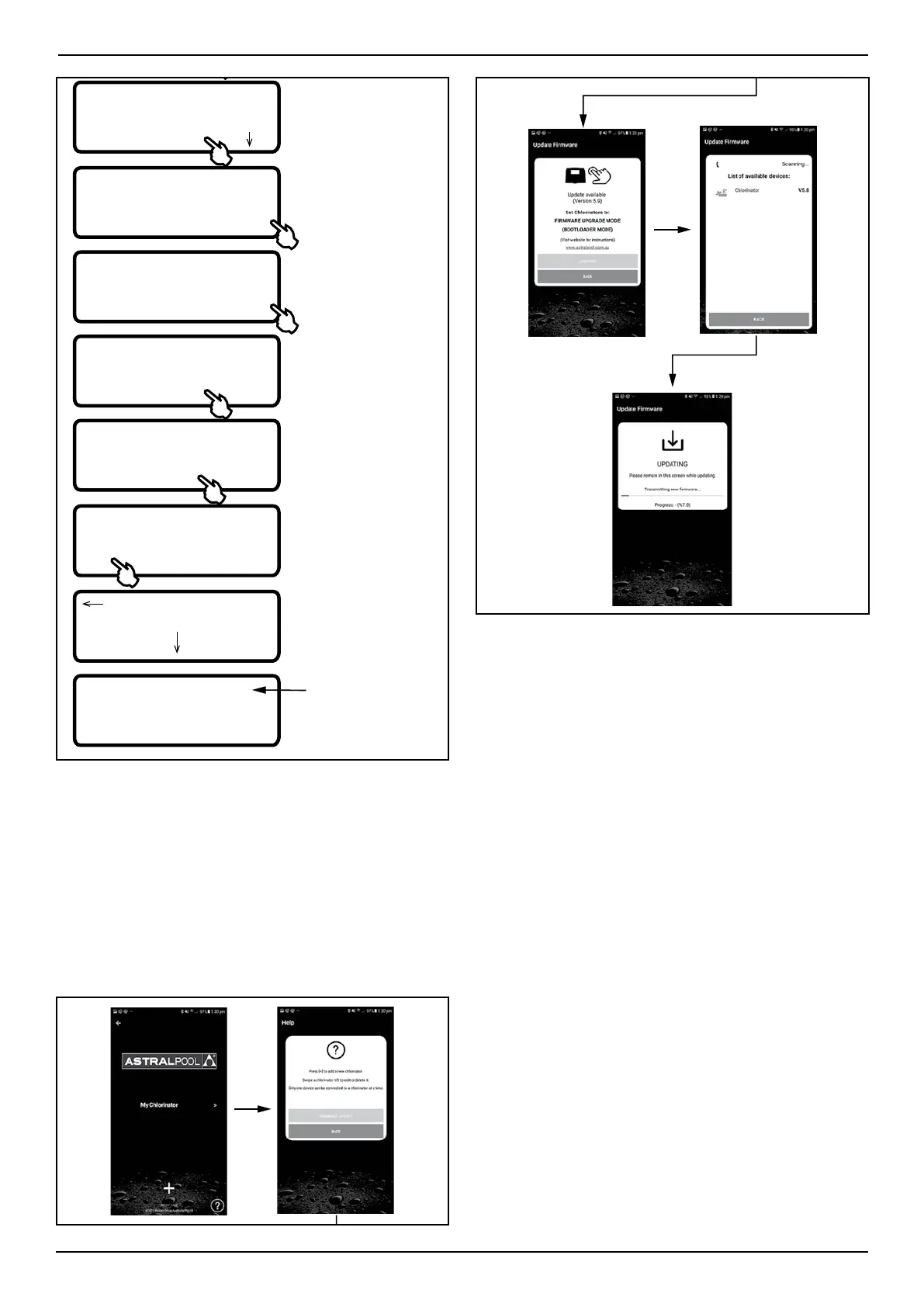
Once the Viron Chlorinator is in bootloader mode
(from either firmware update option), open the
ChlorinatorGo App and begin the firware update
process.
FIRMWARE UPDATE > CONTINUE > (wait for devices to
populate) > Click on CHLORINATOR > (updating progress
will show on ChlorinatorGo App and User Interface Screen
If the update is successful, it will show on the
screen.
Figure 20. ChlorinatorGo App Successful Firmware
Update Screen



 To Next Page