18 ASUS DAV Center
Setting up your DAV Center
Connecting to the TV signal source
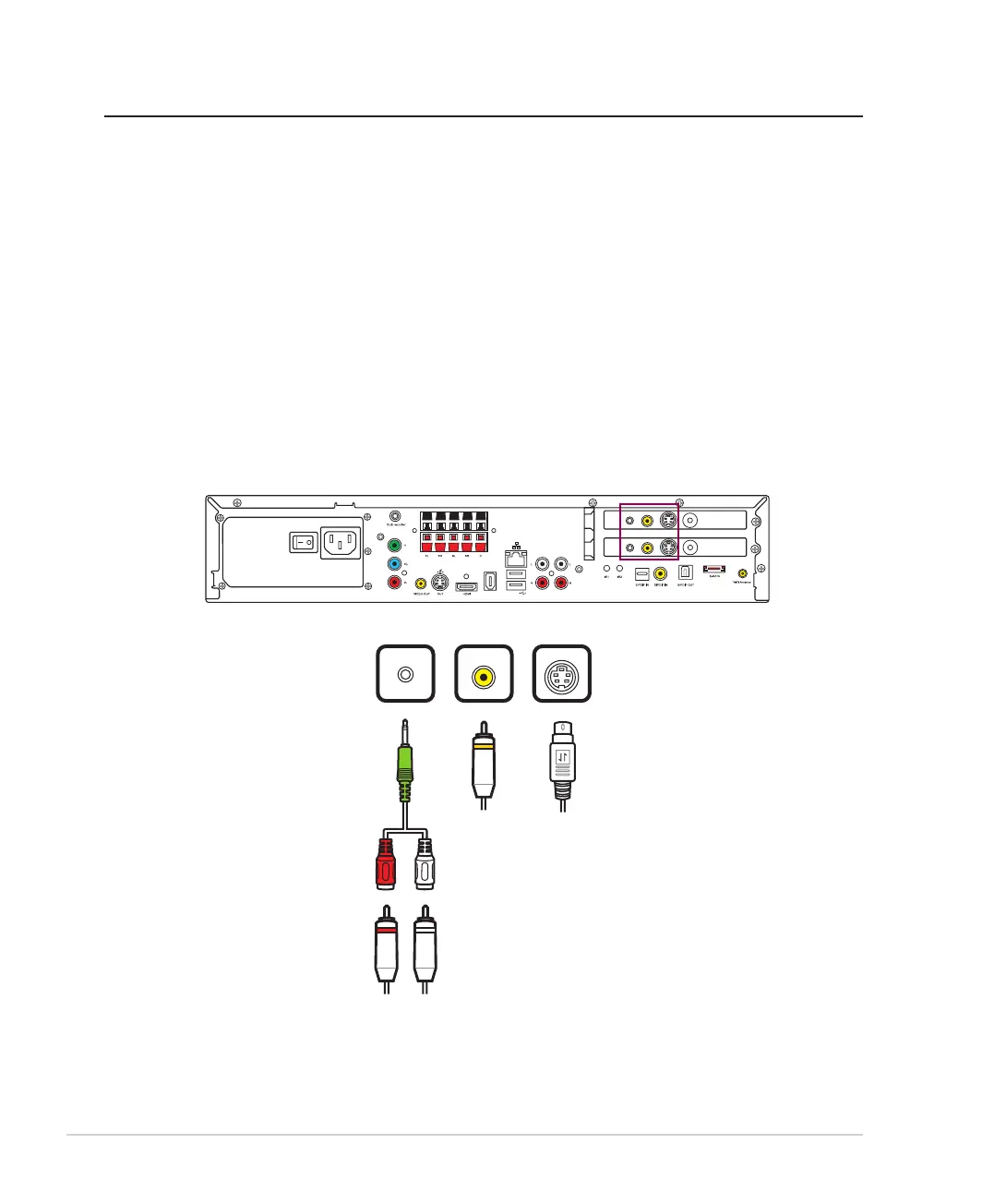
Your DAV Center has connectors for S-Video/Composite/Coaxial input. If you use an S-Video or a Composite
jack, you also need to connect the audio source using RCA stereo plugs. For Coaxial input, both the video andthe video and
audio signals are carried on one cable.
Connecting to the TV signal using S-Video/Composite
1. For S-Video: Connect an S-Video cable (not provided) from a video source such as a cable set-top box, a
satellite set-top box, or other video source device, to the S-Video jack on the DAV Center rear panel. OR
For Composite: Connect the yellow RCA cable provided from a video source mentioned above to the
Composite jack on the DAV Center rear panel.
2. Connect the stereo audio cables from the Audio Out jacks on the video device to the RCA adapter, and
then connect it to the Audio In jack on the DAV Center rear panel.
/+++
;9(
/4
5;:
';*/5
)536
9</*
:</4
';*/5
)536
9</*
:</4
OR













 To Next Page