28 ASUS DAV Center
Connecting to speakers
ASUS DAV Center is equipped with Audio Out jacks that allow you to connect to an active stereo using RCA
cables. To configure a multi-channel audio setup, the A33/A31 model, with a built-in amplifier, allows you to
connect to 5.1 channel passive speakers using Y cables (not provided). The A33L/A31L model supports a 7.1
channel active speaker system, and you can connect speakers to these jacks using RCA audio cables.
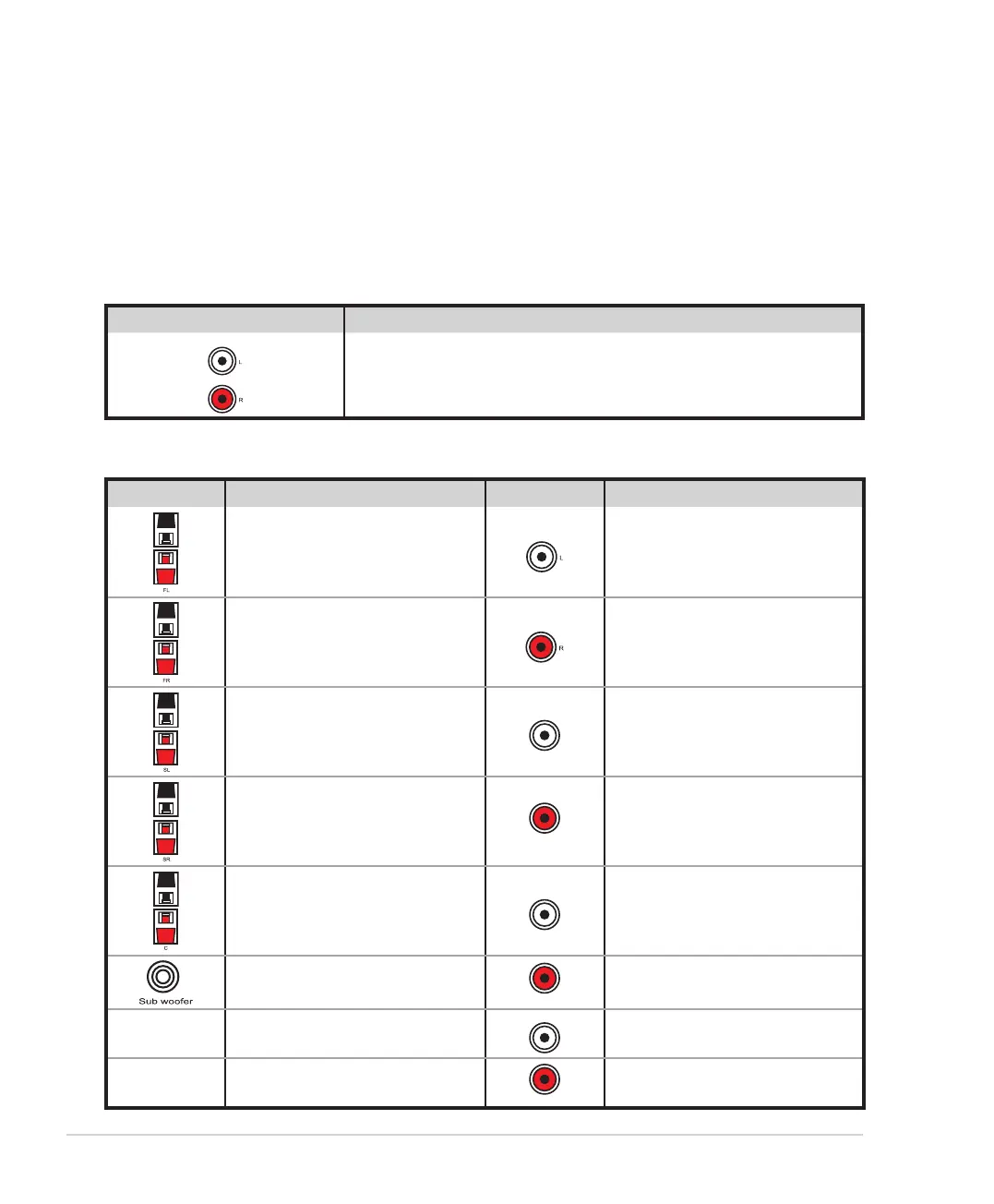
Refer to the table below for the audio connectors on the rear panel and their functions.
For stereo speakers
A33/A31/A33L/A31L Description
Audio Out connects to active stereo speakers.
For a multi-channel speaker system
A33/A31 Description A33L/A31L Description
Front left connects to a front left
speaker.
Audio Out left connects to a front
left speaker.
Front right connects to a front
right speaker.
Audio Out right connects to a
front right speaker.
Surround left connects to a rear
left speaker.
Rear Surround left connects to a
rear left speaker.
Surround right connects to a rear
right speaker.
Rear Surround right connects to a
rear right speaker.
Center connects to a center
speaker.
Side Surround left connects to a
side left speaker.
Subwoofer connects to a
subwoofer.
Side Surround right connects to a
side right speaker.
Center connects to a center
speaker.
Woofer connects to a
subwoofer.













 To Next Page