10 ASUS DAV Center
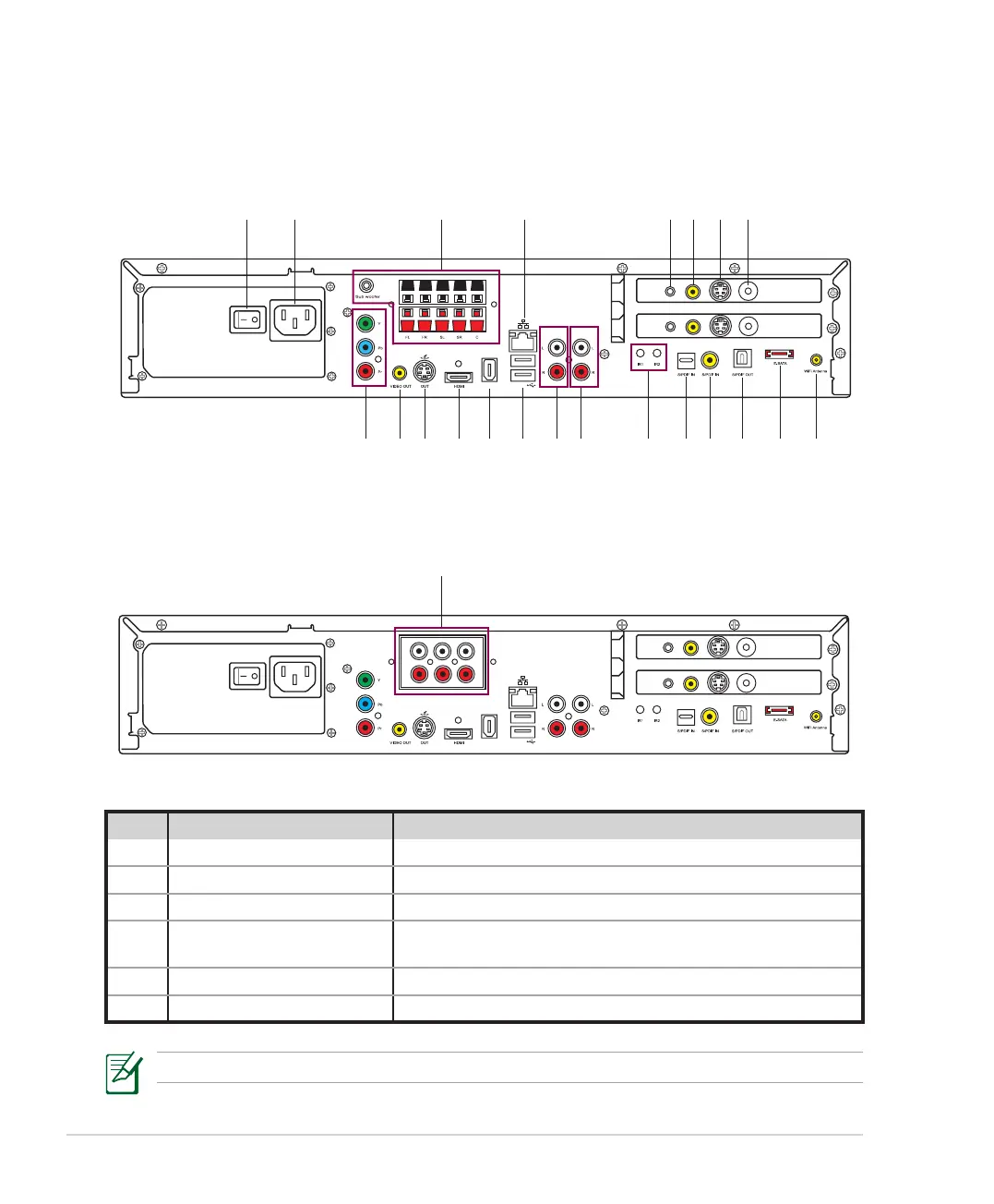
Rear view
A33/A31
A33L/A31L
/+++
;9(
/4
5;:
';*/5
)536
9</*
:</4
';*/5
)536
9</*
:</4
91112 101314151617
18
19202122
1 2 3A 4 5* 6* 8*7*
/+++
;9(
/4
5;:
';*/5
)536
9</*
:</4
82
92
)KTZKX
=UULKX
98
88
';*/5
)536
9</*
:</4
3B
No. Name Description
1. Power switch Press to turn on/off the DAV Center.
2. Power connector Plug the power cord into this connector.
3A.** 5.1 channel amplifier Connect passive speakers to this amplifier.
3B.** RCA Audio Out jacks
Connect active speakers to these jacks plus Stereo Audio Out
jacks (No. 15) to achieve 7.1 channel effects.
4. LAN port Plug a network cable into this port.
5.* Audio In jack Plug an analog audio device into this jack on the tuner card.
**Refer to the “Configuring audio output” section for detailed speaker configurations.













 To Next Page