26 ASUS DAV Center
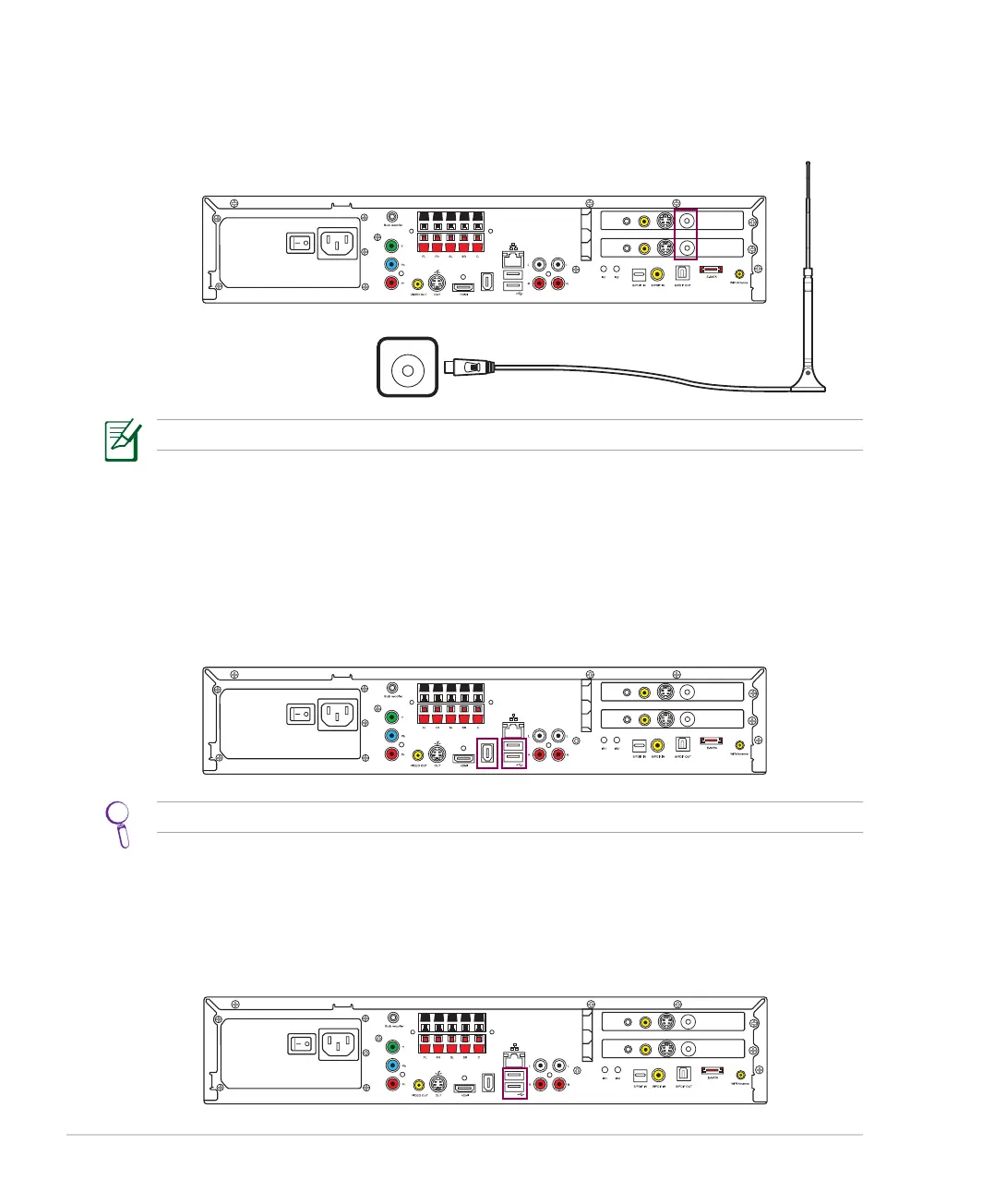
Installing the digital TV/FM antenna
To connect the digital TV/FM antenna, connect it to theconnect it to the TV IN jack on the back of your DAV Center.
Connecting to a digital video camera
To connect a digital camera or a digital video camera:
1. Turn on your DAV Center, and wait for the Windows® Vista™ OS to start.
2. Connect the video camera transfer cable into the camera and then into a free USB port or an IEEE 1394
port on your DAV Center.
The reception signal and quality of the Digital TV/FM antennas may vary in different regions.
/+++
;9(
/4
5;:
';*/5
)536
9</*
:</4
';*/5
)536
9</*
:</4
/+++
;9(
/4
5;:
';*/5
)536
9</*
:</4
';*/5
)536
9</*
:</4
You can also use the 4-pin IEEE 1394 port and the USB port on the front panel.
Connecting to other devices
Other peripheral devices such as a printer, scanner, card reader, and PDA can also be connected to your DAV
Center through the USB ports.
/+++
;9(
/4
5;:
';*/5
)536
9</*
:</4
';*/5
)536
9</*
:</4













 To Next Page